
zGallery - Image Viewer 4.65
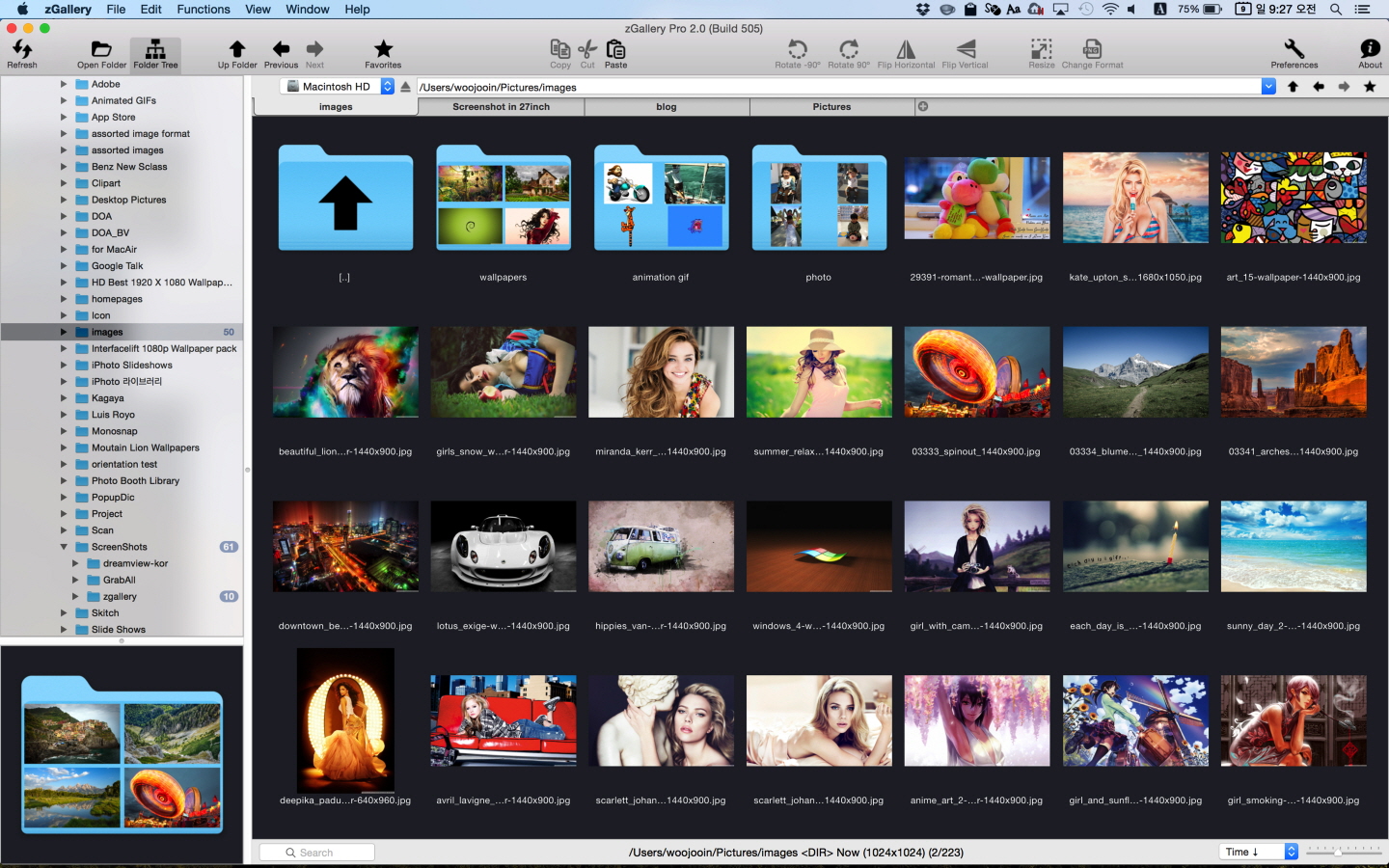


zGallery is the elegant software that shows, browses and edits images and photos in your folder and disk.
It is very easy to use but provides all must-have powerful functions.
If you’re looking for the solutions for managing images and photos,
zGallery will be the best choice.
Main Features:
- Shows almost every common format image
- Thumbnail browsing for all type of file. (even video image files)
- Folder search browsing in tree panel
- Zooming in/out
- Fullscreen mode
- Slide show
- File management functions such as copy, move, delete and so forth
- Image editing functions such as rotate, flip, resizing, changing format and so forth
- Copy & Paste, Drag & Drop support like Finder
- Set image as desktop wallpaper
- Extraction frames from animation gif
Version 4.65
- items can be reordered by drag and drop
Frequently asked questions
How do I install the app?
Mount the image, drag the app into the "Applications" folder and launch it. If the system blocks the launch, allow it in "System Settings → Privacy & Security".
The app is damaged or won't launch
Reinstalling from a fresh image usually helps. Make sure your macOS version matches the one listed in the compatibility specs.
How do I update?
Download the new version from the site and install it over the current one — your settings will be preserved.
The download link doesn't work
Try a mirror or a download manager. For large files the browser often drops the connection.
How do I completely remove the app?
Use an uninstaller utility — it cleans up the service files that remain after moving the app to the trash.





Choose a download source
zGallery - Image Viewer 4.65 · 8.96 MB