
Xliff Editor 4.1
Xliff Editor — fast XLIFF editor for efficient localization workflows
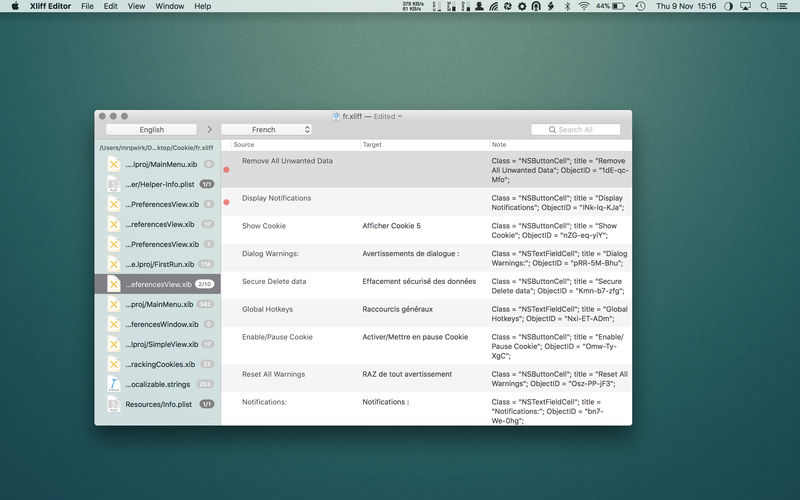
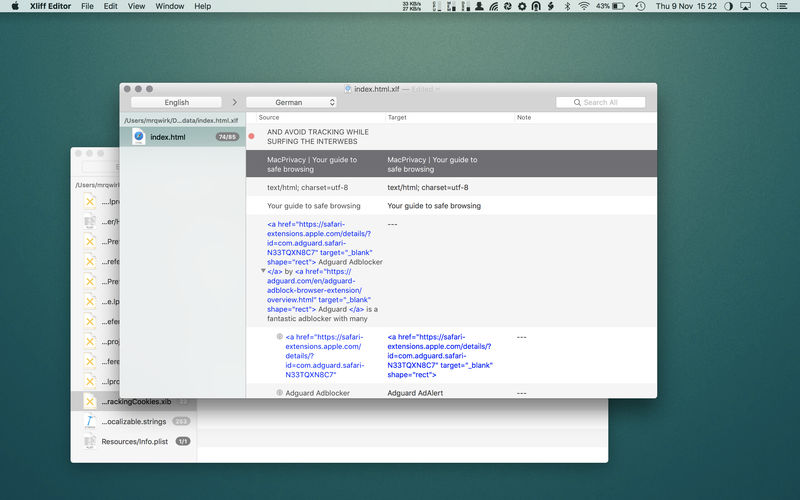
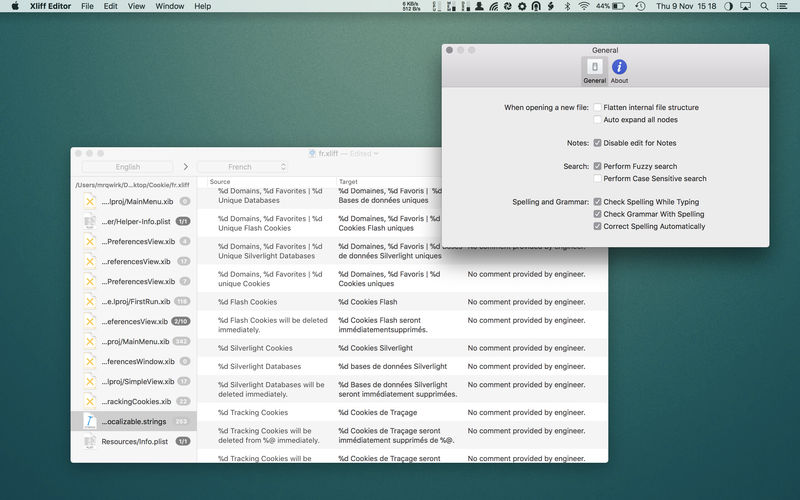
Xliff Editor - its fast to load, easy to use, and has a low memory footprint. Did we forget to mention Inline tag protection, Fuzzy search, intuitive shortcuts, multiple concurrent file editing and native spell checker. It also has some pretty nice customizations you can use to better suit your workflow.
Not all Xliff editors have been created equally. We've custom built our own XML parser to read even the most complex Xliff v1.2 files. Xliff Editor effortlessly handles Segmentation, Inline tags and Alternate translations.
Xliff Editor Features:
- Highlighted search
- Fuzzy search
- Spell checker
- Easy recognition of un-translated strings
- XLIFF, XLF file support
- SDLXIFF read support with export to XLIFF
- Support for alt-trans and seg-source nodes
- inline tag protection
- Support for editing Multiple files simultaneously
- Beautiful interface
**Currently only XLIFF v1.2 files are supported.
Version 4.0
- updated for macOS Tahoe
Frequently asked questions
How do I install the app?
Mount the image, drag the app into the "Applications" folder and launch it. If the system blocks the launch, allow it in "System Settings → Privacy & Security".
The app is damaged or won't launch
Reinstalling from a fresh image usually helps. Make sure your macOS version matches the one listed in the compatibility specs.
How do I update?
Download the new version from the site and install it over the current one — your settings will be preserved.
The download link doesn't work
Try a mirror or a download manager. For large files the browser often drops the connection.
How do I completely remove the app?
Use an uninstaller utility — it cleans up the service files that remain after moving the app to the trash.





Choose a download source
Xliff Editor 4.1 · 6.68 MB
Previous versions
Xliff Editor 4.1
Previous versions are available to registered users.