Metronome M1 v1.2
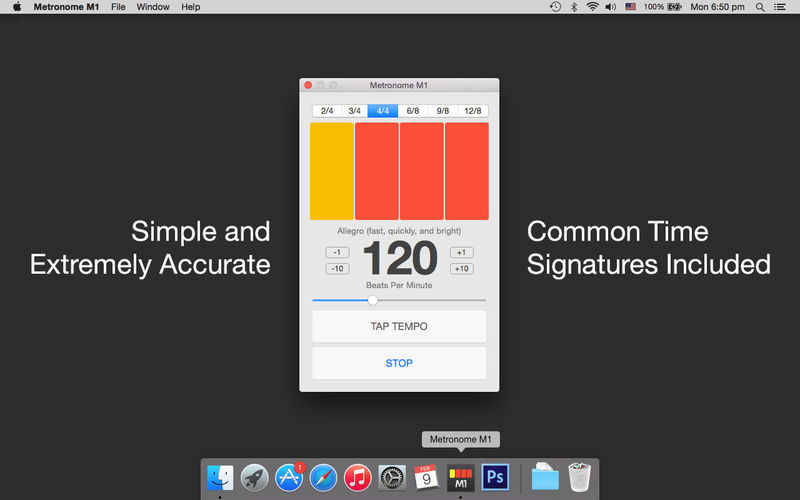

Metronome M1 is a simple and extremely accurate metronome for Mac. It comes with only the most essential features anyone will need from a metronome. The simple and clean user interface of Metronome M1 lets you get to practicing your instrument immediately without having to spend any time exploring the app.
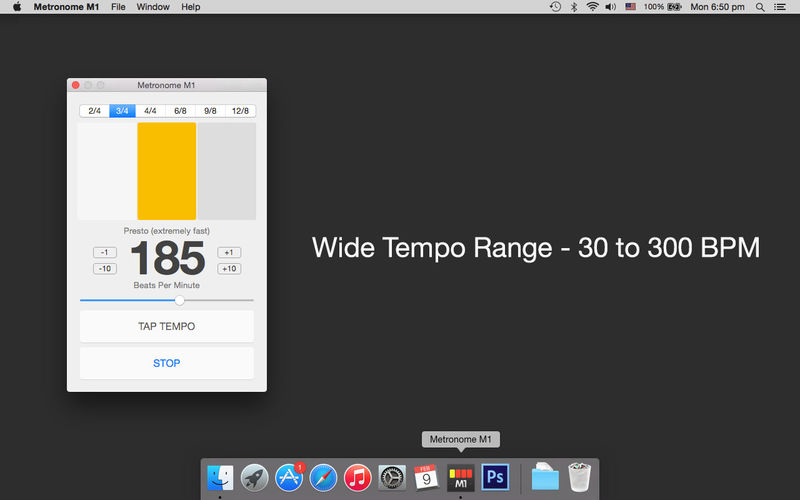
Metronome M1 supports a wide tempo range between 30-300 BPM, ranging from Grave to Prestissimo covering all popular styles including Lento, Largo, Adagio, Andante, Moderato, Allegro, Vivace and Presto. The "Tap Tempo" feature lets you quickly set your desired tempo with the ease of tapping a button. It has the option to turn off the accent on the first beat. It also allows you to set the key of the beats.
Metronome M1 supports the following common Time Signatures.
Simple time signatures:
- 2/4 (duple): Commonly used for polkas or marches.
- 3/4 (triple): Used widely for waltzes, minuets, scherzi, country & western ballads, R&B. Also occasionally used in pop.
- 4/4 (quadruple): Also known as common time, this is used widely in most forms of Western popular music. It is also the most common time signature in rock, blues, country, funk, and pop. Most students start practicing with this time signature.
Compound time signatures:
- 6/8 (duple): This compound time signature is used in double jigs, polkas, sega, salegy, tarantella, marches, barcarolles, Irish jigs, loures, and some rock music.
- 9/8 (triple): Also known as compound triple time, this is used in triple jigs.
- 12/8 (quadruple): Commonly used in slower blues (where it is called a shuffle) and doo-wop; also used more recently in rock music.
Now you no longer have to give an excuse for practicing without a metronome as you can have the free Metronome M1 app on your mobile device all the time. Make metronome your best friend and always practice with it. Moreover, practicing with metronome is proven to improve your aural skills.
Version 1.2
- Added the ability to set any of these note values for the tempo marking - Quarter note, Dotted quarter note, Half note, Dotted half note, Eighth note.
Frequently asked questions
How do I install the app?
Mount the image, drag the app into the "Applications" folder and launch it. If the system blocks the launch, allow it in "System Settings → Privacy & Security".
The app is damaged or won't launch
Reinstalling from a fresh image usually helps. Make sure your macOS version matches the one listed in the compatibility specs.
How do I update?
Download the new version from the site and install it over the current one — your settings will be preserved.
The download link doesn't work
Try a mirror or a download manager. For large files the browser often drops the connection.
How do I completely remove the app?
Use an uninstaller utility — it cleans up the service files that remain after moving the app to the trash.
VersionMetronome M1 v1.2
DeveloperJSplash Apps
CompatibilityOS X 10.8 or later, 64-bit processor
LanguageEnglish
IncludesK'ed by TNT



Information
Visitors in the group Guests cannot leave comments on this publication.
Choose a download source
Metronome M1 v1.2 · 997.61 KB