
Movavi PDF Editor 3.2.1
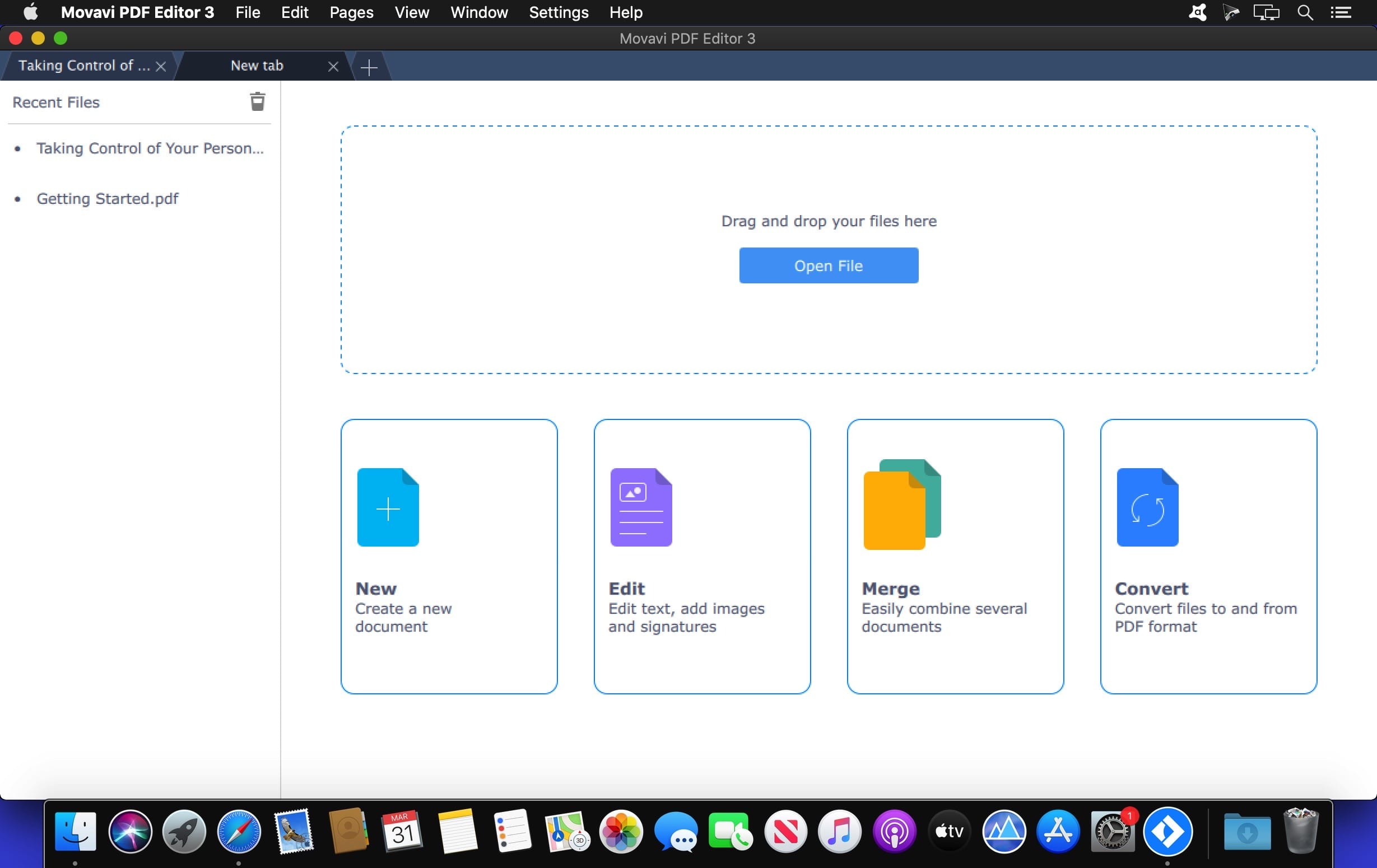

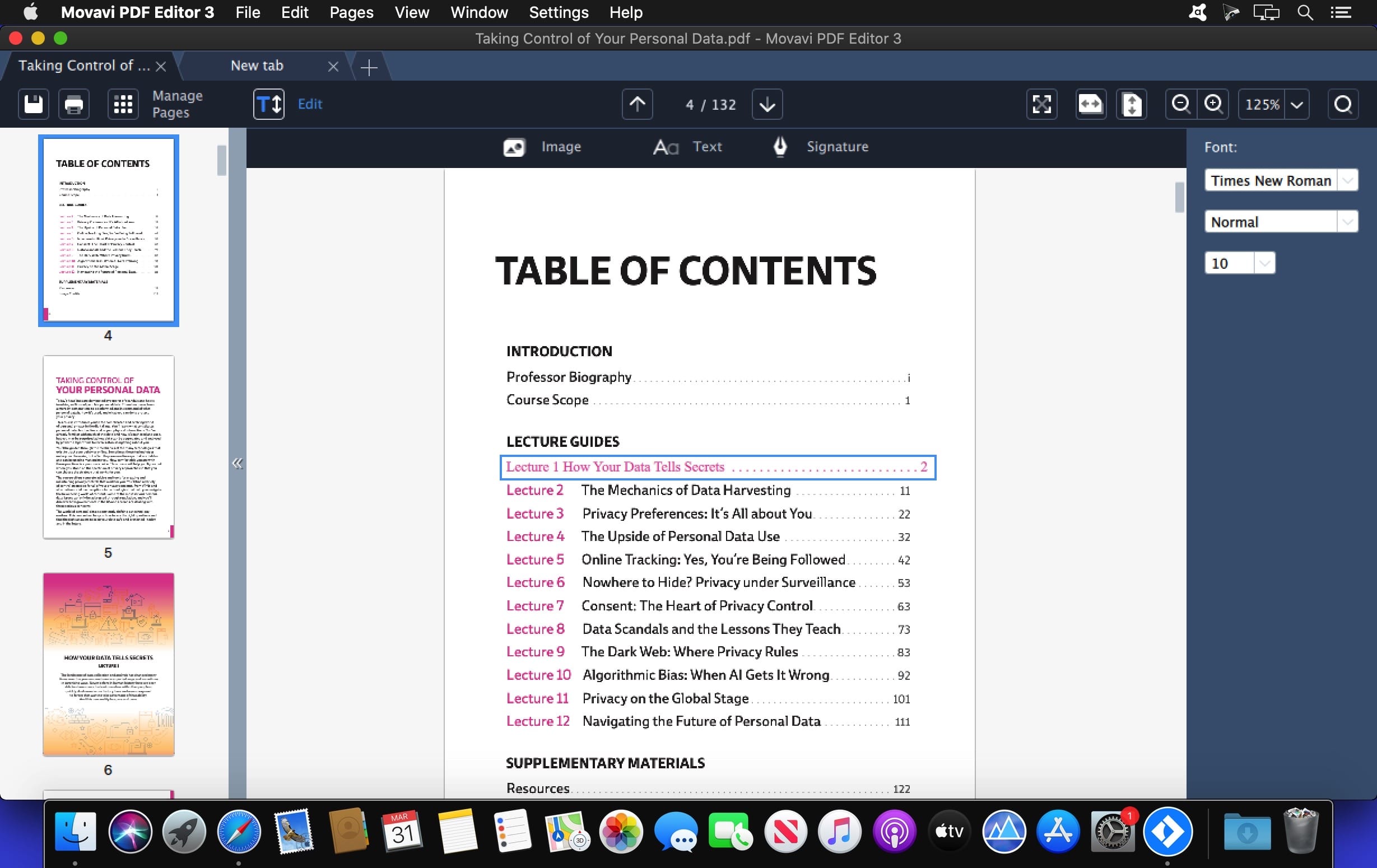
Looking for a PDF reader for Mac with good editing tools? Most of the software for Mac that you can find online for download is not that great. Free desktop apps usually lack advanced options and have inadequate formatting tools, and higher-quality paid programs can be out of the question because of their high price. We decided to combine the best features of the available OS X PDF editors without the drawbacks to come up with a Mac PDF Editor you’ll like. Create and update contract drafts, combine multiple scans into PDF files, and much more!
PDF and Image Viewing
- Read standard PDF documents on Mac computers: text documents, articles, forms, booklets, and more
- Open pictures in PNG or JPG formats
- Switch between tabs in open documents
- Scale pages from 25% to 400%
- Change page order and add new pages to PDFs
- Update catalogues when products or prices change
- Select just the pages you need from a larger document and delete the rest
- Rotate pages by 90° or 180° if they were scanned in the wrong orientation
File Merging
- Export documents, images, and projects from Word, Excel, Photoshop, or AutoCAD as PDFs, then open and combine them in the PDF Editor
- Create a single PDF document to store scans of receipts or monthly reports
- No need to re-scan a large document if one or two pages weren’t scanned correctly: scan just those pages again and add them to the original PDF file
Page Export
- Save the contents of individual PDF pages from larger documents as standalone PDFs
- Extract pages as JPG or PNG images
- Save images as PDF pages
Version 3.2.1:
- Minor bug fixes and improvements
Frequently asked questions
How do I install the app?
Mount the image, drag the app into the "Applications" folder and launch it. If the system blocks the launch, allow it in "System Settings → Privacy & Security".
The app is damaged or won't launch
Reinstalling from a fresh image usually helps. Make sure your macOS version matches the one listed in the compatibility specs.
How do I update?
Download the new version from the site and install it over the current one — your settings will be preserved.
The download link doesn't work
Try a mirror or a download manager. For large files the browser often drops the connection.
How do I completely remove the app?
Use an uninstaller utility — it cleans up the service files that remain after moving the app to the trash.
VersionMovavi PDF Editor 3.2.1
DeveloperMovavi
CompatibilityOS X 10.10 or later 64-bit
LanguageEnglish
IncludesK'ed by TNT
Information
Visitors in the group Guests cannot leave comments on this publication.
Choose a download source
Movavi PDF Editor 3.2.1 · 40.32 MB
Previous versions
Movavi PDF Editor 3.2.1
Previous versions are available to registered users.