
MySQL Optimizer 1.9.1
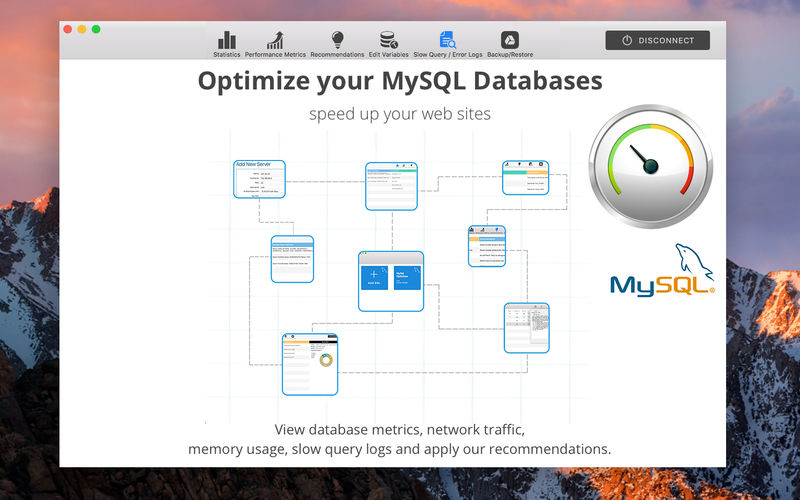
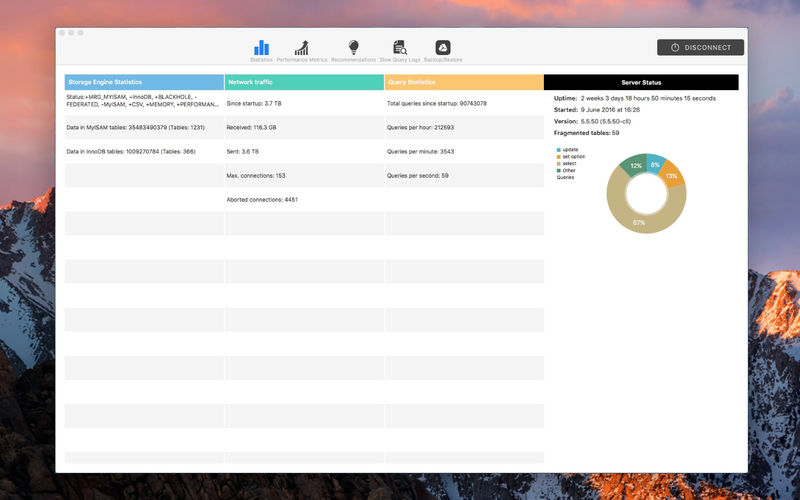

MySQL / MariaDB Optimizer is an effective app that gives you recommendations to optimize MySQL / MariaDB databases. The app provides a graphical interface simplify the process of viewing performance metrics, apply changes based on our recommendations and all mysql slow query logs which are grouped by occurrence number.
Main Features:
- Performance Metrics (very useful info about your server and mysql)
- Slow Query that are already grouped so you can fix slow queries that have highest occurrence first.
- Option to Explain slow queries
- Error logs are available within Slow query main screen
- Recommendations tab is the app main function, where you see a list of issues and recommendations, where applicable you can set the value and just tick to apply new values.
- Mysql Advanced Variables Editor, so you can adjust MySQL even further
Things to consider when applying recommendations:
- When you apply changes MySQL service restarts so your web sites will be offline for couple seconds
- Make sure you understand the changes you make as in some cases they might not be suitable
- You can always revert changes by going to Backup/restore tab and select the version you want to revert to
- Once you apply some changes MySQL needs time to collect data again for new statistics and recommendations and while it's recommended to wait 24hours before applying more changes, the app will allow you to do it after 6hours
- using Standard MySQL connections you will not be able to make any changes (apply recommendations or edit variables) - that is only possible when using SSH Connection
Linux distributions supported (to add SSH servers):
- Ubuntu 14.04 (LTS), 14.10, 15.04, 15.10, 16.04, 16.10, 17.04
- CentOS 6.x, 7.x
- Amazon Linux 2016.03, 2016.09
- Red Hat Enterprise Linux 6.x, 7.x
- Debian 7, 8, 9
Version 1.9.1:
- Fixed an app crash when using non-root mysql users
Frequently asked questions
How do I install the app?
Mount the image, drag the app into the "Applications" folder and launch it. If the system blocks the launch, allow it in "System Settings → Privacy & Security".
The app is damaged or won't launch
Reinstalling from a fresh image usually helps. Make sure your macOS version matches the one listed in the compatibility specs.
How do I update?
Download the new version from the site and install it over the current one — your settings will be preserved.
The download link doesn't work
Try a mirror or a download manager. For large files the browser often drops the connection.
How do I completely remove the app?
Use an uninstaller utility — it cleans up the service files that remain after moving the app to the trash.
VersionMySQL Optimizer 1.9.1
DeveloperGlobal Web SRL
CompatibilitymacOS 10.11 or later 64-bit
LanguageEnglish
IncludesK'ed by TNT





Information
Visitors in the group Guests cannot leave comments on this publication.
Choose a download source
MySQL Optimizer 1.9.1 · 11.58 MB