Vernissage Pro - Mockup Studio 1.3.5

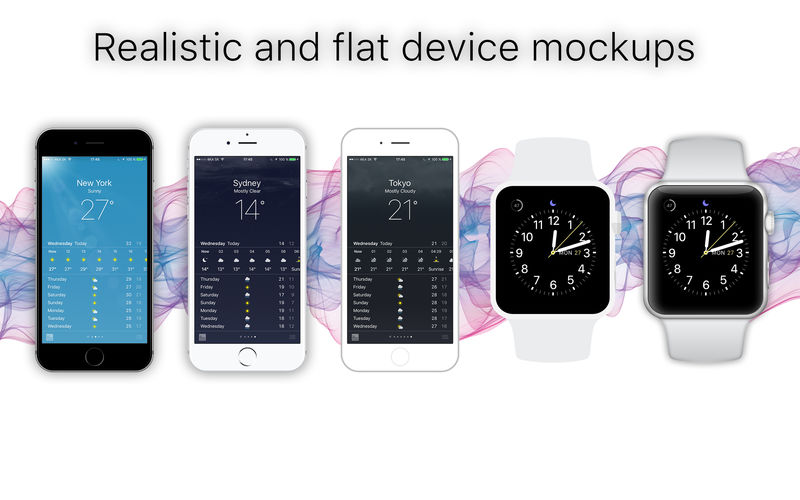
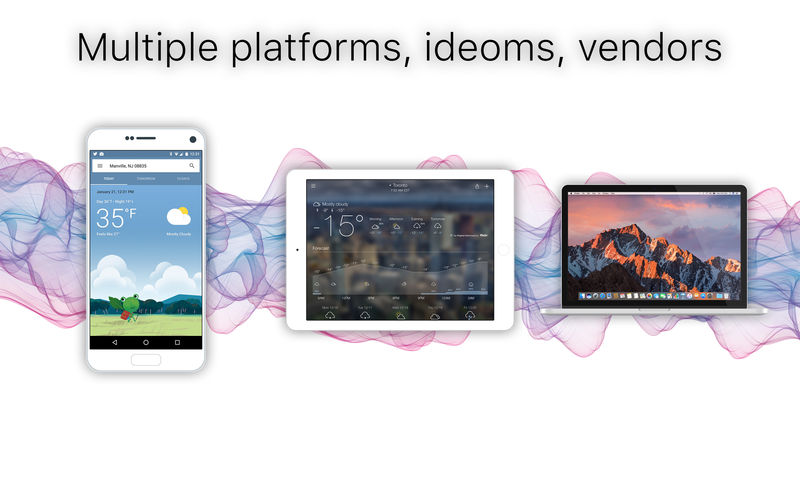
Vernissage mockup generator, wraps app screenshots in device mockups.
- share your app designs with clients or colleagues via Email or iMessage
- create screens for online application stores
- create screen matrices for technical specification
- create app screens for your presentations
- create UI/UX screen overviews
- add context to your app screens with rich text annotations
- Suitable for Mockups, App screens, App designs, Webpages
- ... a "must have" for any app related workflow
Besides raster screens, you can use your PDF designs and the exported PDF document will stays completely resolution independent.
Devices
- All devices are vector drawn and RESOLUTION INDEPENDENT
- Mobile phones, tablets, watch, notebook, desktop display, universal screen holder
- Black and white devices
- Realistic and flat style
- Portrait and landscape modes
- Shadows and glare
- Export to image of any size or to resolution independent vector PDF
- Add rich text and titles, header and footer
- Style each cell individually or all cells at once
- Image backgrounds with easy blur and vibrancy adjustment
- Image browser
- Flexible grid of devices
- Document support for saving your files
Version 1.3.5
- macOS 10.14 Mojave adjustments
- updated store export options
- new about screen
- fixed a problem where the background might not have been saved
- various other small fixes and improvements
Frequently asked questions
How do I install the app?
Mount the image, drag the app into the "Applications" folder and launch it. If the system blocks the launch, allow it in "System Settings → Privacy & Security".
The app is damaged or won't launch
Reinstalling from a fresh image usually helps. Make sure your macOS version matches the one listed in the compatibility specs.
How do I update?
Download the new version from the site and install it over the current one — your settings will be preserved.
The download link doesn't work
Try a mirror or a download manager. For large files the browser often drops the connection.
How do I completely remove the app?
Use an uninstaller utility — it cleans up the service files that remain after moving the app to the trash.
VersionVernissage Pro - Mockup Studio 1.3.5
Developermin60 s.r.o.
CompatibilityOS X 10.11 or later, 64-bit processor
LanguageEnglish
IncludesK'ed by TNT

Information
Visitors in the group Guests cannot leave comments on this publication.
Choose a download source
Vernissage Pro - Mockup Studio 1.3.5 · 7.1 MB
Previous versions
Vernissage Pro - Mockup Studio 1.3.5
Previous versions are available to registered users.