
SVGViewer Pro 1.0
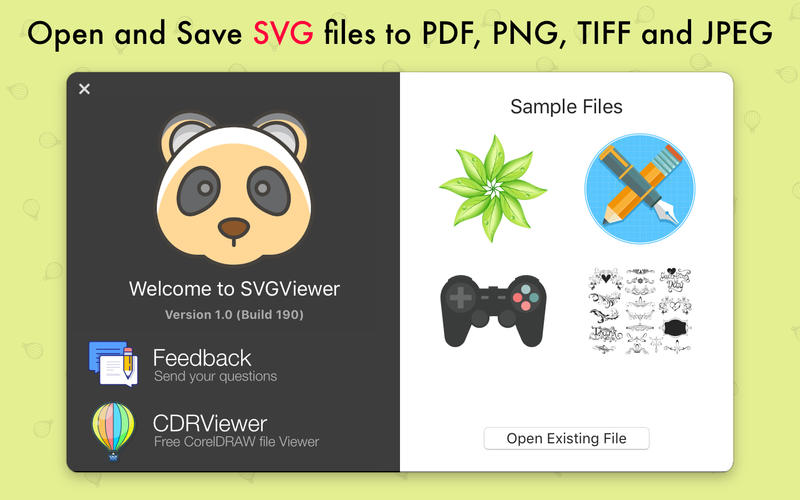
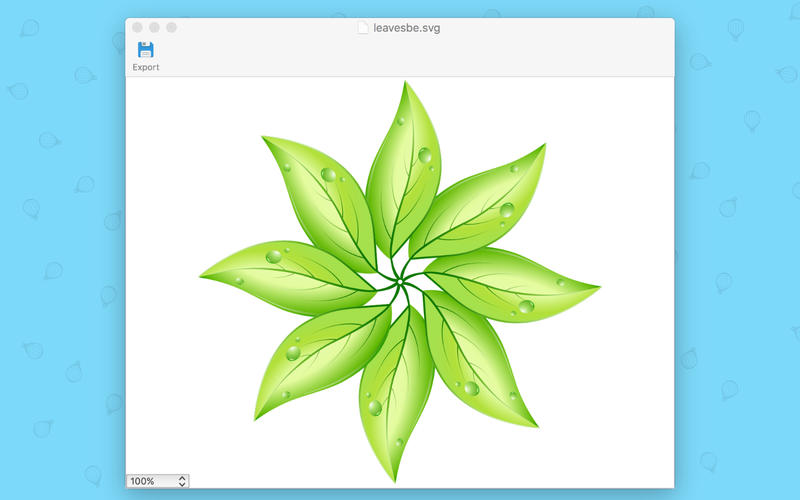
SVGViewer Pro can be used to open SVG graphics files, display image preview and provides option to convert opened image and export them to other file formats as .jpg, .gif, .png, pdf and others extensions. SVGViewer Pro supports all types of SVG files and can convert them to other graphic formats.
There are several drawing programs and vector graphic editing applications that supports SVG file extensions and these file are usually used as a standard means for transferring image data between different operating systems (Windows, Linux, MAC OS).
If you download graphics from graphic collection sites, then this app is perfect for you. Doesn't need of Vector Editing application, SVGViewer Pro creates high quality vector and bitmap graphic files from any SVG file. Standalone software, Inkscape, Adobe Illustrator, Adobe Acrobat and Reader or any other Vector Editing Software NOT required!
Zoom In/Out
You can zoom in/out both with mouse and with slider control.
Convert to other formats
Opened SVG images can be converted/saved in other image format as PDF (vector), JPEG(.jpg), PNG(.png), GIF(.gif) and TIFF(.tiff).
Secure and Clean
SVGViewer Pro is secure and does not contain any form of malware, including but not limited to: spyware, viruses, trojans and backdoors.
Stable and fast
SVGViewer Pro uses only libraries that are need for processing, no need to connect any network to convert, all activity is done in your computer, the interface is sample and easy to use. All this provides faster and stable work of the application.
User-friendly interface
SVGViewer Pro is very simple and easy for use. All you need is to open SVG file, zoom and save in other format if you want.

Frequently asked questions
How do I install the app?
Mount the image, drag the app into the "Applications" folder and launch it. If the system blocks the launch, allow it in "System Settings → Privacy & Security".
The app is damaged or won't launch
Reinstalling from a fresh image usually helps. Make sure your macOS version matches the one listed in the compatibility specs.
How do I update?
Download the new version from the site and install it over the current one — your settings will be preserved.
The download link doesn't work
Try a mirror or a download manager. For large files the browser often drops the connection.
How do I completely remove the app?
Use an uninstaller utility — it cleans up the service files that remain after moving the app to the trash.


Choose a download source
SVGViewer Pro 1.0 · 3.02 MB