
GhostNote 1.9.6
Add Contextual Notes To Your...
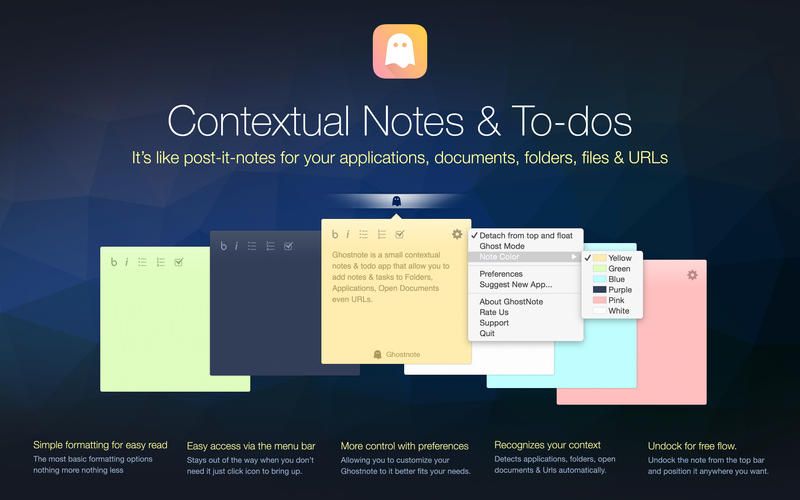
Ghostnote let you add notes to applications, documents, folders and websites.
Ghostnote is a small unobtrusive app that allow you to add notes & todos to folders, applications, open documents, even URLs. Think about it as post-it-notes for your OS.
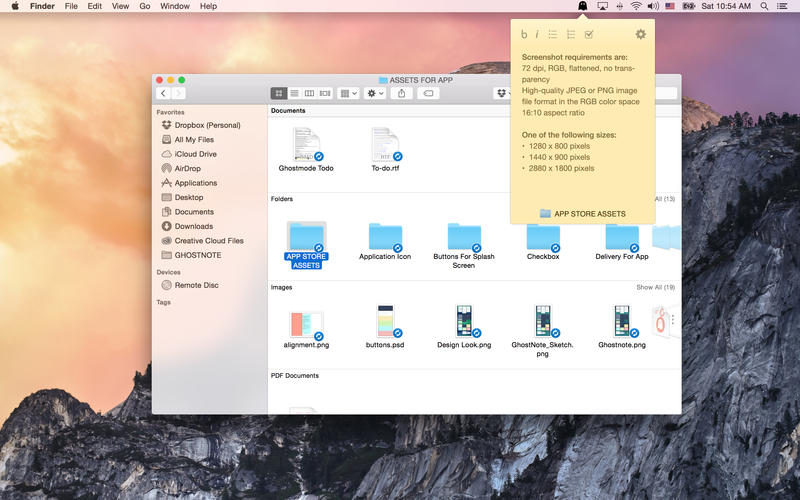
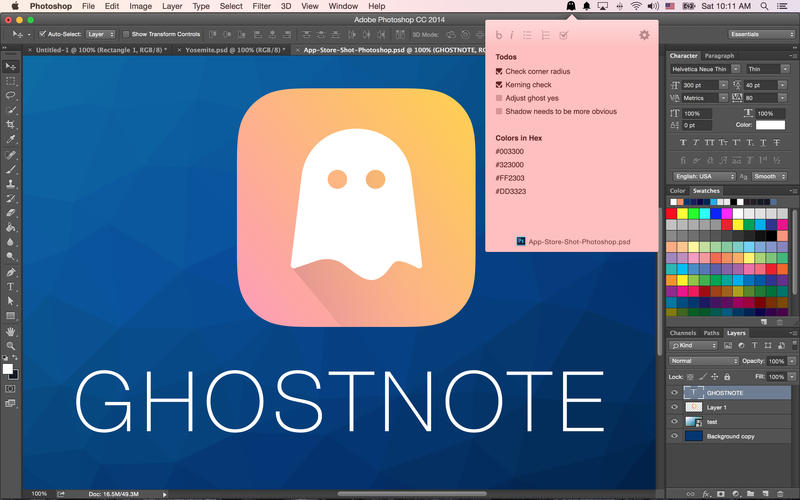
You access Ghostnote via the menu bar by simply clicking the ghost icon. It registers the context (what application/file/folder/document/url) & saves this automatically for you. With Ghostnote you can add notes to folders, documents, applications, open documents & URLs. You can also add attach notes on document.
Add notes to:
- Applications
- Documents
- Folders
- Websites
Furthermore add notes on document level access to:
Apple Products
- iPhoto
- Keynote
- Numbers
- Pages
- Xcode
- iTunes
- Preview
- Terminal
- Safari
- QuickTime
- TextEdit
- System Preferences
Microsoft Office
- Word
- Excel
- Powerpoint
Adobe Suite
- Photoshop CC
- Illustrator CC
- Indesign CC
- AfterEffects CC
- Premiere CC
- Lightroom CC
- Flash CC
- Acrobat CC
Others
- Sketch
- Sublime Text
- Textmate
- Colloquy
- Atom
- Github for Mac
- IntelliJ
- AppCode
- Airmail
URL access in the following browsers
- Safari
- Chrome
WHAT’S NEW
Version 1.9.6:
- GhostNotes Browser - You asked for it, we finally delivered. The ability to view all your notes from one central view. We call it the Ghostnote Browser and it makes managing your notes too much easier. You can browse your notes using the keyboard, search and edit, all from one single view.
- Classic Notes - Contextual notes are great but sometimes you just want to jot down some notes for your free form thinking. So we created a more classic notes taking app as part of Ghostnotes. It works like most other notes apps do.
- Classic Tasks - Last but not least of the major new features we created a separate Todo app. It’s very fast to use and everything can be controlled from the keyboard. We are very exited about this app and we expect to do iCloud support and create a web version at some point in the future.
- Script browser
- More short cuts
- Pop-up when note present mode
- Improved speed
Screenshots
Frequently asked questions
How do I install the app?
Mount the image, drag the app into the "Applications" folder and launch it. If the system blocks the launch, allow it in "System Settings → Privacy & Security".
The app is damaged or won't launch
Reinstalling from a fresh image usually helps. Make sure your macOS version matches the one listed in the compatibility specs.
How do I update?
Download the new version from the site and install it over the current one — your settings will be preserved.
The download link doesn't work
Try a mirror or a download manager. For large files the browser often drops the connection.
How do I completely remove the app?
Use an uninstaller utility — it cleans up the service files that remain after moving the app to the trash.
VersionGhostnote
DeveloperThomas Petersen
CompatibilityOS X 10.10 or later, 64-bit processor
LanguageEnglish
IncludesPre-K'ed




Information
Visitors in the group Guests cannot leave comments on this publication.
Choose a download source
GhostNote 1.9.6 · 9.42 MB