
iGallery Pro for Instagram 1.6.5
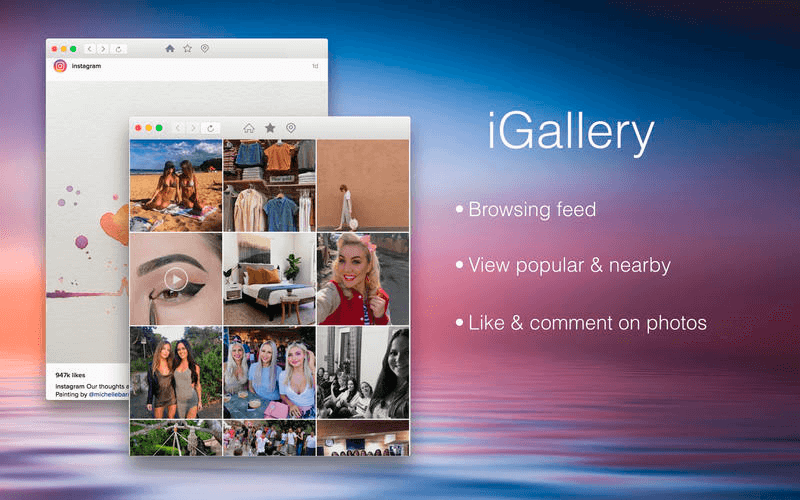
iGallery (was InstaMaster) is an excellent app that provides the best Instagram experience. Besides viewing feeds and popular and nearby photo/videos, you can also upload photos to Instagram directly from your Mac.
Features
- Browsing Feed, Popular, and Nearby
- Like, comment, follow, search people, tags, and places
- Upload photos
- Save photos by right-clicking on the photo
WHAT’S NEW
- Add popular & nearby feeds support.
- Bug fix
SCREENSHOTS
Frequently asked questions
How do I install the app?
Mount the image, drag the app into the "Applications" folder and launch it. If the system blocks the launch, allow it in "System Settings → Privacy & Security".
The app is damaged or won't launch
Reinstalling from a fresh image usually helps. Make sure your macOS version matches the one listed in the compatibility specs.
How do I update?
Download the new version from the site and install it over the current one — your settings will be preserved.
The download link doesn't work
Try a mirror or a download manager. For large files the browser often drops the connection.
How do I completely remove the app?
Use an uninstaller utility — it cleans up the service files that remain after moving the app to the trash.
VersioniGallery Pro for Instagram 1.6.5
DeveloperChengyu Huang
CompatibilityOS X 10.10 +
LanguageEnglish
IncludesPre-K'ed





Choose a download source
iGallery Pro for Instagram 1.6.5 · 7.86 MB
Comments 2