
SocialPanel 1.3.8
SocialPanel brings completely new experience to access your favorite social networks from your desktop.
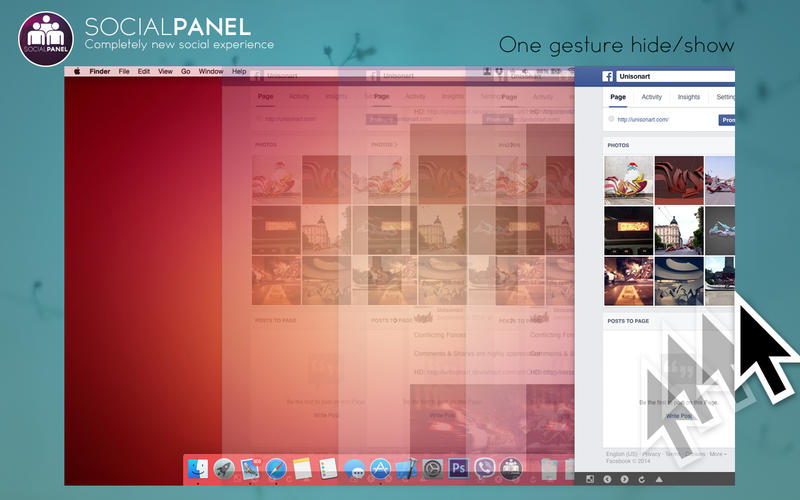
SocialPanel stays hidden from your desktop without disturbing your work and fades in or out when you move your mouse to the very right side of the screen (excluding the corners so you can use the OS X hot-corner shortcuts).
When shown, SocialPanel is placed over all windows (including the menu bar) so you can have complete focus on your social activity.
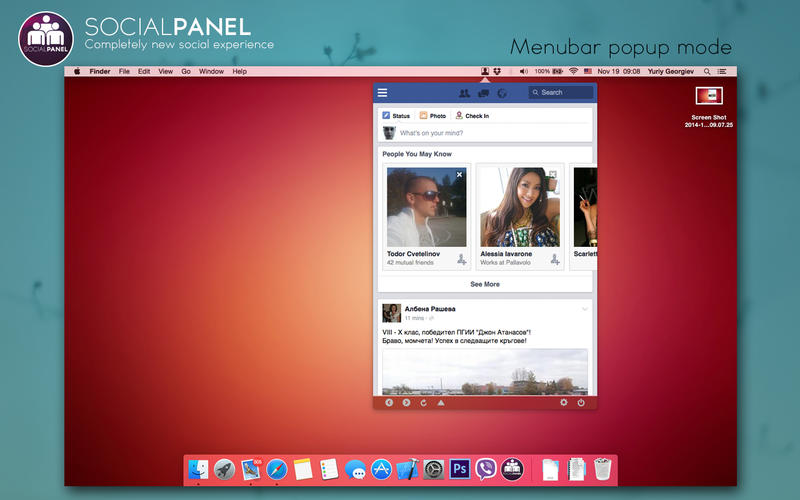
SocialPanel has 4 main visual modes.
- mobile mode panel
- desktop mode panel
- full screen desktop mode
- menubar popup
It also supports the following social networks:
- Facebook
- Twitter
- Google Plus
- LinkedIn
- MySpace
- Instagram
- Soundcloud
- XING
- Tumblr
- Vine
- Pinterest
SocialPanel supports file upload, opening links to external browser, back to top feature and more.
Bring your social experience to the next level!
WHAT’S NEW
Version 1.3.8
- removed ads and promotional screens (it's now ad free!)
- removed support of VK.com due to copyright issues
- several fixes and improvements
SCREENSHOTS

Frequently asked questions
How do I install the app?
Mount the image, drag the app into the "Applications" folder and launch it. If the system blocks the launch, allow it in "System Settings → Privacy & Security".
The app is damaged or won't launch
Reinstalling from a fresh image usually helps. Make sure your macOS version matches the one listed in the compatibility specs.
How do I update?
Download the new version from the site and install it over the current one — your settings will be preserved.
The download link doesn't work
Try a mirror or a download manager. For large files the browser often drops the connection.
How do I completely remove the app?
Use an uninstaller utility — it cleans up the service files that remain after moving the app to the trash.
VersionSocialPanel 1.3.8
DeveloperYuriy Georgiev
CompatibilityOS X 10.10 or later, 64-bit processor
LanguageEnglish
IncludesPre-K'ed




Information
Visitors in the group Guests cannot leave comments on this publication.
Choose a download source
SocialPanel 1.3.8 · 3.19 MB