
Orion Flyer Maker Pro v3.10
Create beautiful professional looking flyers in minutes!
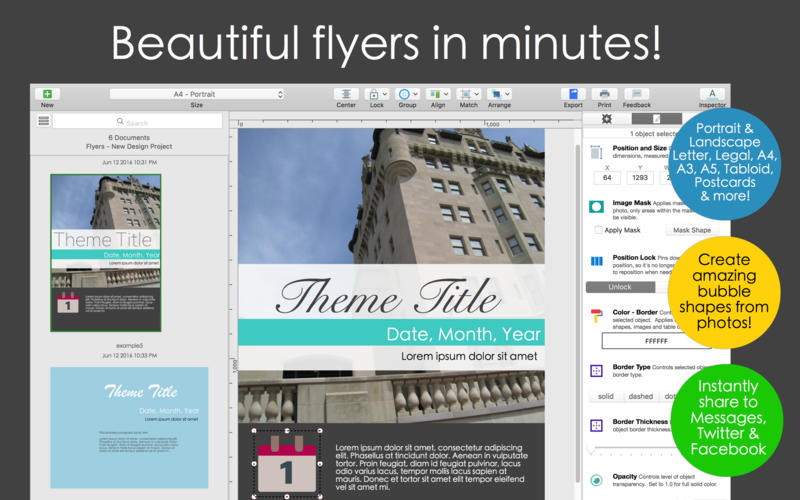
Intuitive drag and drop editor
Easily add objects and apply formatting using the incredibly simple drag and drop editor. Anyone can create professional flyers, even those without any graphic design or technical backgrounds.
Edge to edge colors and patterns
Design an attractive flyer using full edge to edge background image or pick the perfect full canvas background color.
Print right at home
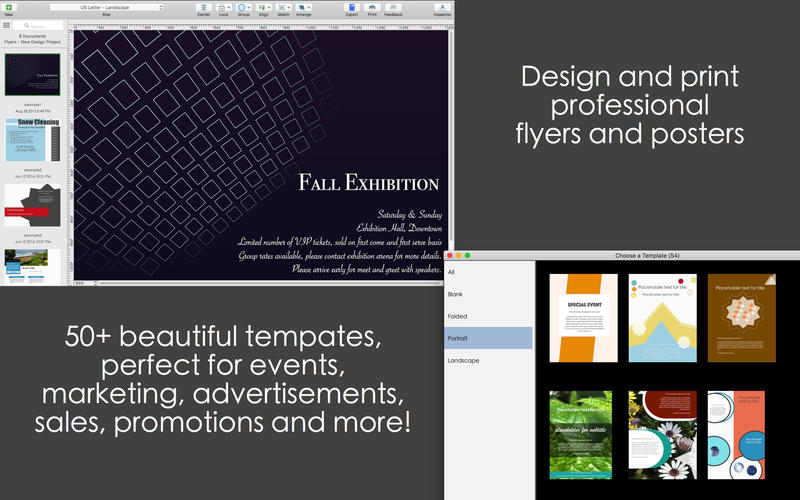
Built in printing features allows you to produce high quality flyers right at home. Choose from a wide selection of paper dimensions and layout orientations.
Smart style editor panel
Easily apply formatting using the collapsible Style Editor. Supports various paper size and layouts, prints right within the app.
Hundreds of beautiful fonts and colors
Free form layout with intuitive support for object alignment, multiple layer arrangement.
Exports in image and PDF format
Print within the app or instantly share on Twitter, Facebook, Messages, Air Drop and more! Export pixel-perfect high resolution designs in JPG, PNG and PDF formats.
Advanced editing features
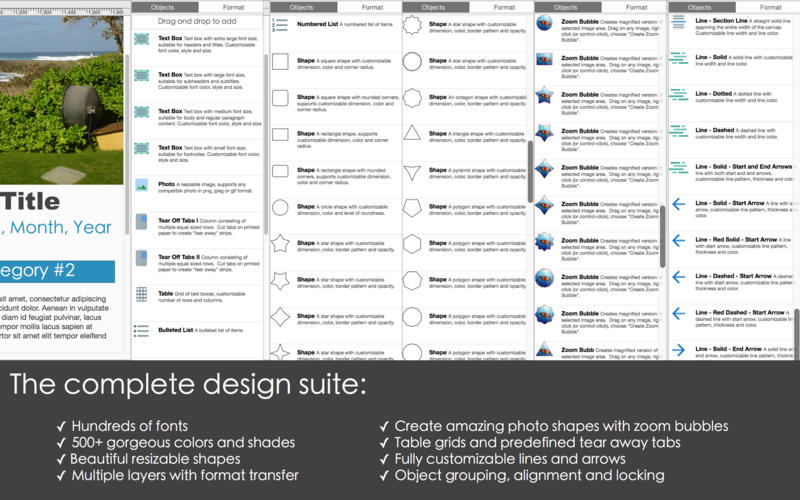
True drag and drop editor allows you to easily add text boxes, photos, tear-away strips, table grids, shapes, lines and arrows. Create vibrant designs with over 500 gorgeous colors and shades.
Beautiful templates
Dozens of professional templates with various layout designs, customized for flyers, invitations and special events.
Easily apply gorgeous photo effects
Personalize, customize and beautify with ease! Easily create beautiful shapes from photos using zoom bubbles. Supports multiple image effects such as image blurring, shadows and reflections.
Version 3.10
- improvements for adding rotation effects to text and photos
- improvements for formatting border effects
- bug fixes and performance improvements
Frequently asked questions
How do I install the app?
Mount the image, drag the app into the "Applications" folder and launch it. If the system blocks the launch, allow it in "System Settings → Privacy & Security".
The app is damaged or won't launch
Reinstalling from a fresh image usually helps. Make sure your macOS version matches the one listed in the compatibility specs.
How do I update?
Download the new version from the site and install it over the current one — your settings will be preserved.
The download link doesn't work
Try a mirror or a download manager. For large files the browser often drops the connection.
How do I completely remove the app?
Use an uninstaller utility — it cleans up the service files that remain after moving the app to the trash.
VersionOrion Flyer Maker Pro v3.10
DeveloperAidaluu Inc.
CompatibilityOS X 10.9 or later, 64-bit processor
LanguageEnglish, Dutch, French, German, Italian, Simplified Chinese, Spanish
IncludesPre-K'ed


Information
Visitors in the group Guests cannot leave comments on this publication.
Choose a download source
Orion Flyer Maker Pro v3.10 · 49.92 MB