
Business Card Designer v3.0
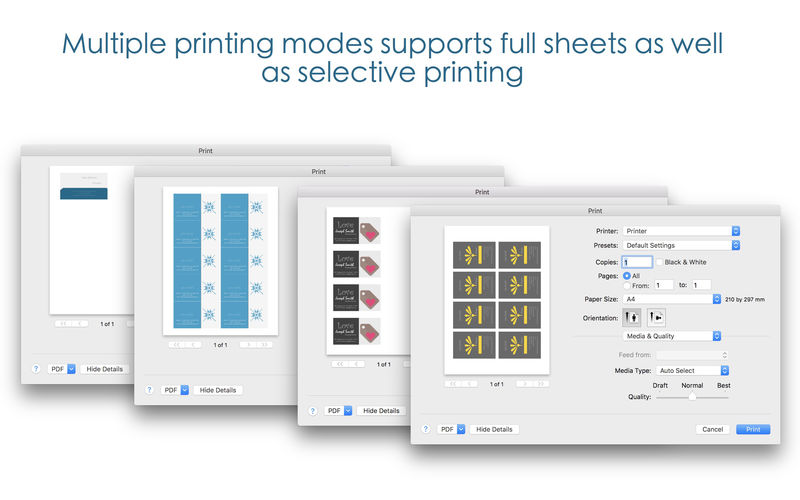

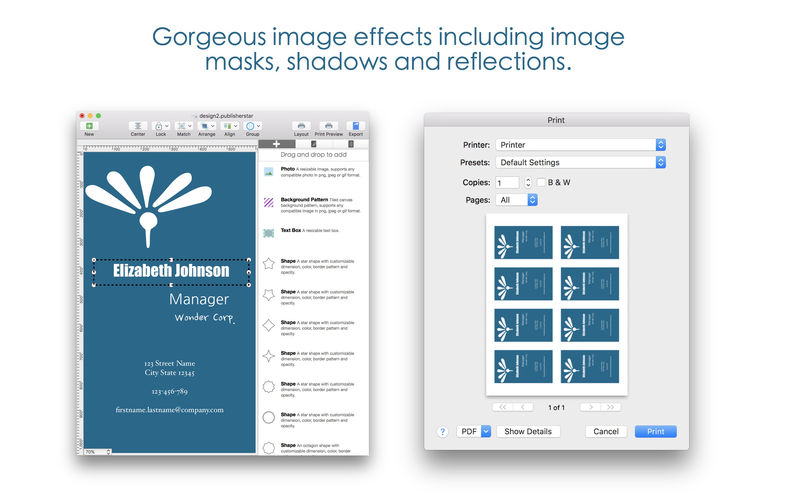
Design and print your own business cards. Blue Penguin Business Card Designer features an easy to use drag and drop designer, with multiple print modes, beautiful templates and tons of formatting options.
Features Overview:
- drag and drop to add text, company logos, photos and shapes
- easily adjust font style, font size, colors and background colors
- supports home printing within the app, also supports exports to high resolution image format for professional print shop printing
- supports multiple layering and free form arrangement
- supports traditional landscape as well as modern portrait cards
Compatible business card templates:
Business card, 10 per sheet
Avery 15871, 18871, 27871, 27881, 27882, 27883, 28371, 28865, 28873, 28876, 28877, 28878, 38871, 38873, 38876, 5371, 5376, 5377, 55871, 55876, 5870, 5871, 5874, 5876, 5877, 5882, 5911, 8371, 8376, 8377, 8471, 8476, 8571, 8865, 8870, 8871, 8873, 8875, 8876, 8877
Business card, 8 per sheet
Avery 38373, 5881, 8373, 8869, 88220, 88221
Business card with center margin, 10 per sheet
Avery 8859
Business card for A4 size paper, 10 per sheet
C32010, C32010-10, C32010-14, C32010-25, C32011, C32011-10, C32011-25, C32011-100, C32011-500, C32014, C32014-25, C32016, C32016-5, C32016-8, C32016-10, C32016-25, C32016-30, C32016-500, C32026, C32026-8, C32026-10, C32026-25, C32026-500, C32029, C32029-10, C32040, C32040-10, C32042, C32042-8, C32075, C32075-8, C32075-10, C32075-25, C32075-500, C9362, C9362-7, C32096, C32096-10
Business card for A4 size paper, 8 per sheet
C32006, C32006-500, C32015, C32015-5, C32015-8, C32015-10, C32015-25, C32015-30, S173006R, S1730-3, C32018, C32018-8, C32018-15, C32018-30, C32028, C32028-7, C32028-10, C32028-25, C32041, C32041-8, C32096, C32096-10, C32097, C32097-10
Version 3.0
- design inspector panel improvements
- bug fixes and performance improvements
Frequently asked questions
How do I install the app?
Mount the image, drag the app into the "Applications" folder and launch it. If the system blocks the launch, allow it in "System Settings → Privacy & Security".
The app is damaged or won't launch
Reinstalling from a fresh image usually helps. Make sure your macOS version matches the one listed in the compatibility specs.
How do I update?
Download the new version from the site and install it over the current one — your settings will be preserved.
The download link doesn't work
Try a mirror or a download manager. For large files the browser often drops the connection.
How do I completely remove the app?
Use an uninstaller utility — it cleans up the service files that remain after moving the app to the trash.
VersionBusiness Card Designer v3.0
Developerwombatapps
CompatibilitymacOS 10.10 or later
LanguageEnglish
IncludesK'ed by TNT



Information
Visitors in the group Guests cannot leave comments on this publication.
Choose a download source
Business Card Designer v3.0 · 47.97 MB