
CollageIt 3 Pro 3.6.12
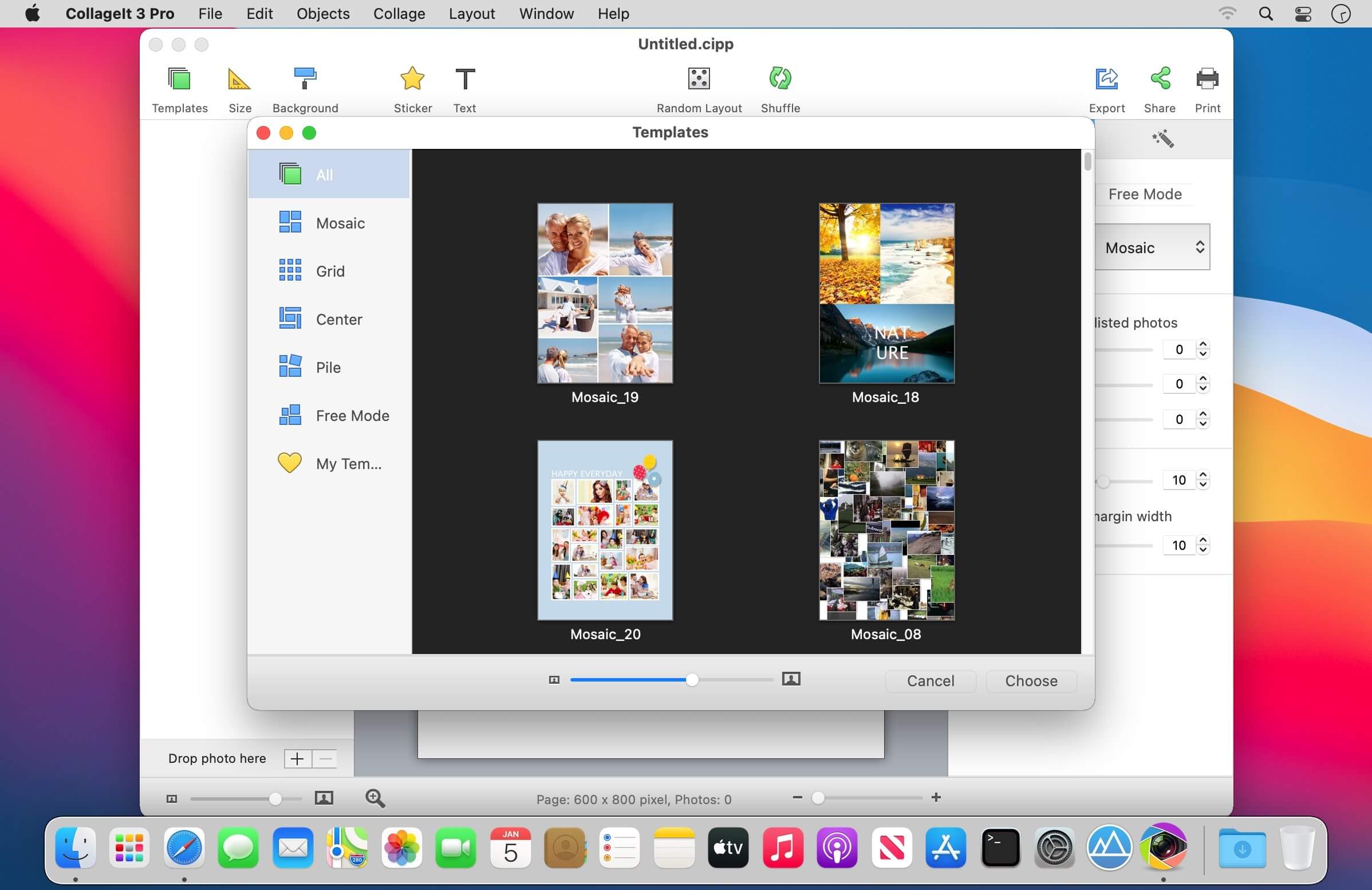
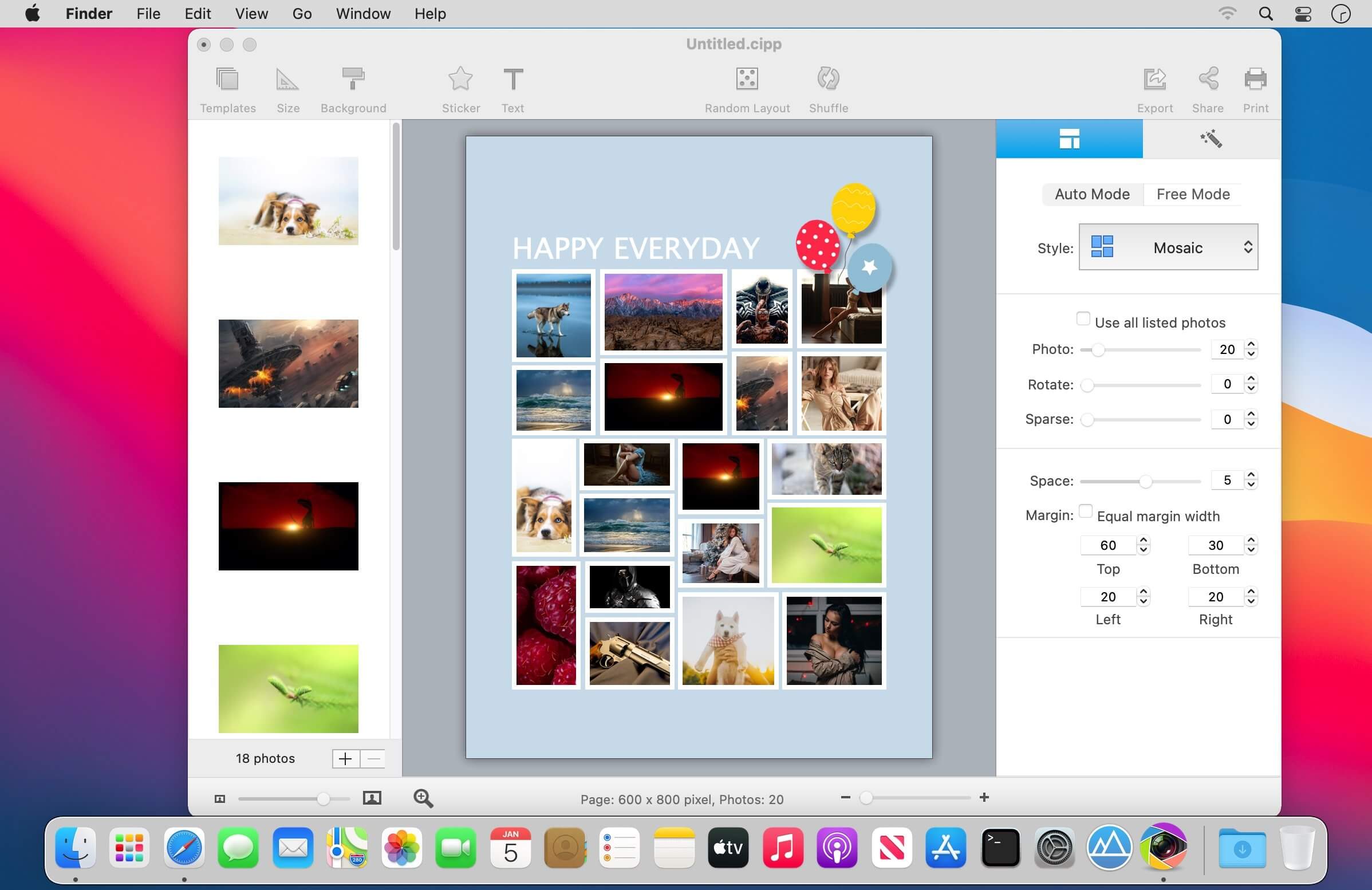

CollageIt 3 for Mac is an easy-to-use and automatic app that helps create eye-catching photo collages on Mac OS X. It was designed to give everyone an opportunity to brighten up one’s photo collection, and in a few seconds, a set of photos will be turned into an impressive array of collages.
With CollageIt 3, collage creation is effortless. Newly added collage style of Free Mode and 60+ brand new templates in total gives you more collage-making possibilities. You can import photos directly from iPhoto now, and it will fit your photos to collage with face recognition feature when generating layout. Better than ever, stickers, frames & masks are available to make your collage gets its best look. After your masterpiece is finished, you have options to export it, print it or share it on Facebook or via E-mail, iMessage, AirDrop, Twitter, and Flickr with family and friends. Other more improvements and bug fixes are also made to give you a better user experience.
HIGHLIGHTED FEATURES
Automatic, Easy to Use and Powerful
- With only three steps, you’ll create photo collage automatically; easy enough for users of all experienced levels.
- Supports 5 collage styles: Mosaic, Grid, Center, Pile and Free Mode.
- Various collage layouts can be generated continuously.
- Intelligently fit photos to collage with face recognition when generating layout.
- Real-time preview with a super high speed.
- Large photo capacity supports adding up to 200 photos.
Abundant Resources and Effects
- 60+ brand new templates.
- Apply photo effects/filters, frames & masks to beautify your collage.
- Add and customize text flexibly to make your collage stand out.
- Add stickers and resize, rotate, flip, etc. at will.
- Choose from 50+ background patterns, or load your own image as background to suit your collage.
- Apply photo border and shadow for decoration.
Personalize Photo Collage Freely
- Add photos directly from iPhoto.
- Arrange photos in order under Grid mode.
- Switch to Free Mode to move, resize, and rotate each photo manually.
- Crop/uncrop photos to meet all your needs.
- Support selecting multiple objects and editing them at a time.
- Set the margin of Top, Bottom, Left, and Right respectively.
Share the Collage Anywhere
- Save the collage as JPEG, TIFF, BMP, PNG, or GIF, etc. image format and print it out.
- Set the collage as desktop image.
- Save the collage as a PDF file.
- Share the collage directly on Facebook or via E-mail, iMessage, AirDrop, Twitter, and Flickr with family and friends.
- Save the collage as project and open it for further editing.
Frequently asked questions
How do I install the app?
Mount the image, drag the app into the "Applications" folder and launch it. If the system blocks the launch, allow it in "System Settings → Privacy & Security".
The app is damaged or won't launch
Reinstalling from a fresh image usually helps. Make sure your macOS version matches the one listed in the compatibility specs.
How do I update?
Download the new version from the site and install it over the current one — your settings will be preserved.
The download link doesn't work
Try a mirror or a download manager. For large files the browser often drops the connection.
How do I completely remove the app?
Use an uninstaller utility — it cleans up the service files that remain after moving the app to the trash.



Choose a download source
CollageIt 3 Pro 3.6.12 · 35.56 MB
Previous versions
CollageIt 3 Pro 3.6.12
Previous versions are available to registered users.