Battery Info 1.0.1
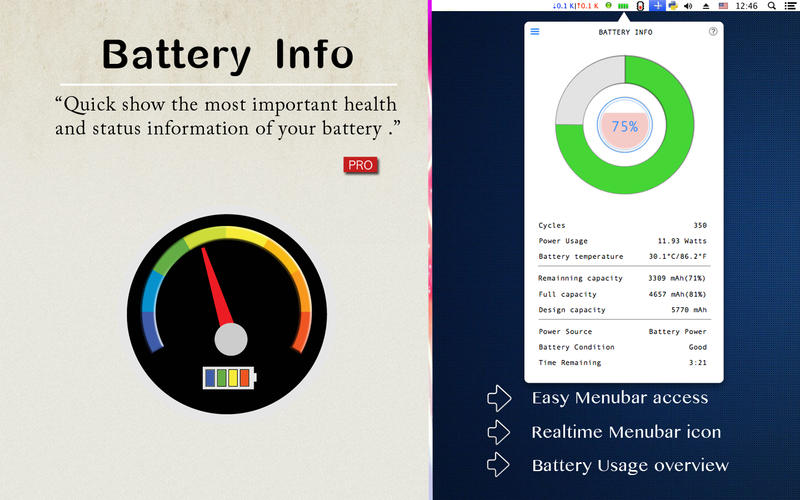
Battery Info shows battery status with color and helps you to easily access battery information from your menu bar.
With Battery Info, you can easily see all the important information about your MacBook's battery, such as current charge level, battery capacity, power usage, number of times it has been charged and much more.
Main features:
- Detailed battery information
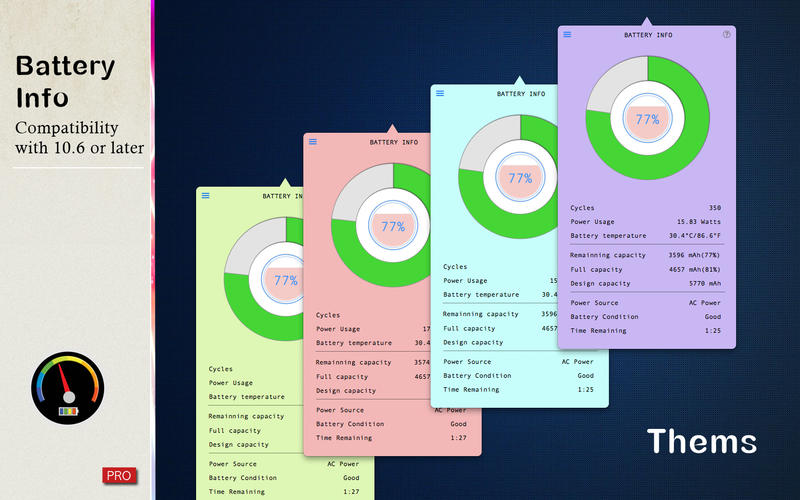
- Customized looking themes
- Quick show the most important health and status information of your battery
WHAT’S NEW
Version 1.0.1
- bug fix for 10.10
SCREENSHOTS
Frequently asked questions
How do I install the app?
Mount the image, drag the app into the "Applications" folder and launch it. If the system blocks the launch, allow it in "System Settings → Privacy & Security".
The app is damaged or won't launch
Reinstalling from a fresh image usually helps. Make sure your macOS version matches the one listed in the compatibility specs.
How do I update?
Download the new version from the site and install it over the current one — your settings will be preserved.
The download link doesn't work
Try a mirror or a download manager. For large files the browser often drops the connection.
How do I completely remove the app?
Use an uninstaller utility — it cleans up the service files that remain after moving the app to the trash.
VersionBattery Info 1.0.1
DeveloperFangcheng Yin
CompatibilityOS X 10.6 or later, 64-bit processor
LanguageEnglish
IncludesPre-K'ed


Information
Visitors in the group Guests cannot leave comments on this publication.
Choose a download source
Battery Info 1.0.1 · 3.33 MB