PopClip 2026.8.1
PopClip — text selection tool and clipboard utility for Mac.
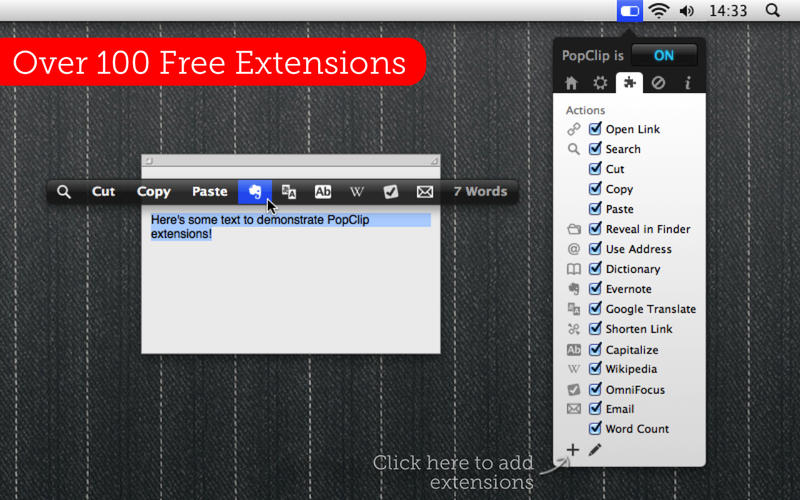
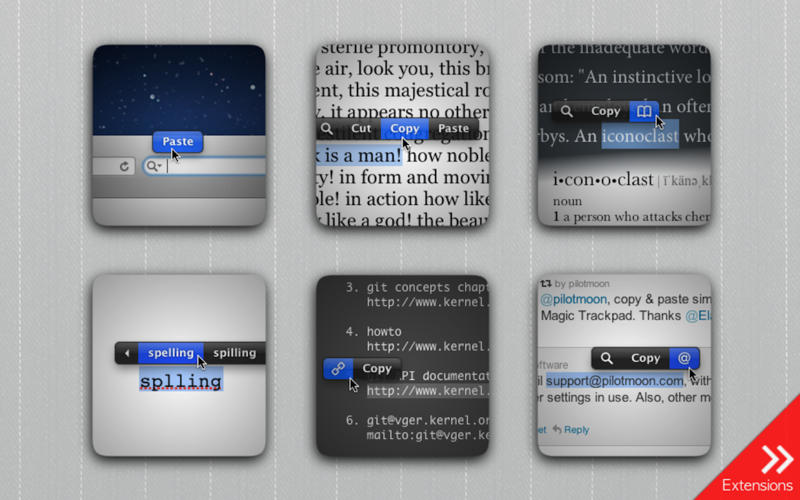
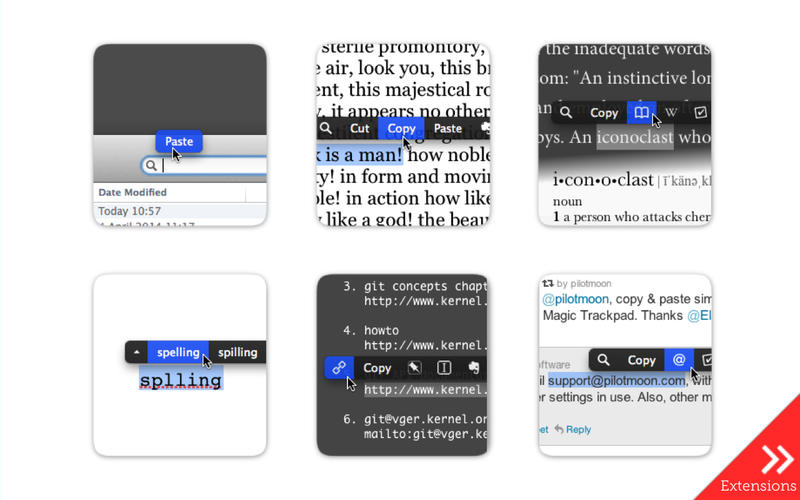
PopClip puts Cut, Copy and Paste (and more!) at your fingertips, with a popover menu which appears when you select text on your Mac.
How to use:
- Use your mouse pointer to select some text
- PopClip appears!
Features
- Beautifully rendered user interface looks great on your Mac display
- Instantly search the web for the text you select
- Open web links with one click
- Get dictionary definitions and spelling corrections.
- Adjust the size of the popover, from small to very large
- Small, fast and convenient. PopClip is a great way to work with text on your Mac.
Version 2026.8
New
- A function key (F1, F2 …) can now be used on its own as the keyboard shortcut to show PopClip.
- The “View Source” command now opens a source viewer window with “Export…” and “Copy Snippet” buttons.
- Per-action settings menus now have an “Extension ▶” submenu, giving easier access to commands like View Source.
- Clicking the spinner while an action is running now shows a “Cancelled” indicator if it cancels the action.
When an AppleScript action fails because automation permission has previously been denied, PopClip now shows an alert explaining how to fix it. - Added Swedish localization.
Changed
- New tabs opened from within a browser open next to the current tab rather than at the end of the tab bar (in supported browsers — Safari and most Chromium-based browsers).
- Reverted to the original “keep on clipboard” behaviour when an action pastes text. This was changed in version 2026.7 to restore the previous clipboard contents, but after user feedback the original behaviour is back by default. Use defaults write com.pilotmoon.popclip
- KeepPastedTextOnClipboard -bool NO if you prefer the alternative.
Fixed
- Fixed: Getting stuck trying to open tabs in browsers.
- Fixed: In Chromium-based browsers, tabs opened in the background with Shift-click flashed into the foreground briefly.
- Fixed: Erroneously appearing from the keyboard shortcut while an action is still working.
- Fixed: PopClip bar not aligning centrally when neither Copy nor Paste is present in the bar (regression in 2026.7).
- Fixed: Laggy button highlight in keyboard mode.
- Fixed: The clipboard could be left holding the wrong contents if ⌘C was pressed while the PopClip bar was about to appear.
- Fixed: The settings sheet staying open after choosing Duplicate.
- Fixed: An extension could sometimes appear to install while adding nothing to the actions list.
- Fixed: Some extensions could have the wrong icon in settings.
- Fixed: The adjustments panel in the icon picker could be too tall in some languages.
- Fixed: Opening a link in the wrong browser process when tools like Playwright or Puppeteer are running multiple instances.
- Fixed: Improved compatibility with FilePane.
- Other bug fixes.
Frequently asked questions
How do I install the app?
Mount the image, drag the app into the "Applications" folder and launch it. If the system blocks the launch, allow it in "System Settings → Privacy & Security".
The app is damaged or won't launch
Reinstalling from a fresh image usually helps. Make sure your macOS version matches the one listed in the compatibility specs.
How do I update?
Download the new version from the site and install it over the current one — your settings will be preserved.
The download link doesn't work
Try a mirror or a download manager. For large files the browser often drops the connection.
How do I completely remove the app?
Use an uninstaller utility — it cleans up the service files that remain after moving the app to the trash.





Choose a download source
PopClip 2026.8.1 · 6.89 MB
Previous versions
PopClip 2026.8.1
Previous versions are available to registered users.