CleanMyDrive 2 v2.1.8
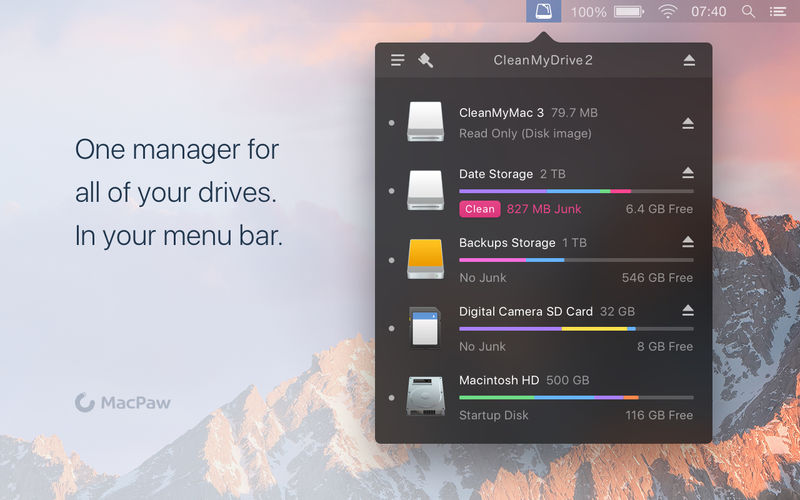
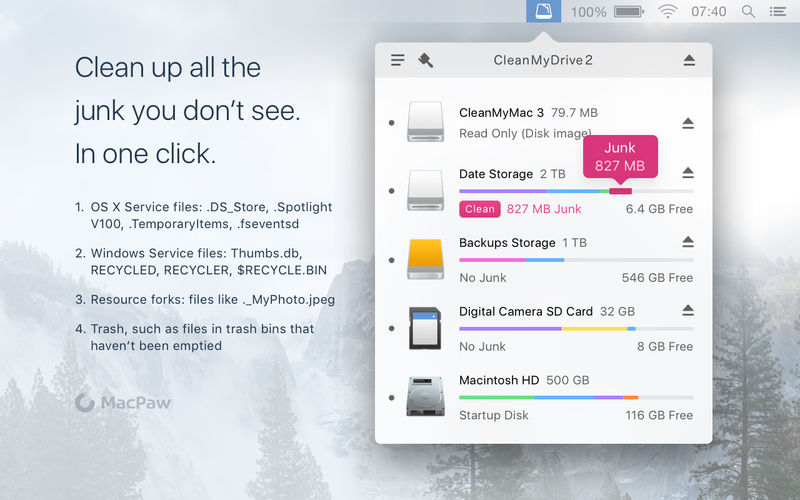
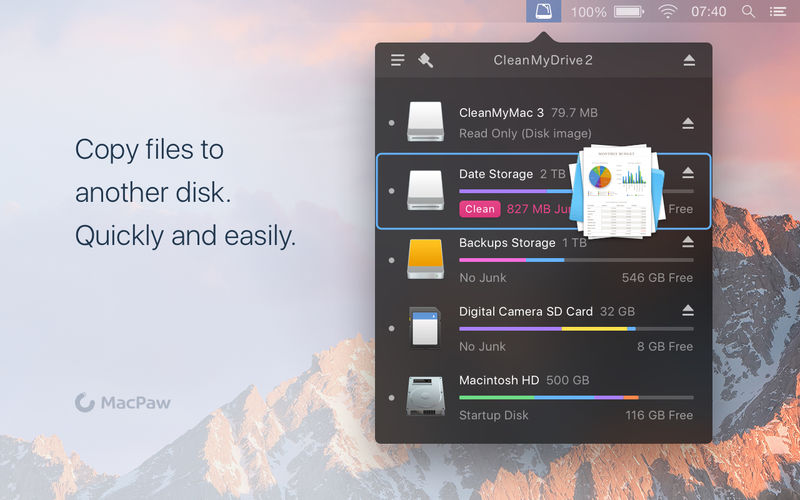
CleanMyDrive lets you maintain your removable drives as easy as never before with CleanMyDrive! It cleans up needless service junk generated by Windows or Mac OS (DS_Store, Thumbs.db, Spotlight, hidden trashes and so on). It also helps you to manage your external drives.
Main Features
- Clean up drives from junk manually or automatically
- Eject all external drives with one click
- Access and eject your drives right from the main menu
- Monitor free space on your drives
- Works with external HDD, flash drives, DMG files and network volumes
How CleanMyDrive helps you in real life:
- Cleans those annoying service files that your media player fails to play
- Erases files from your drives, not just moves them to Trash like Finder
- Removes thumbs.db and other Windows files that bring no value
- Ejects all drives at once correctly when you hurry your Mac into sleep mode
Version 2.1.8
- Introduced macOS High Sierra compatibility.
- CleanMyDrive’s menu bar icon can now be hidden.
- Fixed an issue that made your tags disappear.
- All known bugs and crashes fixed.
Frequently asked questions
How do I install the app?
Mount the image, drag the app into the "Applications" folder and launch it. If the system blocks the launch, allow it in "System Settings → Privacy & Security".
The app is damaged or won't launch
Reinstalling from a fresh image usually helps. Make sure your macOS version matches the one listed in the compatibility specs.
How do I update?
Download the new version from the site and install it over the current one — your settings will be preserved.
The download link doesn't work
Try a mirror or a download manager. For large files the browser often drops the connection.
How do I completely remove the app?
Use an uninstaller utility — it cleans up the service files that remain after moving the app to the trash.
VersionCleanMyDrive 2 v2.1.8
DeveloperMacPaw Inc.
CompatibilityOS X 10.10 or later, 64-bit processor
LanguageEnglish, Dutch, French, German, Italian, Japanese, Polish, Portuguese, Russian, Simplified Chinese, Spanish, Ukrainian
IncludesK'ed by TNT

Choose a download source
CleanMyDrive 2 v2.1.8 · 29.33 MB
Comments 2