AirRadar 8.0.1


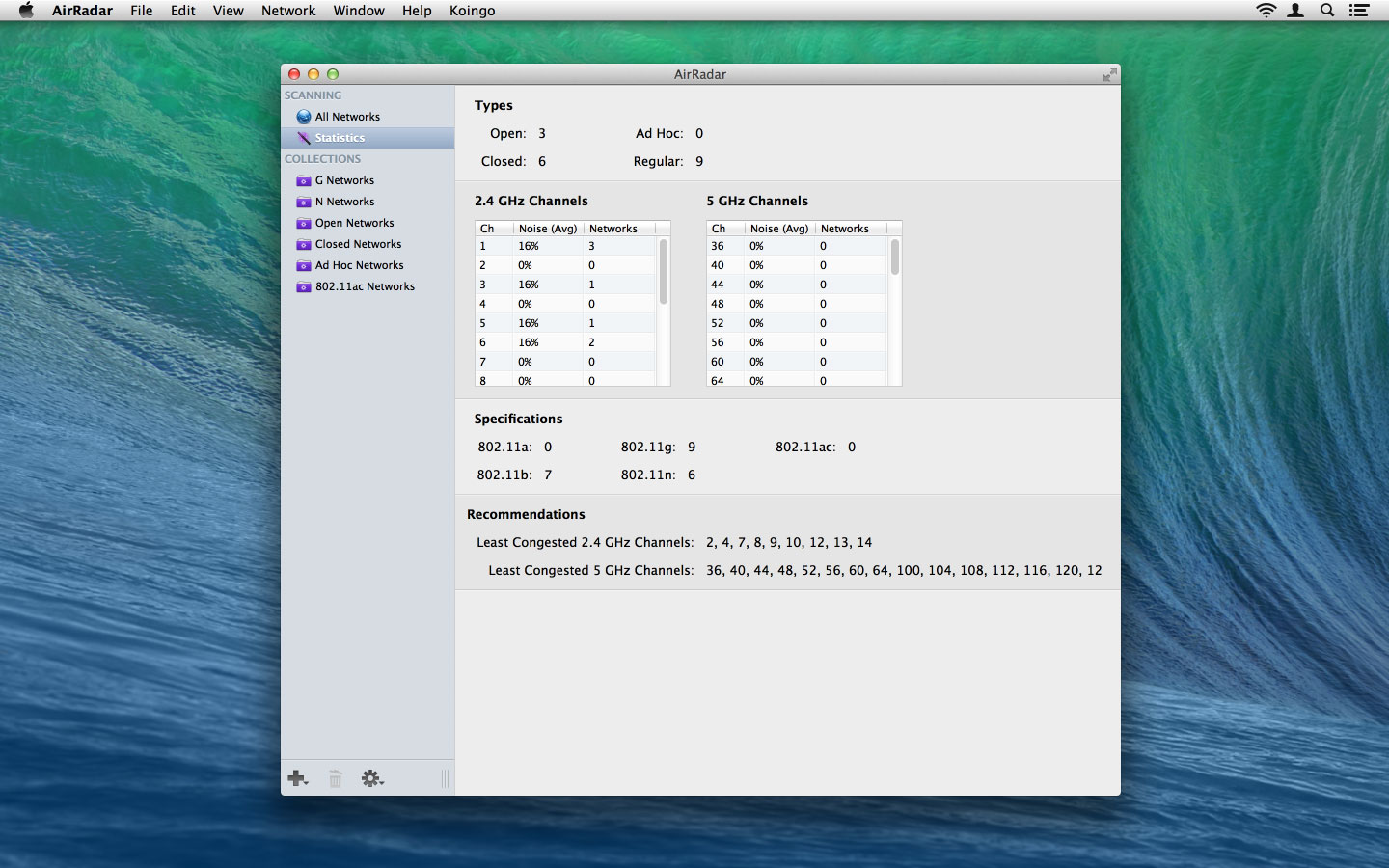
With AirRadar, scanning for wireless networks is now easier and more personalized! It allows you to scan for open networks and tag them as favourites or filter them out. View detailed network information, graph network signal strength, and automatically join the best open network in range.
Whether you are driving around looking for wireless networks, stuck in traffic, sitting on the beach, or if you are curious how strong your wireless signal is at home, AirRadar provides a more linear approach to network hunting. Setup a scan frequency, and have new open or closed networks have their name spoken, play alerts, or display notifications.
Various other options allow you to customize your network list further, including assigning colors to best open networks and sound cues. Download it today, and take the hardship out of getting an Internet connection at a critical time
Version 8.0
New Feature:
- By default AirRadar will always remember all networks its ever seen. We've added a clear History option.
- Edit window for a network now has the full breakdown of network information presented nicely instead of just notes.
- Drag splitter in the main window.
- If scan interval is 2 min or less, we now show time in "time ago" format.
- 3 graph modes: noise, signal or noise and signal.
Modification:
- Filter renamed to Ignore.
- Running our helper tool via an internal shell now instead of NSTask to alleviate some lock ups.
- Many strange wordings removed in favor of more common ones. For instance, we are now calling networks Unavailable instead of Dead.
Bug Fix:
- Noise column now only correctly shows for the currently connected network.
- Now respects if there's no network name.
- Fixed a weird square appearing in the graph before AM/PM (wrong font issue).
- Fix the main list columns have never been resized yet, they will auto-size after the first scan completes.
- Scan on startup now works even if the user hasn't granted permission yet. Scan will start as soon as we have permission.
- Fixed sort order when sorting by signal or nose strength.
Frequently asked questions
How do I install the app?
Mount the image, drag the app into the "Applications" folder and launch it. If the system blocks the launch, allow it in "System Settings → Privacy & Security".
The app is damaged or won't launch
Reinstalling from a fresh image usually helps. Make sure your macOS version matches the one listed in the compatibility specs.
How do I update?
Download the new version from the site and install it over the current one — your settings will be preserved.
The download link doesn't work
Try a mirror or a download manager. For large files the browser often drops the connection.
How do I completely remove the app?
Use an uninstaller utility — it cleans up the service files that remain after moving the app to the trash.


Choose a download source
AirRadar 8.0.1 · 55.91 MB
Previous versions
AirRadar 8.0.1
Previous versions are available to registered users.