My Net 1.25
The fastest and most through WiFi LAN Scanner available!
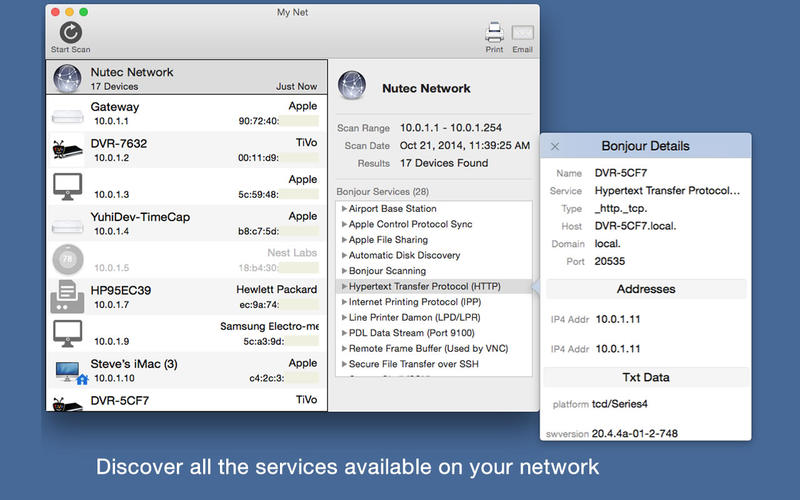
See whats all connect to your favorite public WiFi network or your home network. This all-in-one information appliation is an extremely fast and thorough security solution for every user. LAN Scan is an application developed for Network Administrators and IT Managers but presented in a format targeted for non-professionals. This application allows you to view information about all the devices on a local network. Network devices are displayed in a very logical and convenient format for displaying the most pertinent information about each device.
Includes:
- TCP Connect LAN Scanning: establish a TCP connection with each IP address on the network.
- ARP table Scanning: The ARP table is scanned for any devices attached to the network that do not respond to a TCP connect.
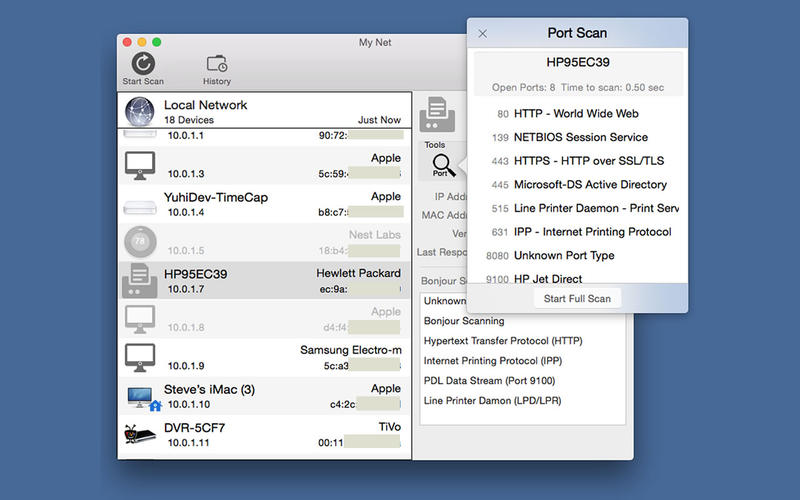
- Also includes NetBios Scan, Bonjour Scan, Port Scanning and Pinging.
- Reverse DNS Lookup
- Dictionary lookups for MAC addresses, Port addresses and many Bonjour Services
- All information presented to the user in a easy to understand user interface
All information gathered is presented to the user in a easy to understand user interface including dictionary look-ups for known MAC addresses, common port addresses and many bonjour services. This App is designed to give the user a complete understanding of all the devices connected to a local network and network services they are running.
WHAT’S NEW
Version 1.25
- Updated all databases.
- Minor bug fixes and cosmetics
SCREENSHOTS

Frequently asked questions
How do I install the app?
Mount the image, drag the app into the "Applications" folder and launch it. If the system blocks the launch, allow it in "System Settings → Privacy & Security".
The app is damaged or won't launch
Reinstalling from a fresh image usually helps. Make sure your macOS version matches the one listed in the compatibility specs.
How do I update?
Download the new version from the site and install it over the current one — your settings will be preserved.
The download link doesn't work
Try a mirror or a download manager. For large files the browser often drops the connection.
How do I completely remove the app?
Use an uninstaller utility — it cleans up the service files that remain after moving the app to the trash.
VersionMy Net 1.25
DeveloperNutec Development, LLC
CompatibilityOS X 10.7 or later, 64-bit processor
LanguageMultilangual
IncludesPre-K'ed



Information
Visitors in the group Guests cannot leave comments on this publication.
Choose a download source
My Net 1.25 · 3.56 MB