zCommander - File Manager 6.34
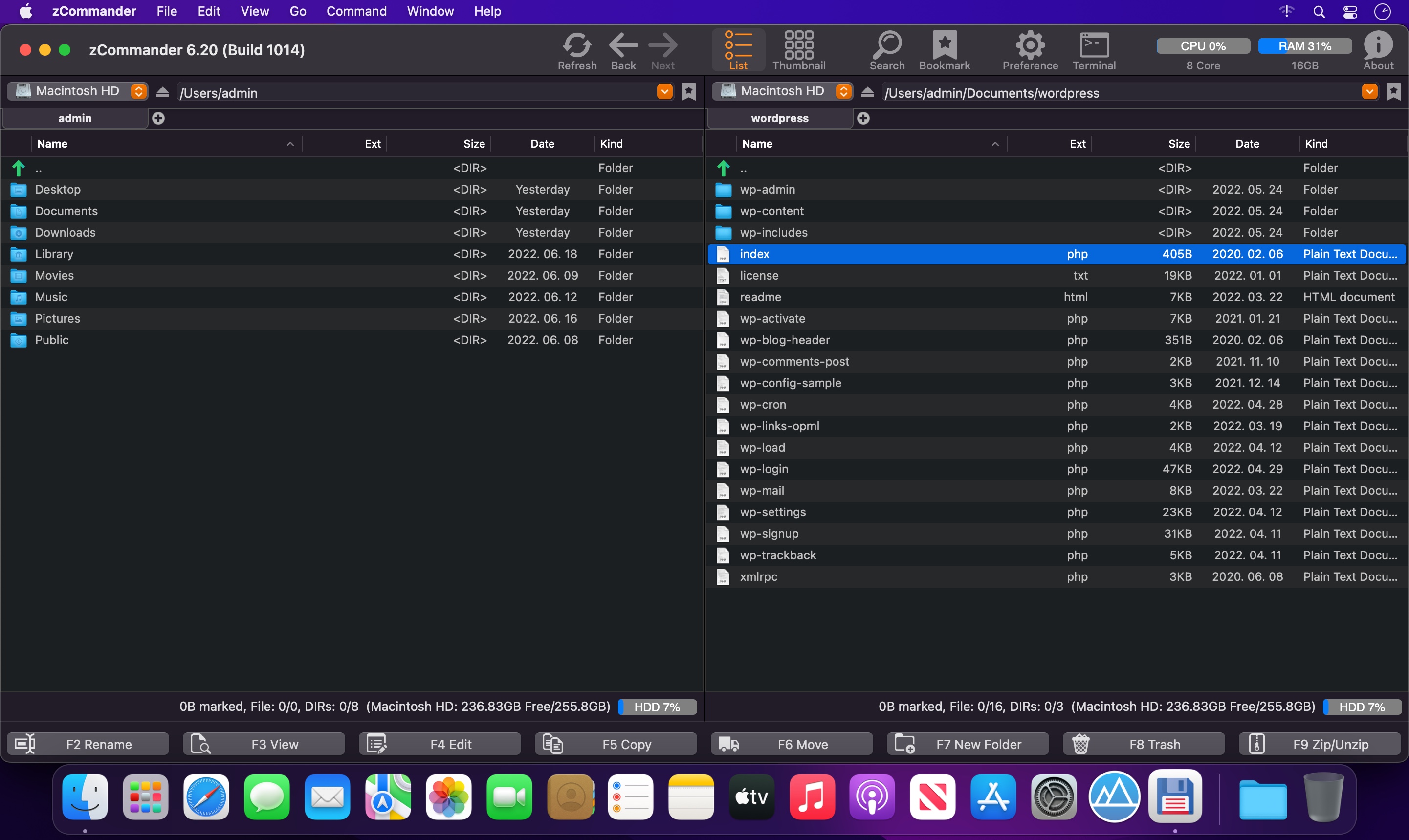

zCommander is advanced and comprehensive file management software. It looks like simple but is actually beautiful and powerful and rapid.
Must-have Software for all users (especially for immigrators from PC and power-users).
No more searching for Total Commander in Mac World.
Here is zCommander !!
Main Features:
- Familiar double pane for file list view and each pane can have multiple tabs.
- List View or Thumbnail View Mode support.
- Quick Preview support (almost every file format)
- Sorted items by elements (Name, Extension, Date, etc, …)
- You can do most of file operations with only keyboard interface so it’s simple and fast. (Of course you can customise input interface or do it with mouse action)
- Copy & Paste file work support like Windows Explorer.
- Advanced filtering support in file work.
- Quick & Easy to Preview on fingertip.
- Quick searching by typing.
- Multithreaded file work support (copy, move, delete)
- Advanced file searching (by name matching, date, size and contents)
- Easy and fast folder bookmark and history management.
- You can customise look-and-feel to what you want.
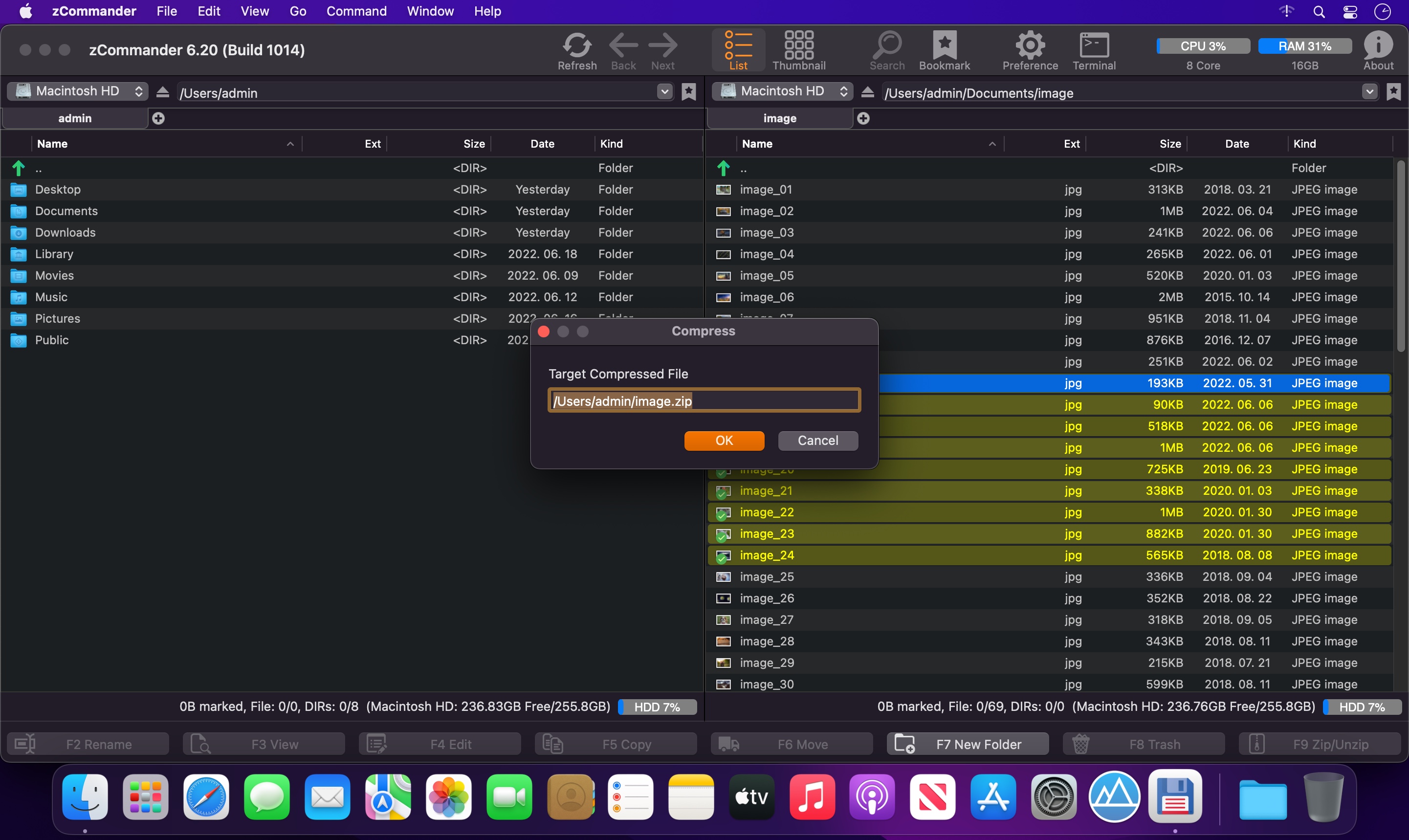
- zip & unzip files & folders.
Version 6.34
- google drive, dropbox, onedrive folder shortcuts bug fix
Frequently asked questions
How do I install the app?
Mount the image, drag the app into the "Applications" folder and launch it. If the system blocks the launch, allow it in "System Settings → Privacy & Security".
The app is damaged or won't launch
Reinstalling from a fresh image usually helps. Make sure your macOS version matches the one listed in the compatibility specs.
How do I update?
Download the new version from the site and install it over the current one — your settings will be preserved.
The download link doesn't work
Try a mirror or a download manager. For large files the browser often drops the connection.
How do I completely remove the app?
Use an uninstaller utility — it cleans up the service files that remain after moving the app to the trash.



Choose a download source
zCommander - File Manager 6.34 · 6.64 MB