
Orion Markup - image notes and annotations 3.04
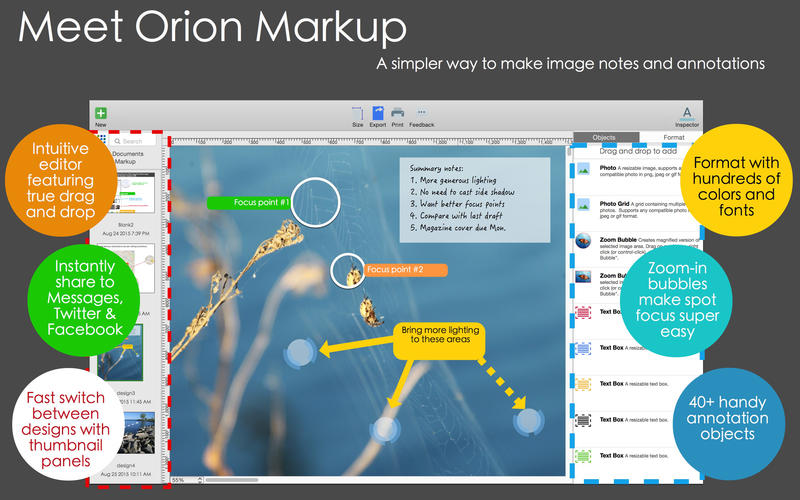
Orion Markup lets you express your thoughts and comments though images. It makes it easy to add notes, zoom-in bubbles, outlines boxes, lines, and arrows to images and screenshots.
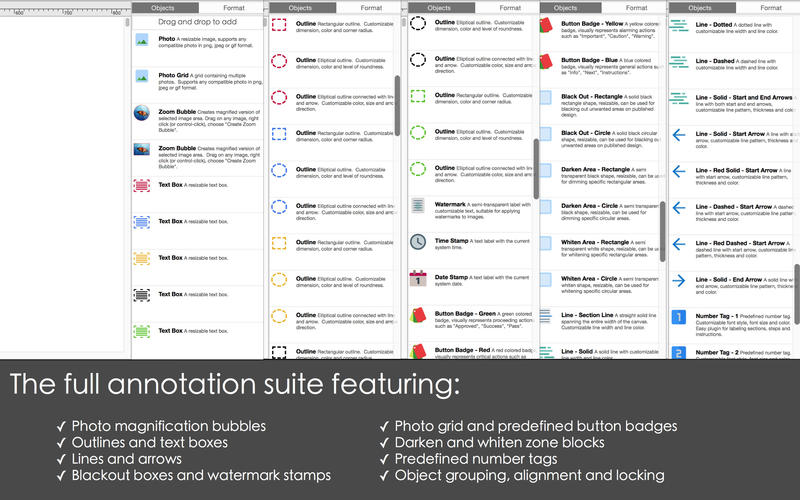
Supports a full suite of annotation objects, including:
- zoom bubbles: creates magnified versions of selected image regions
- multiple sized outline boxes and text labels
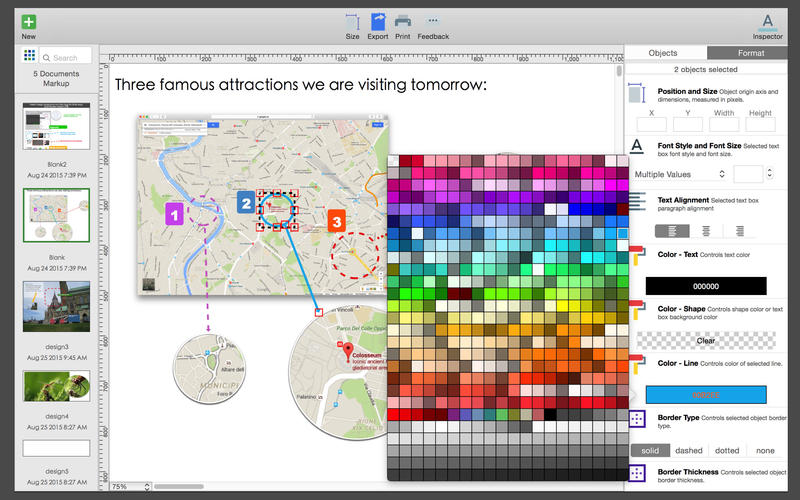
- hundreds of fonts and colors
- lines of various patterns and thickness (solid, dashed, dotted)
- tag-optional starting and ending arrows
- boxes of various colors and sizes
- fully resizable black-out boxes (for hiding sections of images that you do not wish to share)
- fully resizable dim boxes (for darkening areas of the images, useful for indicating unimportant or non-significant sections)
- fully resizable whiten blocks
- useful predefined number tags (perfect for documenting instructions and steps in manuals)
WHAT’S NEW
Version 3.04
- all new welcome screen
- inspector alignment improvements
- minor bug fixes and performance improvements
SCREENSHOTS
Frequently asked questions
How do I install the app?
Mount the image, drag the app into the "Applications" folder and launch it. If the system blocks the launch, allow it in "System Settings → Privacy & Security".
The app is damaged or won't launch
Reinstalling from a fresh image usually helps. Make sure your macOS version matches the one listed in the compatibility specs.
How do I update?
Download the new version from the site and install it over the current one — your settings will be preserved.
The download link doesn't work
Try a mirror or a download manager. For large files the browser often drops the connection.
How do I completely remove the app?
Use an uninstaller utility — it cleans up the service files that remain after moving the app to the trash.
VersionOrion Markup - image notes and annotations 3.04
DeveloperAidaluu Inc.
CompatibilityOS X 10.9 or later, 64-bit processor
LanguageEnglish
IncludesPre-K'ed


Information
Visitors in the group Guests cannot leave comments on this publication.
Choose a download source
Orion Markup - image notes and annotations 3.04 · 38.35 MB