
Monit 2.2.4
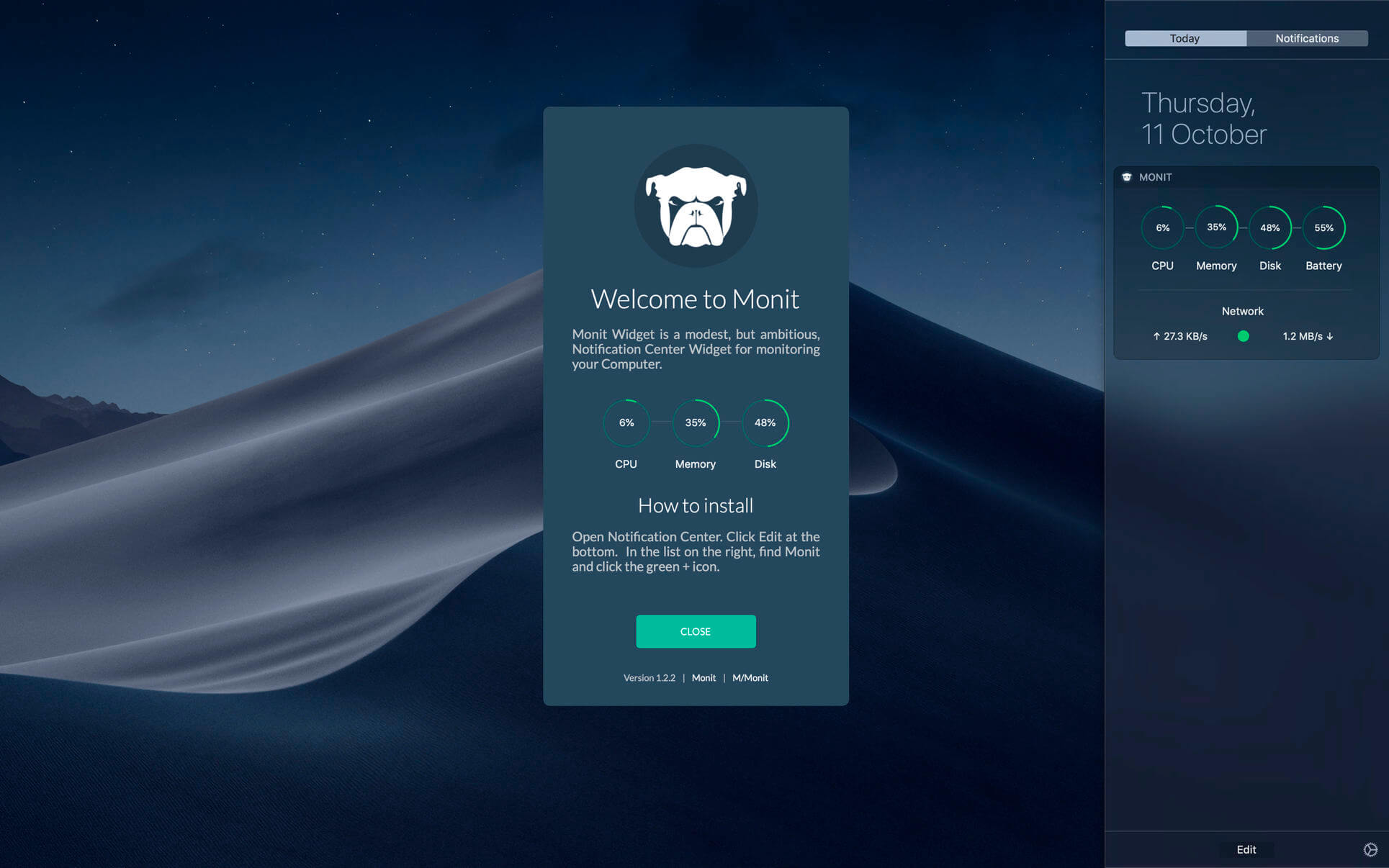
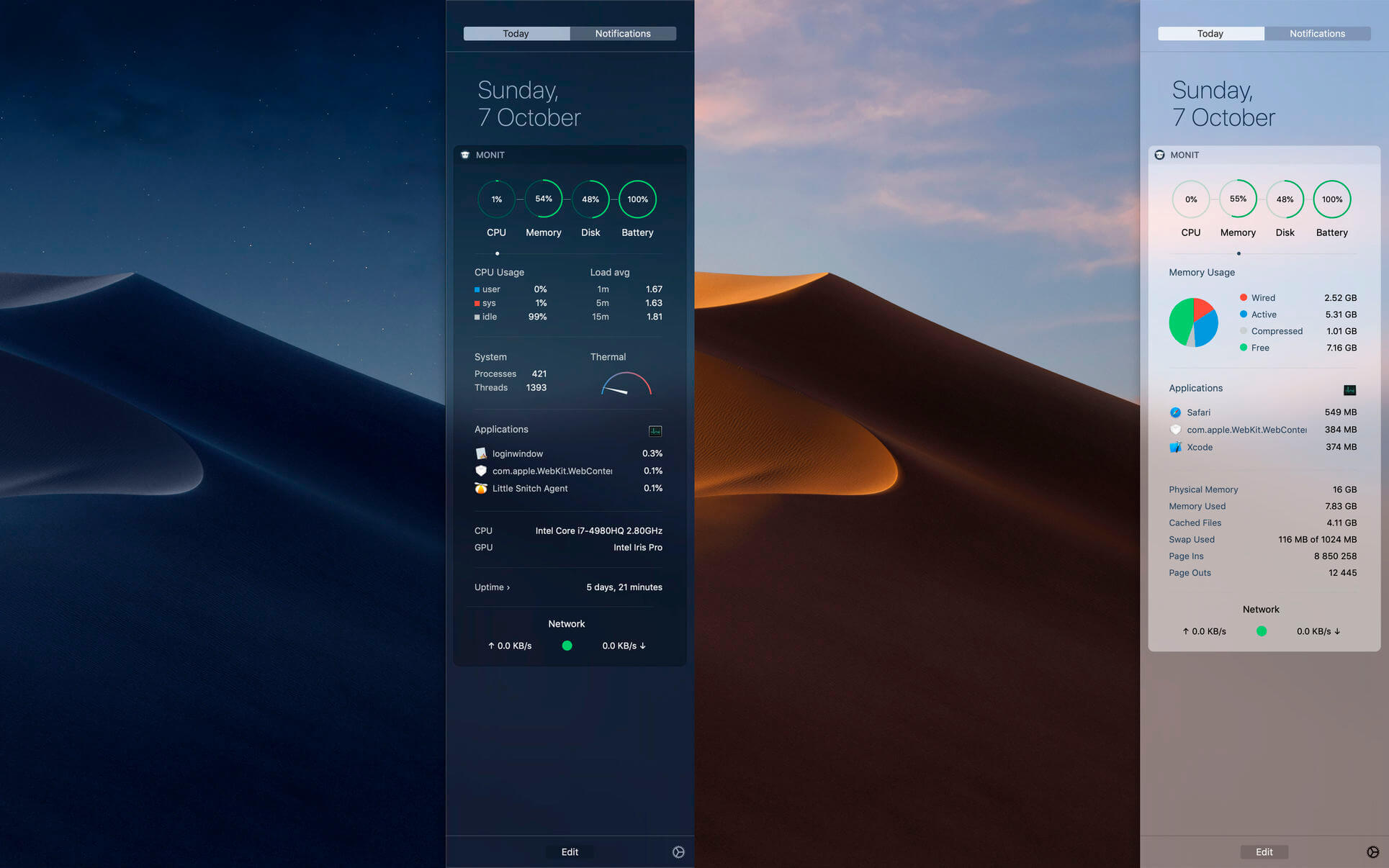
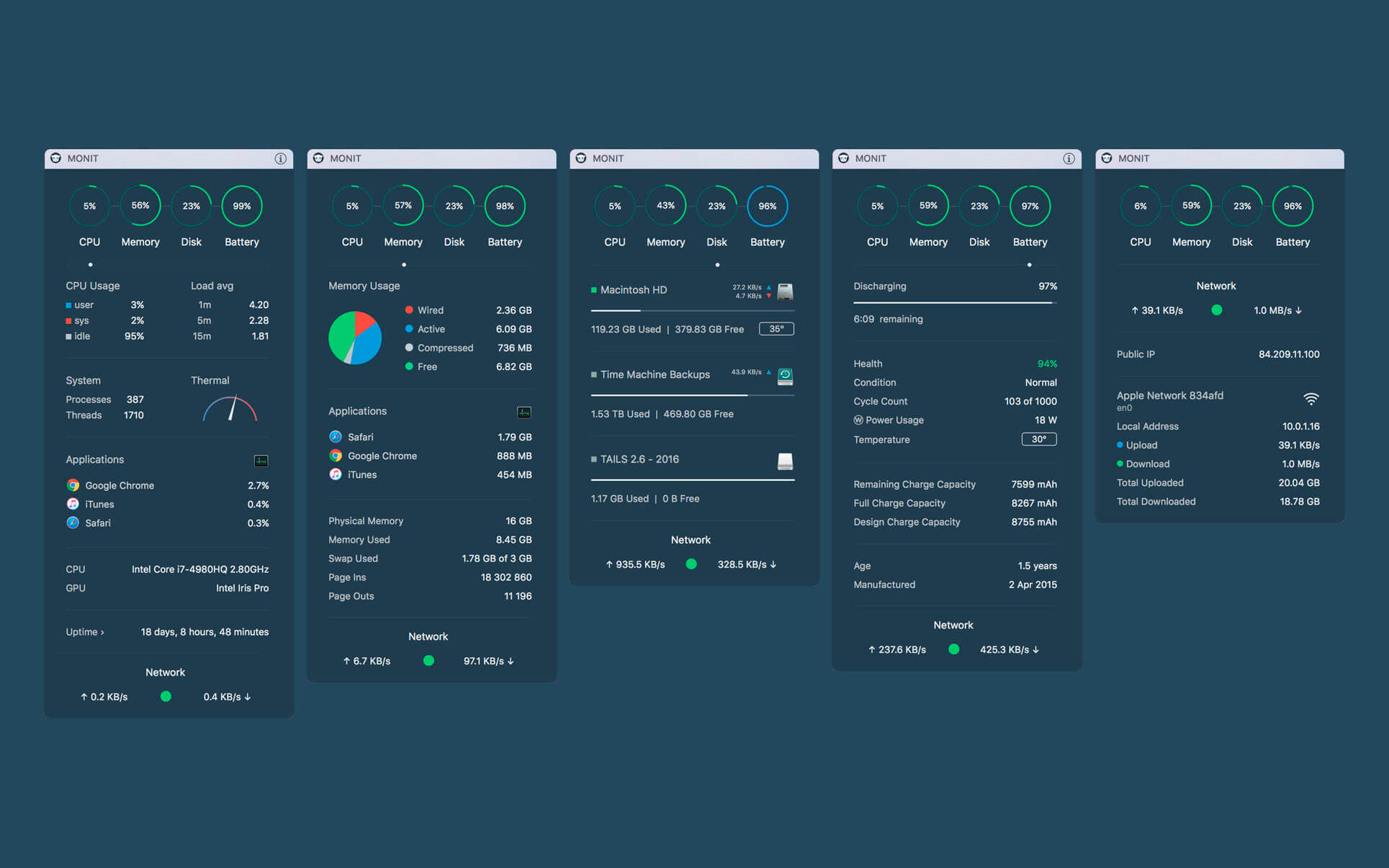
Slide out Notification Center to quickly see key performance data for your Mac, such as CPU, Memory, Disk, Network and Battery. Click the charts to drill down and reveal more details. Click the Network and Disk Icons to view even more data.
Monit Widget is a modest, but ambitious, Notification Center Widget for monitoring your Computer.
Limitations due to AppStore sandboxing and other Known Issues:
- An AppStore App is not allowed to read system sensors (SMC), so we cannot show detailed temperatures and other sensor data such as fan-speed.
- An AppStore App is not allowed to read all processes on the system. This means that the Top-3 App List will not necessarily contain the processes that are currently using the most resources. The List will however show the applications that are using the most resources.
- MONIT will underreport Memory usage for Applications in the Top-3 List that spins of sub-processes which we are not allowed to read. In practice, MONIT is quite accurate given the sandbox restrictions it operates under, but for certain applications it will underreport. If you compare with Activity Monitor, you should compare with "Real Memory" and aggregate memory usage of sub-processes.
- The thermometer uses an Apple API that does not seem to work properly on older Macs. On MacBooks from 2015 and later it appears to work fine.
Notes:
- The Widget connects to an external host to get your Public IP-address. This is the only reliable way to obtain your address. No data is sent, only read.
- The Top-3 App List shows App CPU usage normalized (0-100%).
- Temperature for your Hard Disk(s) and Battery is displayed according to your settings for Measurement units in System Preferences > Language & Region. If you have selected Metric you get temperature in Celcius otherwise in Fahrenheit.
Version 2.2.4
- New: Updated for macOS 26 and Liquid Glass
- Enhancement: Minor fixes and improvements
Frequently asked questions
How do I install the app?
Mount the image, drag the app into the "Applications" folder and launch it. If the system blocks the launch, allow it in "System Settings → Privacy & Security".
The app is damaged or won't launch
Reinstalling from a fresh image usually helps. Make sure your macOS version matches the one listed in the compatibility specs.
How do I update?
Download the new version from the site and install it over the current one — your settings will be preserved.
The download link doesn't work
Try a mirror or a download manager. For large files the browser often drops the connection.
How do I completely remove the app?
Use an uninstaller utility — it cleans up the service files that remain after moving the app to the trash.



Choose a download source
Monit 2.2.4 · 4.64 MB
Previous versions
Monit 2.2.4
Previous versions are available to registered users.