
iBouquiniste 1.3
iBouquiniste is an ebook reader like none you've seen before. This app supports FB2, EPUB and offers adjustable fonts. iBouquiniste gives you a reading experience that's as close as you can get to reading a real book, and it even lets you share your favorite books via email. Click "...More" to learn why you should download this App today!
Do you love to read? With iBouquiniste you'll take your favorite books wherever you go! iPad and iPhone book readers are a great innovation for busy book lovers, but they're still evolving. Some readers are so cluttered with settings and controls that you can barely read the text, while others are bare bones "What you see is what you get" style apps. iBouquiniste is a completely different reading experience.
iBouquiniste Features Include:
- Supports notes
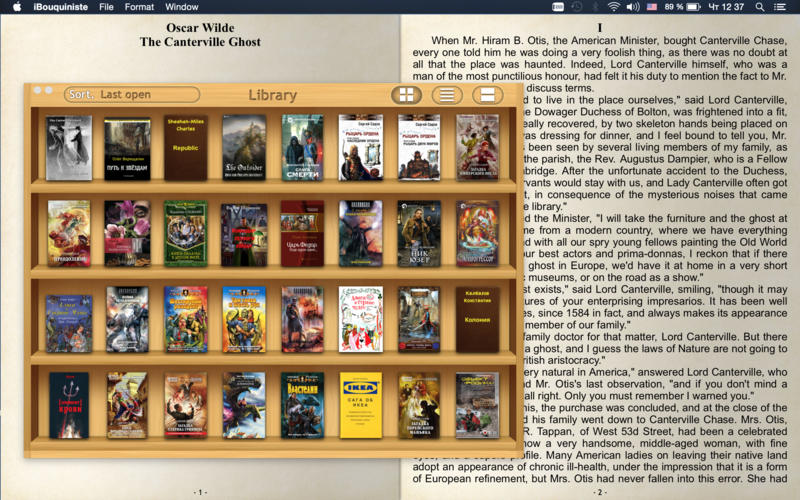
- Unique Author Library (each author on their own bookshelf)
- View most recently opened books in the order you opened them
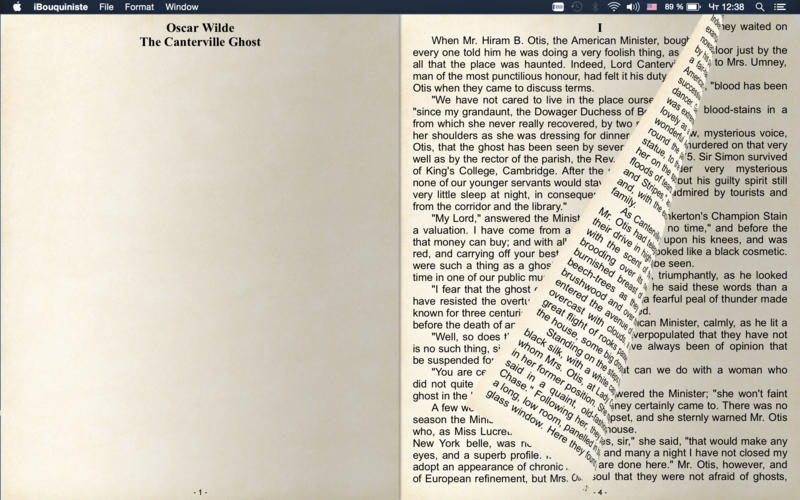
- Real page numbers
- Adjustable fonts
The interface is clean and easy to use. iBouquiniste supports FB2 formatted books, which is how most books are formatted. Other reader apps still don't do that. Where some apps offer sepia tones, iBouquiniste can display your book on realistic paper, with actual page numbers for each page!
WHAT’S NEW
Version 1.3
- Fixed bug with spaces between words under OS X El Capitan
SCREENSHOTS
Frequently asked questions
How do I install the app?
Mount the image, drag the app into the "Applications" folder and launch it. If the system blocks the launch, allow it in "System Settings → Privacy & Security".
The app is damaged or won't launch
Reinstalling from a fresh image usually helps. Make sure your macOS version matches the one listed in the compatibility specs.
How do I update?
Download the new version from the site and install it over the current one — your settings will be preserved.
The download link doesn't work
Try a mirror or a download manager. For large files the browser often drops the connection.
How do I completely remove the app?
Use an uninstaller utility — it cleans up the service files that remain after moving the app to the trash.
VersioniBouquiniste 1.3
DeveloperAndrey Snetkov
CompatibilityOS X 10.8 or later, 64-bit processor
LanguageEnglish
IncludesPre-K'ed




Information
Visitors in the group Guests cannot leave comments on this publication.
Choose a download source
iBouquiniste 1.3 · 8.14 MB