Kiwi for Gmail 2.0.40
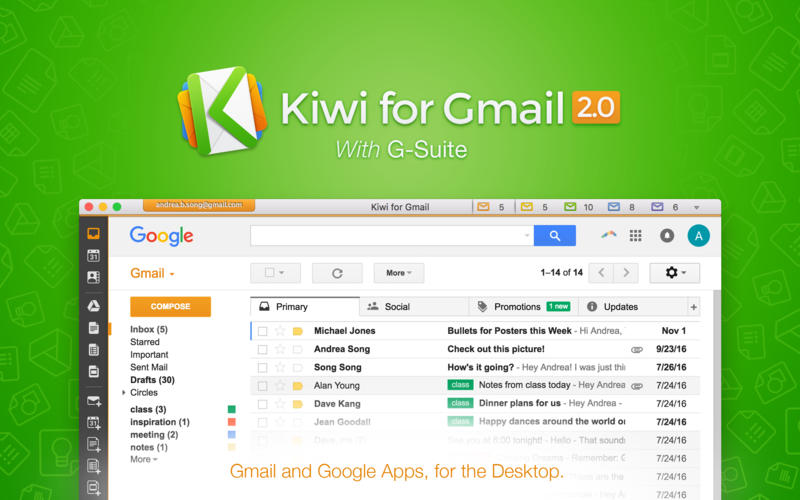
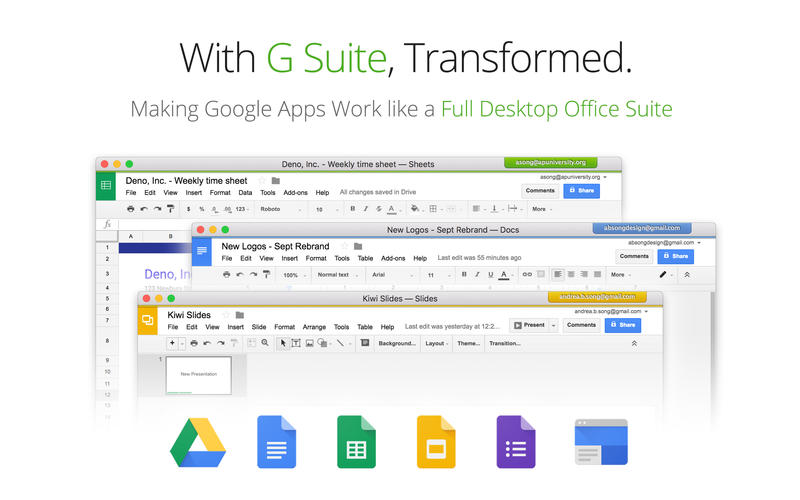
Kiwi for Gmail 2.0 integrates all of G Suite (formerly Google Apps) with Gmail as the centerpiece. We turn Gmail and the rest of G Suite into a full-powered desktop client that takes everything you know and love about Gmail and apps such as Docs, Sheets and Slides, and add great new features – including the ability to simplify your life by seamlessly managing multiple Gmail accounts. Finally a solution for office productivity that competes with Microsoft Office 365.
- Use Gmail as a desktop app, freed from the browser
- Reliable Multiple Accounts - Use up to 6 Gmail accounts simultaneously using an architecture that's more reliable than traditional Gmail
- Ability to use Google Docs, Sheets, and Slides as native, windowed desktop applications within Kiwi for Gmail
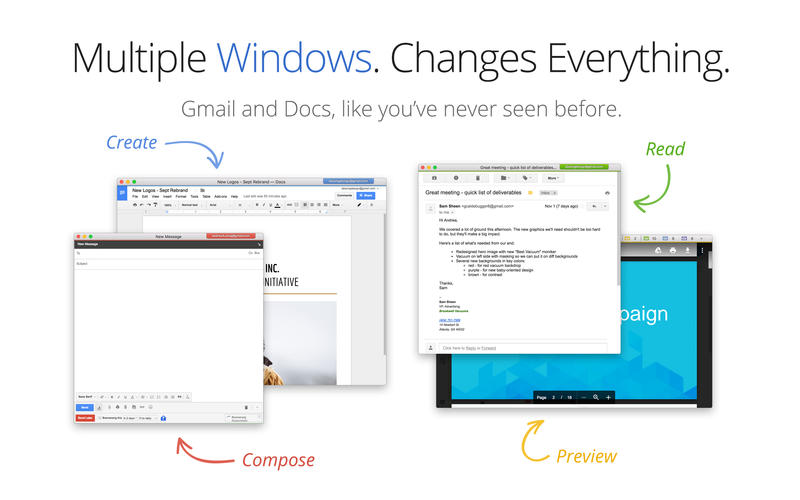
- Ability to open documents in their own windows so you can multi-task like never before using documents across applications and accounts
- Ability to open recent documents and quickly access Google Drive files across multiple accounts
- Intuitive new toolbar on the left side of the traditional Gmail interface provides quick access to all G Suite applications
- Saves all open document windows on exit and restores on relaunch, preserving window size, location, and account in the process
- Ability to open various file types directly within Kiwi for Gmail, including gsheet, gform, gdoc, gslides, gdraw, glink and gnote
- Offline access for Google Docs, Sheets, and Slides is in development
- Boomerang plugin fully supported
- Huge attachments - Send giant files using Google Drive, which is now so quick to do, it's even simpler than Dropbox.
- Powerful Keyboard Shortcuts - let you get to your email in a second.
- Important-Only Notifications - a desktop email first; use this optional feature and filter the noise right out of your email effortlessly.
- The Zen Switch(tm) - shut off all email notifications so you can focus, without shutting out the whole world.
- NOTE: Kiwi for Gmail does not have *offline support*, which is incompatible with serving all Gmail's features.
- NOTE: Kiwi for Gmail does not support Google's Inbox.
- Gmail as a Polished Desktop Experience - Windows for new messages, the calendar, Google Drive; Attach photos, documents, or whatever you want by just dragging them on; An inbox that works like a desktop application and not a strange menubar dropdown hybrid -- we've thought of everything.
- Gmail as your Default Email Client - It really works. Replace Mail and Outlook completely with Kiwi for Gmail - click an email in Contacts or the browser and it'll open one of our beautiful new email windows.
- Dock icon, Menubar dropdown, and full Inbox window.
- Gorgeous, simple New Message windows - Vastly improved over the browser.
Version 2.0.39
- Minor Big Sur related UI Tweaks
Frequently asked questions
How do I install the app?
Mount the image, drag the app into the "Applications" folder and launch it. If the system blocks the launch, allow it in "System Settings → Privacy & Security".
The app is damaged or won't launch
Reinstalling from a fresh image usually helps. Make sure your macOS version matches the one listed in the compatibility specs.
How do I update?
Download the new version from the site and install it over the current one — your settings will be preserved.
The download link doesn't work
Try a mirror or a download manager. For large files the browser often drops the connection.
How do I completely remove the app?
Use an uninstaller utility — it cleans up the service files that remain after moving the app to the trash.
VersionKiwi for Gmail 2.0.40
DeveloperZive, Inc.
CompatibilityOS X 10.10 or later, 64-bit processor
LanguageEnglish
IncludesK'ed by TNT





Information
Visitors in the group Guests cannot leave comments on this publication.
Choose a download source
Kiwi for Gmail 2.0.40 · 165.12 MB
Previous versions
Kiwi for Gmail 2.0.40
Previous versions are available to registered users.