Adobe Illustrator CC 2017.1 (21.1.0) for Mac
Adobe Illustrator is the companion application to Adobe Photoshop that mainly focuses on the creation and design of logos. For over two decades, Illustrator has provided countless possibilities and high-end options to design professional logos.
More specifically, Adobe Illustrator uses vector based images to help you create personalized logos. In addition, the process of drawing and manipulating basic shapes in Illustrator is greatly streamlined.
From a beginner’s perspective, creating a new logos is pretty easy. The first steep is creating, uniting and manipulating shapes. The next steps consists of coloring the shapes, adding and editing symbols, applying effects, and then making final touches.
Of course, Illustrator provides tons of solutions and customizable parameters to the more experienced and creative logo designer.
The key features are the sophisticated vector drawing tools, working with up to 100 art boards, pattern creation, variable-width strokes, image trace, gradients, rock-solid stability and more.
At its core, Illustrator excels at working with vector graphics images. You can, thus, compose and edit these types of images for printing, video, mobile or the web. Using the advanced path controls, paint brushes and complex shape-building tools, you can achieve spectacular results.
WHAT’S NEW in Adobe Illustrator CC 2017.1 (21.1.0)
Version 2017.1 (21.1.0):
- Crop images more easily - Crop bitmap images directly within Illustrator to discard excess parts, reduce file size, and improve performance. That means no need to use clipping masks or edit the image in Photoshop.
- Create new documents faster - To improve speed and performance, the start screen for creating new documents now loads even faster than before.
- Redesigned Color Theme panel - Create, explore, save, and retrieve color themes across applications with the new Color Theme panel. Now you can explore popular themes and get help perfecting color choices.
- Stability enhancements - You asked, we listened. We've fixed top Illustrator issues and improved stability.
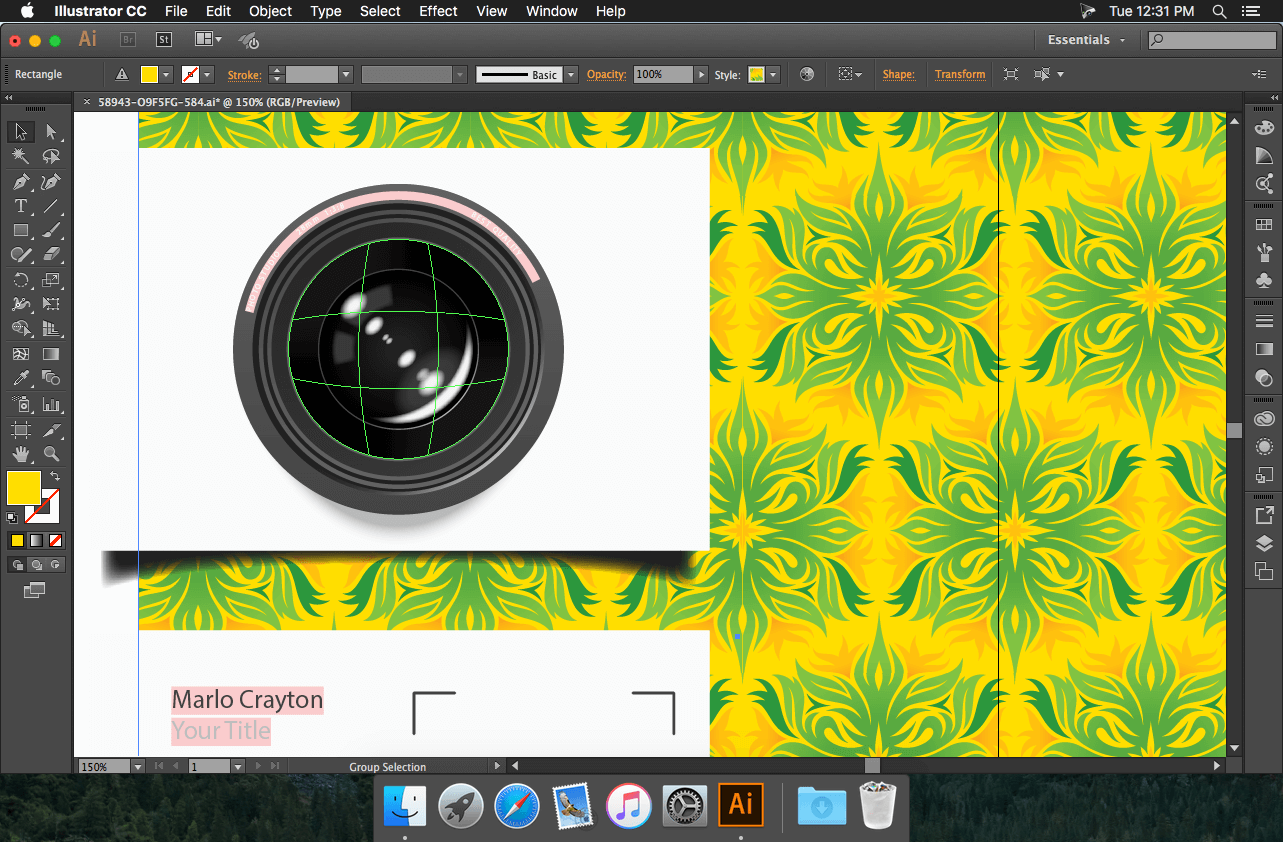
Screenshots
Frequently asked questions
How do I install the app?
Mount the image, drag the app into the "Applications" folder and launch it. If the system blocks the launch, allow it in "System Settings → Privacy & Security".
The app is damaged or won't launch
Reinstalling from a fresh image usually helps. Make sure your macOS version matches the one listed in the compatibility specs.
How do I update?
Download the new version from the site and install it over the current one — your settings will be preserved.
The download link doesn't work
Try a mirror or a download manager. For large files the browser often drops the connection.
How do I completely remove the app?
Use an uninstaller utility — it cleans up the service files that remain after moving the app to the trash.
VersionAdobe Illustrator CC 2017.1 (21.1.0)
DeveloperAdobe Systems
CompatibilityOS X 10.10 or later, 64-bit processor
LanguageMultilingual
IncludesPatcher by TNT

Information
Visitors in the group Guests cannot leave comments on this publication.
Choose a download source
Adobe Illustrator CC 2017.1 (21.1.0) for Mac · 1.99 GB