
iScrapbook 7.0.1
iScrapbook is the #1 scrapbooking application for Macintosh. It's designed for both novice and professional scrapbookers. iScrapbook manages the entire scrapbooking process from page design to album organization.
With one click, you can now add a frame to any photo. Choose from 10+ different frame styles. Each style is customizable so you customize attributes like color, border tickness, etc.
- Simple borders (square corners, round corners, circular)
- Photo corners (black, white, silver, gold)
- Tape (transparent & masking)
- Staples
- Corner cutouts
- Scalloped edges
- Polaroid (regular, antique, crinkled, tattered, faded, vintage)
- Mat (adjustable bevel)
- Burnt edges
WHAT’S NEW
Version 7.0:
Note: Now requires macOS 10.12 or later
Note: Version 7 is a paid upgrade from previous versions. Upgrade information can be found here.
- Create and reuse an unlimited number of color schemes
- Photo analyzer figures out dominant colors in a photo
- Color wheel with 11 built-in color combinations for choosing great colors
- Color combinations include complementary, analogous, triadic, and more
- Built-in color theory tips educate about color use
- Color wheel supports artistic primary colors (RYB: red, yellow, blue)
- Color wheel supports modern primary colors (RGB: red, green, blue)
- Color blender creates blends between two colors
- Built-in color scheme access throughout the software
- [Bonus] Eyedropper retrieves the color of any pixel on the screen
- [Bonus] Warm/cool indicator for the color wheel
- [Bonus] Color blender also supports tints, shades, and tones
- [Bonus] Built-in sliders for adjusting the base color
- [Bonus] Built-in hex field for copying/pasting colors with other apps
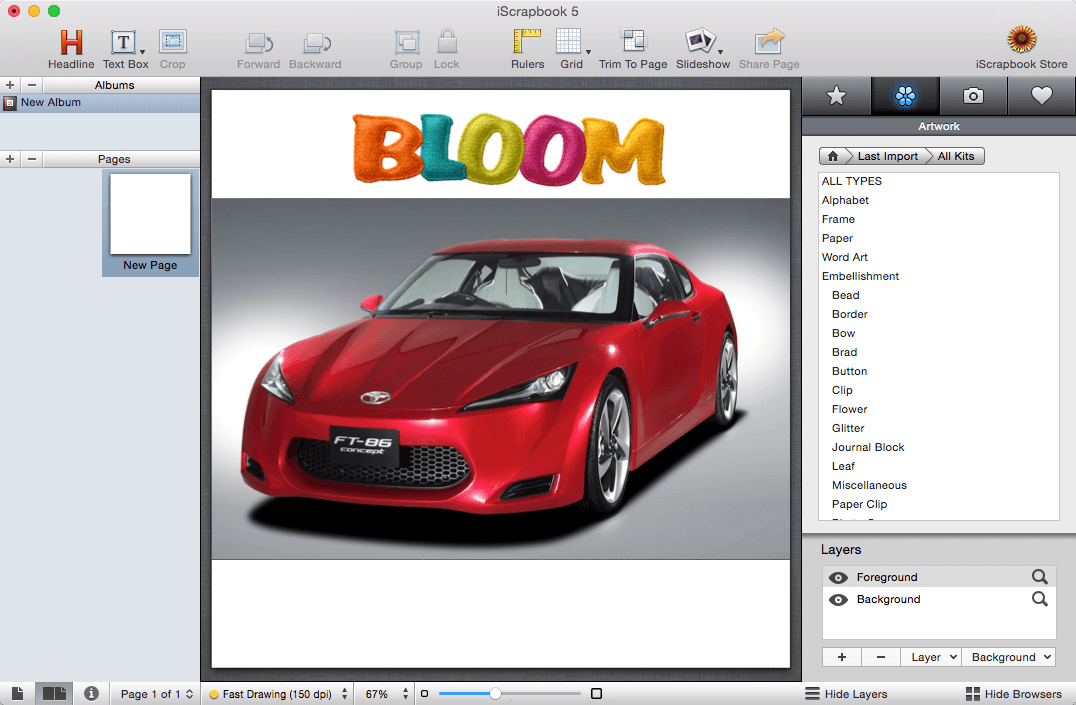
SCREENSHOTS
Frequently asked questions
How do I install the app?
Mount the image, drag the app into the "Applications" folder and launch it. If the system blocks the launch, allow it in "System Settings → Privacy & Security".
The app is damaged or won't launch
Reinstalling from a fresh image usually helps. Make sure your macOS version matches the one listed in the compatibility specs.
How do I update?
Download the new version from the site and install it over the current one — your settings will be preserved.
The download link doesn't work
Try a mirror or a download manager. For large files the browser often drops the connection.
How do I completely remove the app?
Use an uninstaller utility — it cleans up the service files that remain after moving the app to the trash.
VersioniScrapbook 7.0.1
DeveloperChronos LLC
CompatibilitymacOS 10.12 or later
LanguageEnglish
IncludesK




Information
Visitors in the group Guests cannot leave comments on this publication.
Choose a download source
iScrapbook 7.0.1 · 372.77 MB