
ON1 Photo 10.5.2 for Mac
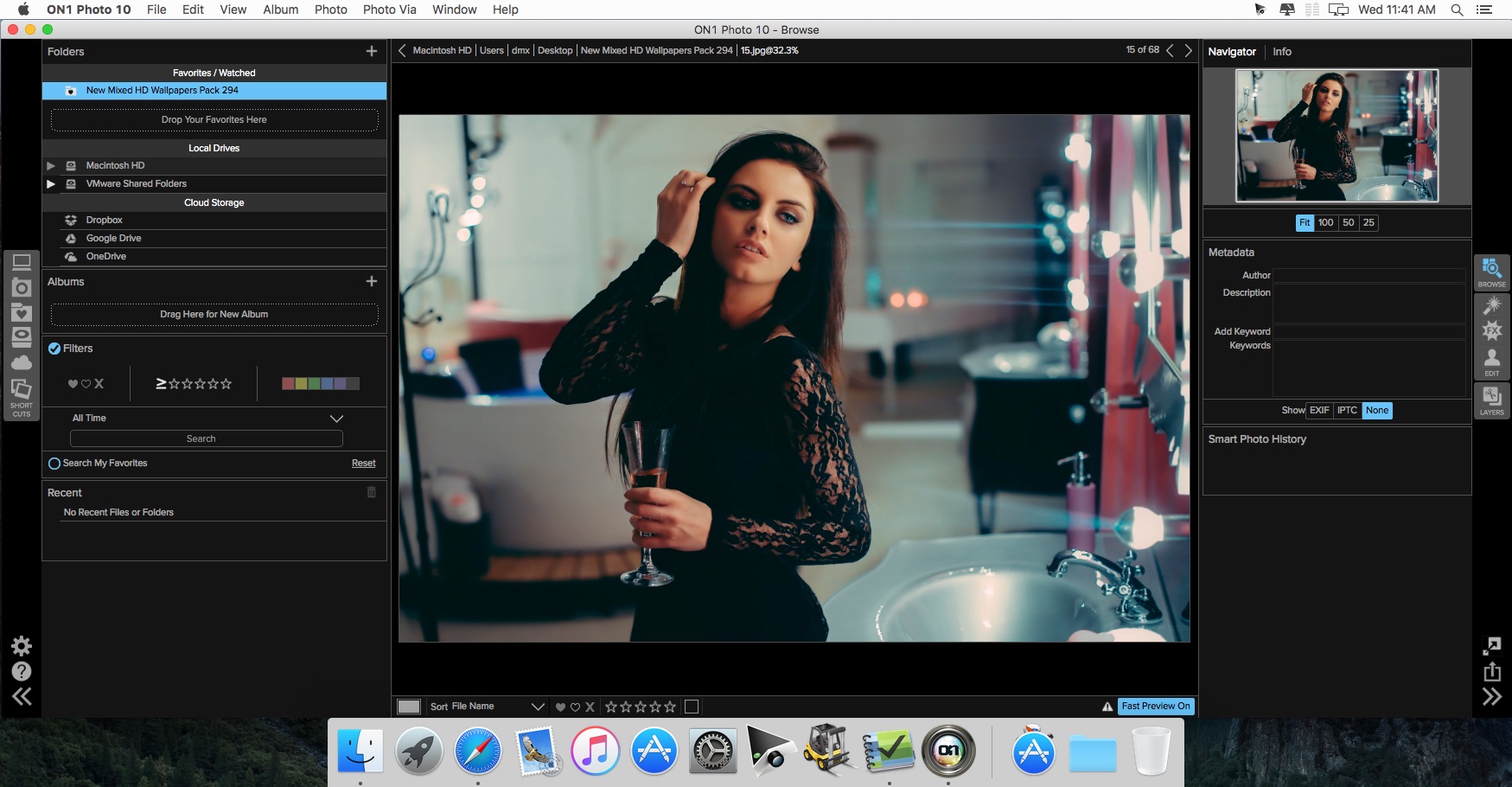
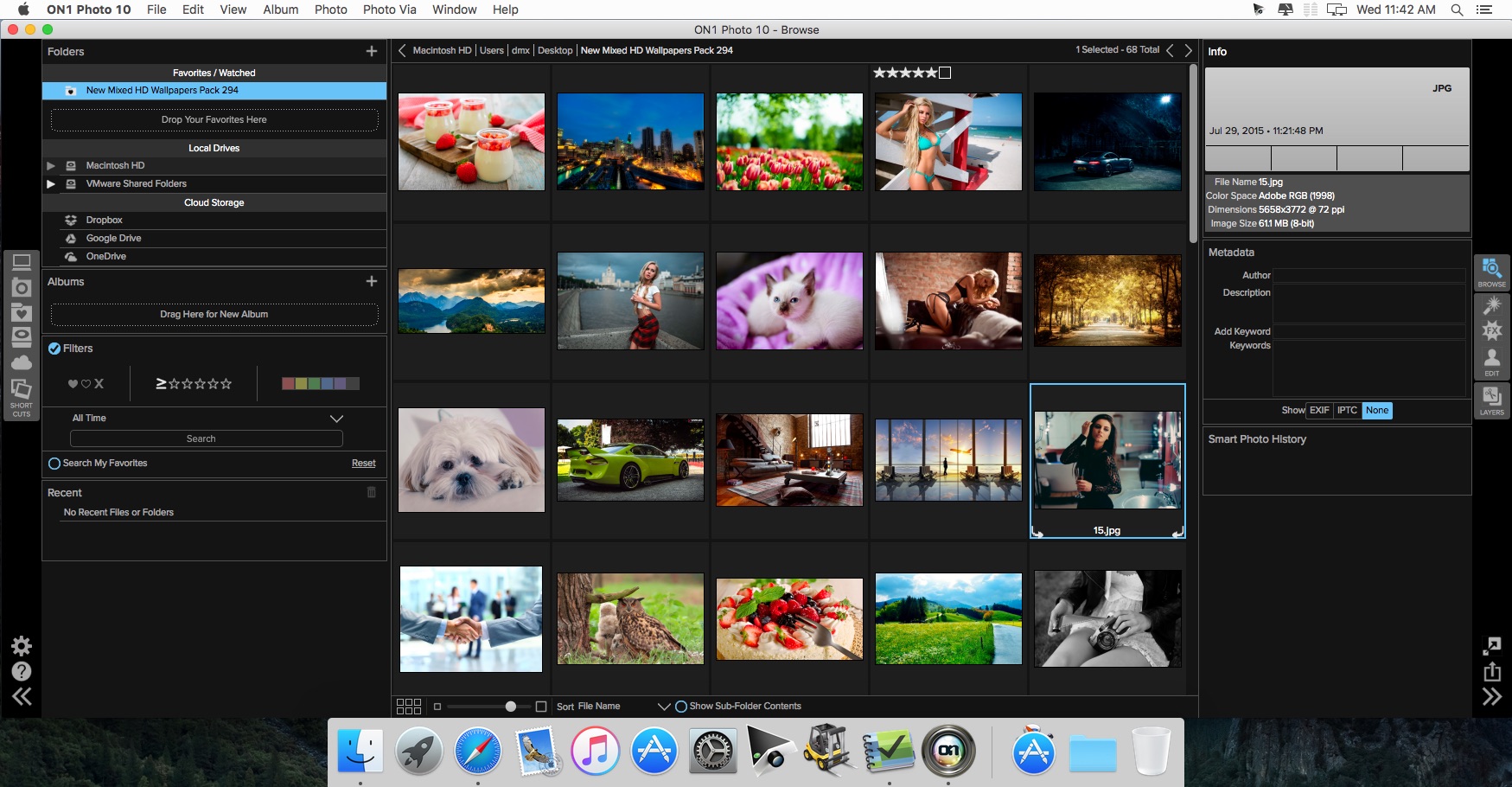
ON1 Photo 10 is a full-featured photo editor that works as a plug-in to Adobe Photoshop and Lightroom, or as a standalone application. Browse and manage your photos where they are stored; local, external, and network drives or cloud service. Version 10 includes the necessary tools to manage and edit your photos with non-destructive Smart Photo technology. Improve portraits, add effects, enlarge for large-format printing, share, and make complex selections or masks with minimal effort.
The Components
Effects - Everything you need to add any effect to your photos. ON1 Effects includes filters, presets, borders, and textures. With live adjustments, stack effects to create your own look, and save your own custom presets. Hundreds of presets and 23 stackable filters.
Browse - Don't wait on a slow catalog or import process. This is a lightning fast photo browser. Quickly sort, cull and edit photos from a shoot. Quickly ditch the bad ones, rate the good ones, add keywords, and much more.
Enhance - Quickly and easily adjust exposure, contrast, white balance, vibrance, detail, or add vignettes. Store all of your settings and adjustments of the enhancements for future use.
- Color correction
- Exposure adjustment
- Highlight and shadow recovery
- Retouch brush
- Erase objects
- Noise reduction
Portrait - Portrait retouching is faster, better, and easier than ever. Our new way of working with facial features makes it easier to retouch the areas you care about.
- Skin retouching made easy
- Skin smoothing
- Blemish reduction
- Shine removal
- Advanced color correction technology
- Get color correct skin tones
- Brighten eyes
- Whiten teeth
Layers - Create composites by stacking photos or combine and blend photos without having to use Adobe Photoshop.
- Precise masking tools
- Swap out boring backgrounds
- Create your own layouts
- Includes backgrounds, borders, and edges
- Create layered files from Lightroom
- Blend photos together
Requirements
Intel, 64-bit processor
OS X 10.8 or later
Optional:
- Adobe Photoshop CS6-CC2015
- Adobe Lightroom 4, 5, CC, or CC2015
- Apple Aperture 3.6
- Adobe Photoshop Elements 11-14
Screenshots

Frequently asked questions
How do I install the app?
Mount the image, drag the app into the "Applications" folder and launch it. If the system blocks the launch, allow it in "System Settings → Privacy & Security".
The app is damaged or won't launch
Reinstalling from a fresh image usually helps. Make sure your macOS version matches the one listed in the compatibility specs.
How do I update?
Download the new version from the site and install it over the current one — your settings will be preserved.
The download link doesn't work
Try a mirror or a download manager. For large files the browser often drops the connection.
How do I completely remove the app?
Use an uninstaller utility — it cleans up the service files that remain after moving the app to the trash.
VersionON1 Photo 10.5.2 for Mac
DeveloperON1, Inc.
CompatibilityOS X 10.8 or later, 64-bit processor
LanguageEnglish
IncludesPre-K'ed




Information
Visitors in the group Guests cannot leave comments on this publication.
Choose a download source
ON1 Photo 10.5.2 for Mac · 686.51 MB