
Softorino YouTube Converter PRO 5.1.20

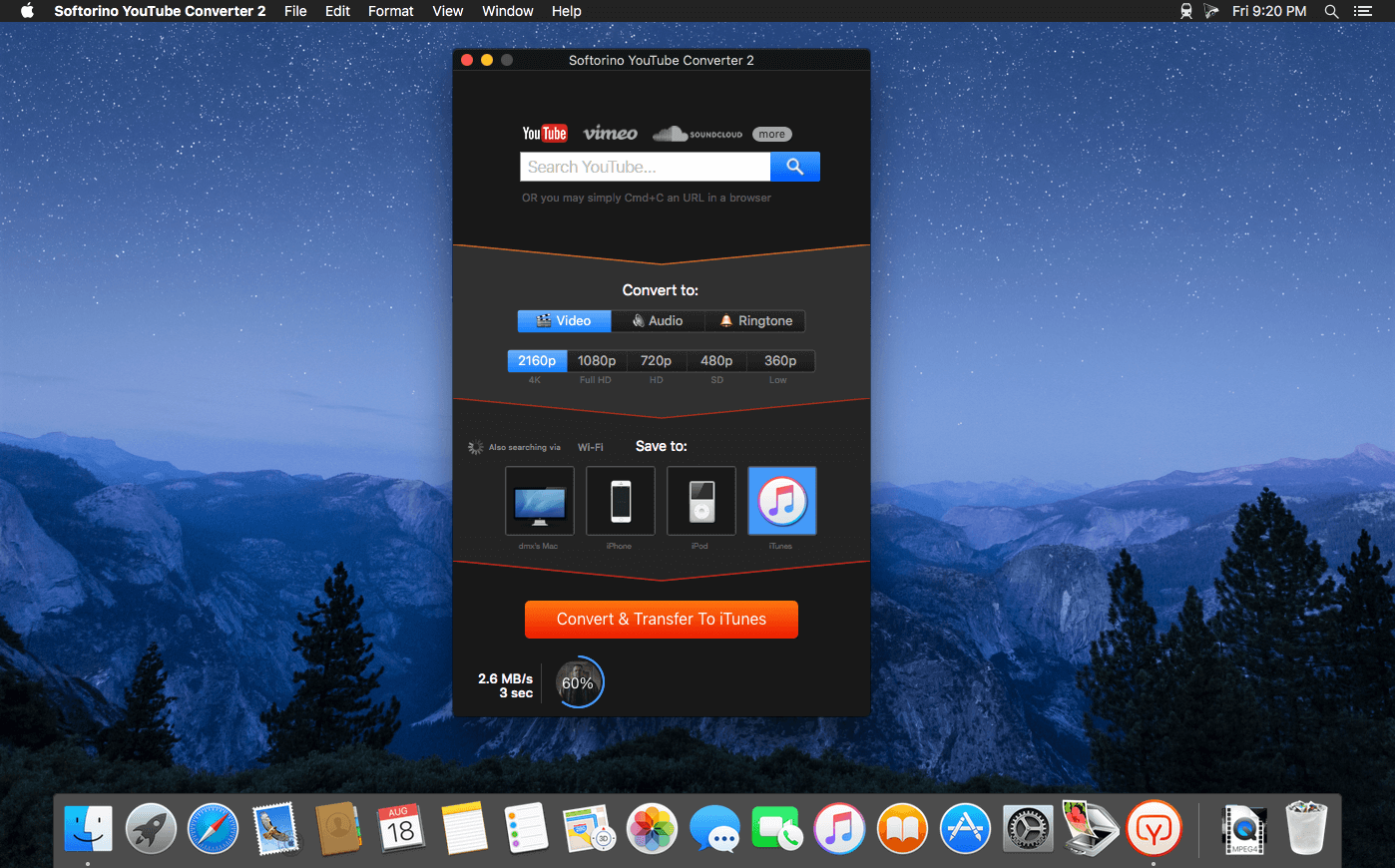

Softorino YouTube Converter - YouTube to MP3. Offline YT Converter. No Ads. Background Playback.
YouTube on the iPhone and iPad, without advertising, to support offline viewing but still nothing. You think it's impossible? But not guessed!
All this and a little bit more you can get by using Softorino YouTube Converter. The whole process is simple in the extreme: copy the link to the video, go to the app and choose where you want to save the video.
- After you copy the link to the clipboard, Softorino YouTube Converter automatically recognizes it, and you will only choose the quality (60fps, 2160p 4K, 1080p HD, 720p, 360p, or audio only) and a place to save (Mac or iOS-device ). A few seconds after pressing the button Download the file is in the "Boot" on the Mac, or "Video" application / "Music" on iOS. That's all.
- No advertising;
- You can download any video from YouTube and Vimeo;
- You can download the audio track of the video and listen to the standard player on iOS;
- Do not need internet to view;
- less discharged battery;
- for it not to be paid;
- it works anywhere in the world, in contrast to the YouTube Red.
Version 5.1.19:
- Release notes were unavailable when this listing was updated.
Frequently asked questions
How do I install the app?
Mount the image, drag the app into the "Applications" folder and launch it. If the system blocks the launch, allow it in "System Settings → Privacy & Security".
The app is damaged or won't launch
Reinstalling from a fresh image usually helps. Make sure your macOS version matches the one listed in the compatibility specs.
How do I update?
Download the new version from the site and install it over the current one — your settings will be preserved.
The download link doesn't work
Try a mirror or a download manager. For large files the browser often drops the connection.
How do I completely remove the app?
Use an uninstaller utility — it cleans up the service files that remain after moving the app to the trash.





Choose a download source
Softorino YouTube Converter PRO 5.1.20 · 21.12 MB
Previous versions
Softorino YouTube Converter PRO 5.1.20
Previous versions are available to registered users.