
MonthlyCal 1.5.5

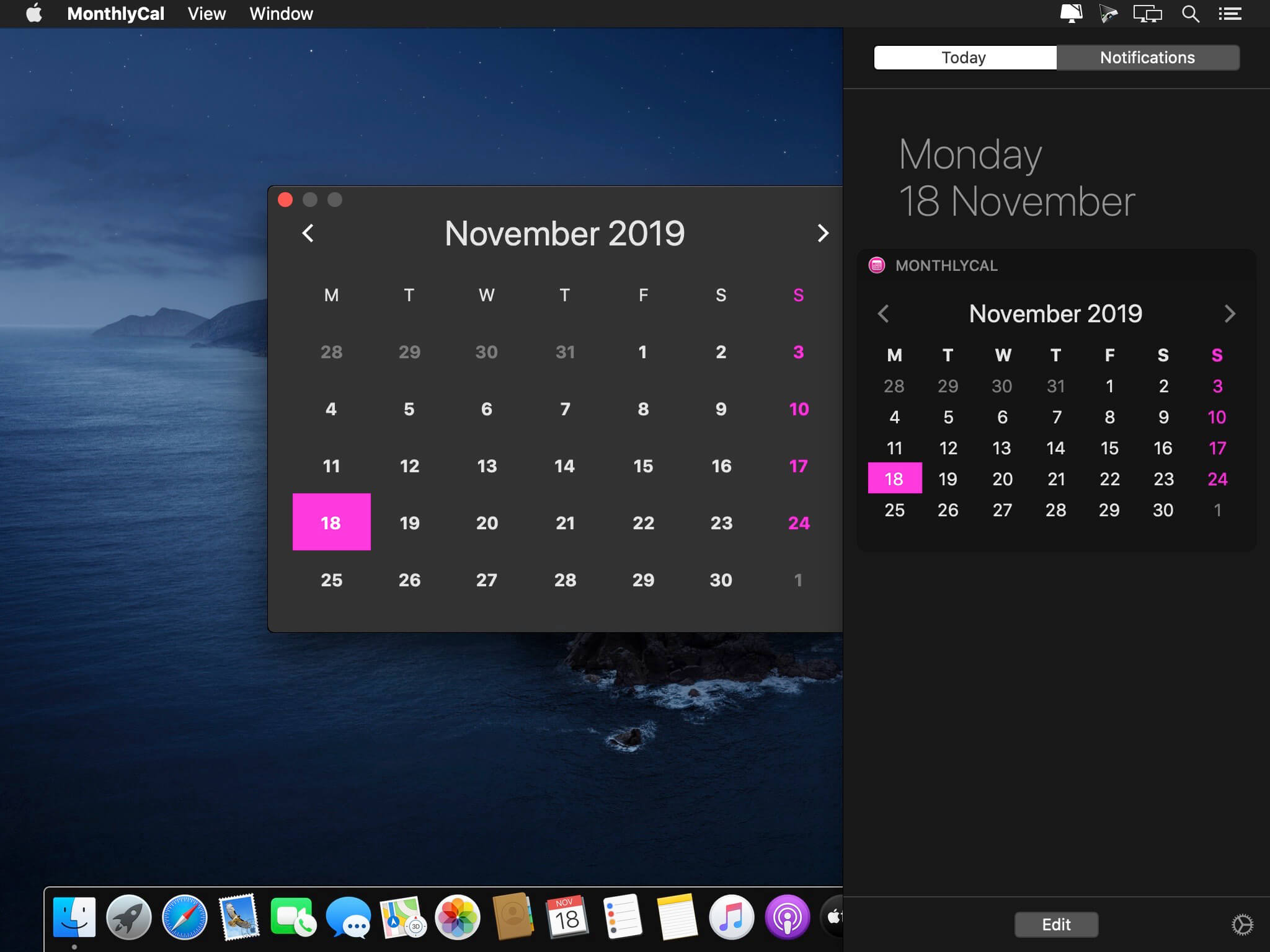
MonthlyCal is a beautiful and colorful monthly calendar widget for OS X Yosemite. MonthlyCal supports gregorian's calendar and it is almost localized in every language!
With the new version you can click on a day to show the list of related events. Click on an event to show it in OS X Calendar app!
FEATURES
- Monthly calendar
- Move to next and previous month
- Integration with OS X Calendar app (Enable it in preferences of main app)
- Click on a day to show the list of events!
- Click on an event to show it in OS X Calendar app or Fantastical™ 2!
- Customizable theme (Choose your color in preferences of main app)
- Weekdays are localized in every language.
- Support for Sunday or Monday as first weekday.
- Pink
- Blue
- Aqua
- Green
- Electric Green
- Yellow
- Orange
- Red
- MonthlyCal gets settings automatically from your OS (Language, first weekday, ecc...)
- ENABLE WIDGET: Open Notification Center => Click Edit Button => Add MonthlyCal.
- THEME COLOR: Open main app => Open Preferences => Choose your color.
- EVENTS INDICATOR: Open main app => Open Preferences => Check "Show events indicator" => Allow MonthlyCal to access to your calendars.
Version 1.5.4
- Support for macOS 10.15 Catalina
Frequently asked questions
How do I install the app?
Mount the image, drag the app into the "Applications" folder and launch it. If the system blocks the launch, allow it in "System Settings → Privacy & Security".
The app is damaged or won't launch
Reinstalling from a fresh image usually helps. Make sure your macOS version matches the one listed in the compatibility specs.
How do I update?
Download the new version from the site and install it over the current one — your settings will be preserved.
The download link doesn't work
Try a mirror or a download manager. For large files the browser often drops the connection.
How do I completely remove the app?
Use an uninstaller utility — it cleans up the service files that remain after moving the app to the trash.
VersionMonthlyCal 1.5.5
DeveloperFausto Ristagno
CompatibilityOS X 10.10 or later, 64-bit processor
LanguageEnglish, French, German, Italian, Japanese, Korean, Portuguese, Russian, Simplified Chinese, Spanish, Traditional Chinese, Turkish
IncludesK'ed by HCiSO




Information
Visitors in the group Guests cannot leave comments on this publication.
Choose a download source
MonthlyCal 1.5.5 · 2.59 MB