Topaz Texture Effects 2.0.0
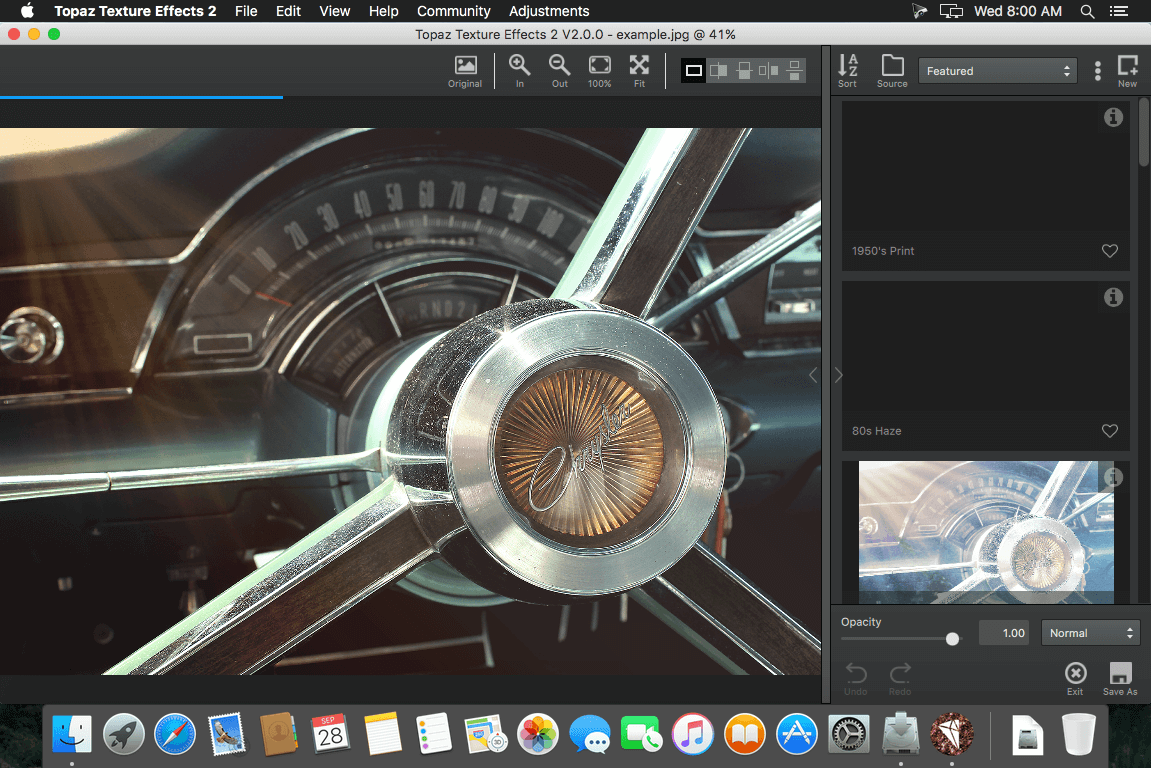
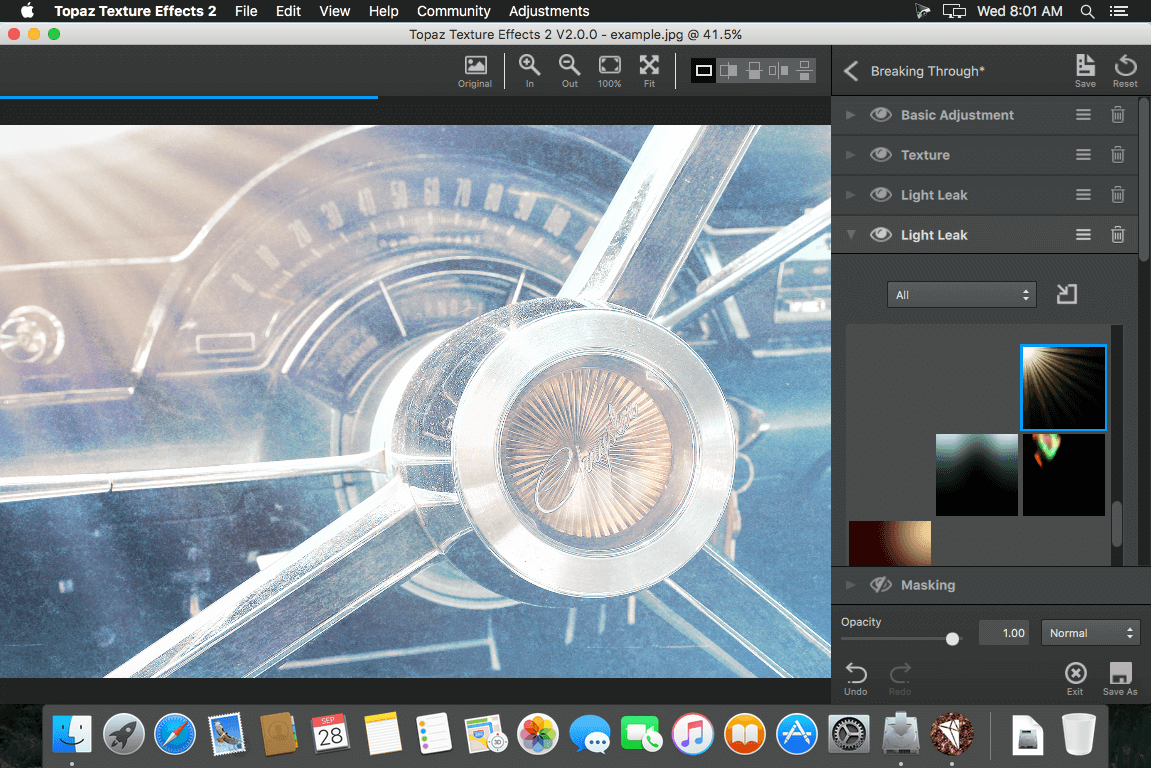
Topaz Texture Effects 2 streamlines the workflow for creating layered texture images in a fraction of the time it takes in Photoshop. With hundreds of expertly crafted effects and an extensive library of textures, borders, and more directly at your fingertips, there’s no more scouring the web for a look that inspires you.
Blow Through your Creative Barriers.
You've got a job to do. Don't get bogged down by confusing tools.
Texture Effects 2 uses the latest in GPU processing to ensure that your effects are ready the second you are. Combined with an intuitive adjustment process and the ability to quickly edit, rearrange, or remove adjustments, it transforms your workflow from infuriating to exhilarating.
Get images you love in minutes, not hours.
Texture Effects 2 was designed to streamline your workflow with powerful adjustments to quickly add tone and texture to your image in just a few clicks. No more complicated workflows or long drawn out tutorials.
Explore an ocean of effects.
Bundled with hundreds of custom effects from soft and subtle to Lo-Fi and vintage styles, Texture Effects 2 give you full creative control. Start with a included effect, browse the Topaz Community for effects created by other users, or start from scratch.
Powerful Masking on every level.
Texture effects 2 features not only Overall masking of the effect, but also custom masks for each adjustment you apply. Whether you prefer a spot mask, color mask, luminosity mask, or traditional brush masking, Texture Effects 2 puts the power in your hands.
Unlimited Undo / Redo.
Texture Effects 2 implemented a highly requested featured Undo / Redo. However, you're not tied to a few steps, with Texture Effects 2 you can undo your adjustments, enhancements, even masking brushstrokes one step at a time all the way back to when you imported your image. And you can redo back to the last step you took, too.
Hundreds of assets included.
With the latest release of Texture Effects 2 we've partnered with both " Meredith Images" and "2 Lil Owls" to bring you 50 additional professional textures for free. Coupled with the hundreds of textures, borders, and more from Topaz directly at your fingertips, and the ability to import your own custom assets, there’s no more scouring the web for a look that inspires you. You can even import transparent PNGs to get that perfect custom border or double exposure for your image.
SCREENSHOTS

Frequently asked questions
How do I install the app?
Mount the image, drag the app into the "Applications" folder and launch it. If the system blocks the launch, allow it in "System Settings → Privacy & Security".
The app is damaged or won't launch
Reinstalling from a fresh image usually helps. Make sure your macOS version matches the one listed in the compatibility specs.
How do I update?
Download the new version from the site and install it over the current one — your settings will be preserved.
The download link doesn't work
Try a mirror or a download manager. For large files the browser often drops the connection.
How do I completely remove the app?
Use an uninstaller utility — it cleans up the service files that remain after moving the app to the trash.
VersionTopaz Texture Effects 2.0.0
DeveloperTopaz Labs, LLC.
CompatibilityOS X 10.9 or later, 64-bit processor
LanguageEnglish
IncludesK
Related posts
-
 Topaz Software & Plug-ins Bundle for Adobe Photoshop (Updated 07.2019)
Photography4.13 GB
Topaz Software & Plug-ins Bundle for Adobe Photoshop (Updated 07.2019)
Photography4.13 GB
-
 Topaz Plugins Bundle (11.2017)
Graphic Design861.02 MB
Topaz Plugins Bundle (11.2017)
Graphic Design861.02 MB
-
 Topaz Plug-ins Bundle for Adobe Photoshop DC 19.12.2016
Graphic Design1003.24 MB
Topaz Plug-ins Bundle for Adobe Photoshop DC 19.12.2016
Graphic Design1003.24 MB
-
 ON1 Effects 2019.7 13.7.0.8098
Photography1.13 GB
ON1 Effects 2019.7 13.7.0.8098
Photography1.13 GB
-
 ON1 Effects 2018.5.3 12.5.3.5757
Photography810.82 MB
ON1 Effects 2018.5.3 12.5.3.5757
Photography810.82 MB
Information
Visitors in the group Guests cannot leave comments on this publication.
Choose a download source
Topaz Texture Effects 2.0.0 · 301.53 MB