Pic to GIF 1.0.0
Pic to GIF is a simple tool for create incredible animated GIFs from images. It’s easy to customize
GIF size, sequence, frame rate, and add text. You can also edit existing GIFs.
INPUT FEATURES
- Support almost all common images formats: JPEG, JPEG2000, BMP, PNG, TIFF, GIF, TGA etc.
EDIT FEATURES
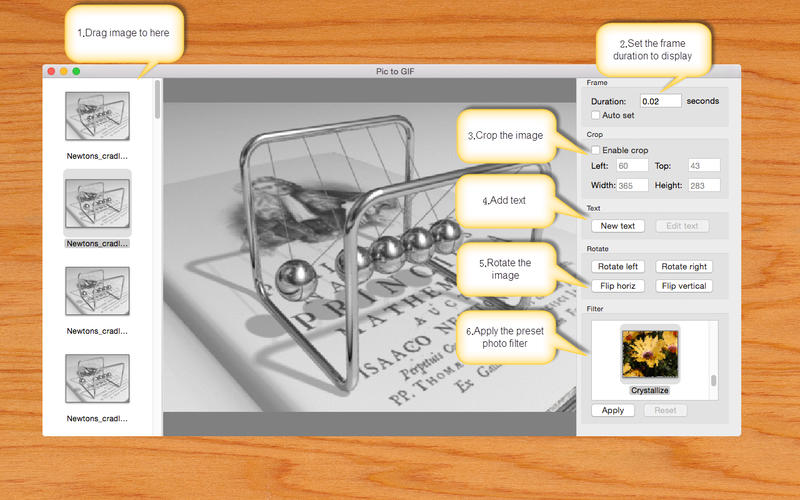
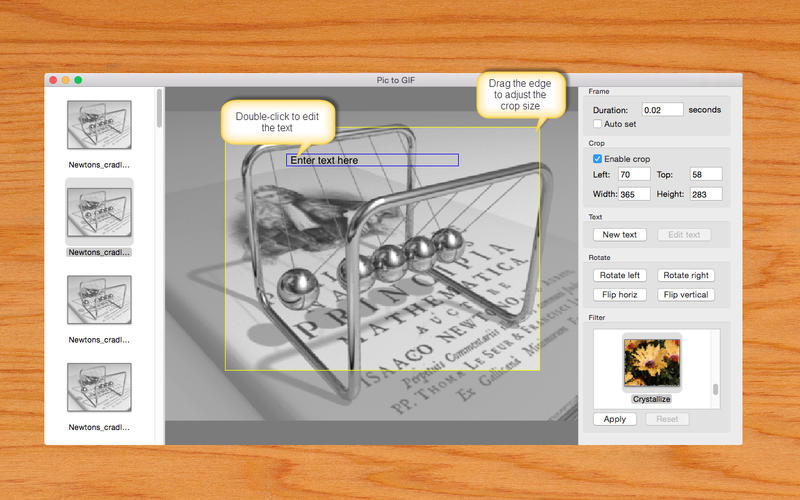
- Support text editor, easy to add text and customize its font, size, style, color, underline and so on
- Support popular image effects like mono, instant, Noir, old film, etc.
- Support image crop, resize, rotate, flip
- Support customize image frame delay
- Support re-edit existing GIFs
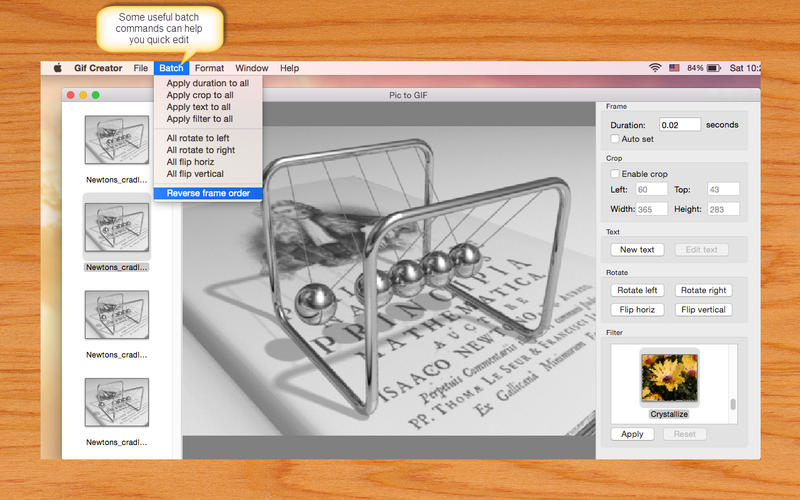
- Easily change the frame order by dragging
GIF OPTIONS
- Support customize FPS
- Support customize size
- Support frame stretch type
- Support palette encoder/RGB332 encoder
SCREENSHOTS
Frequently asked questions
How do I install the app?
Mount the image, drag the app into the "Applications" folder and launch it. If the system blocks the launch, allow it in "System Settings → Privacy & Security".
The app is damaged or won't launch
Reinstalling from a fresh image usually helps. Make sure your macOS version matches the one listed in the compatibility specs.
How do I update?
Download the new version from the site and install it over the current one — your settings will be preserved.
The download link doesn't work
Try a mirror or a download manager. For large files the browser often drops the connection.
How do I completely remove the app?
Use an uninstaller utility — it cleans up the service files that remain after moving the app to the trash.
VersionPic to GIF 1.0.0
Developerrenting luo
CompatibilityOS X 10.9 or later, 64-bit processor
LanguageEnglish
IncludesPre-K'ed
Information
Visitors in the group Guests cannot leave comments on this publication.
Choose a download source
Pic to GIF 1.0.0 · 17.14 MB