
MacX MediaTrans 8.6
MacX MediaTrans iPhone file manager for Mac, transfers media, backs up data
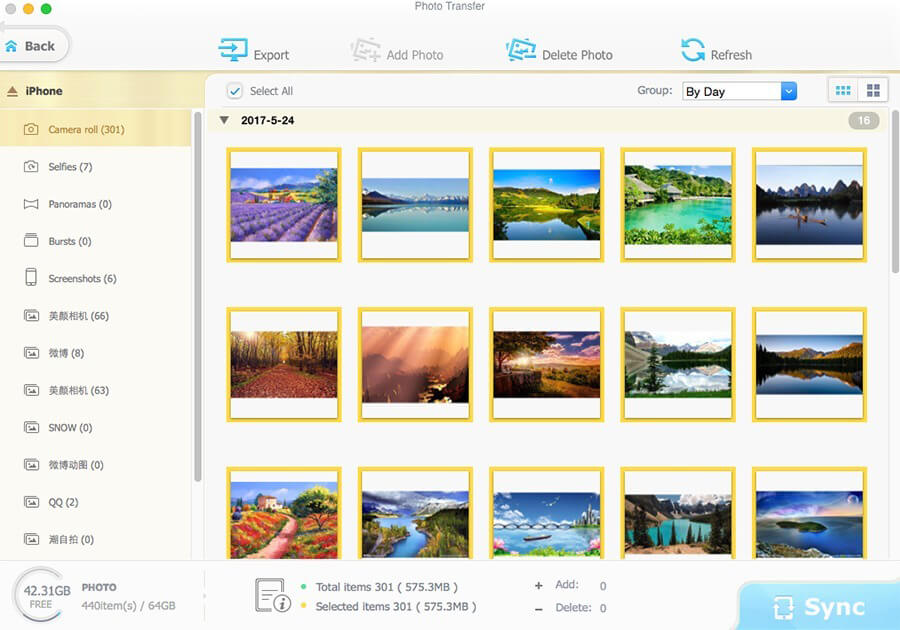
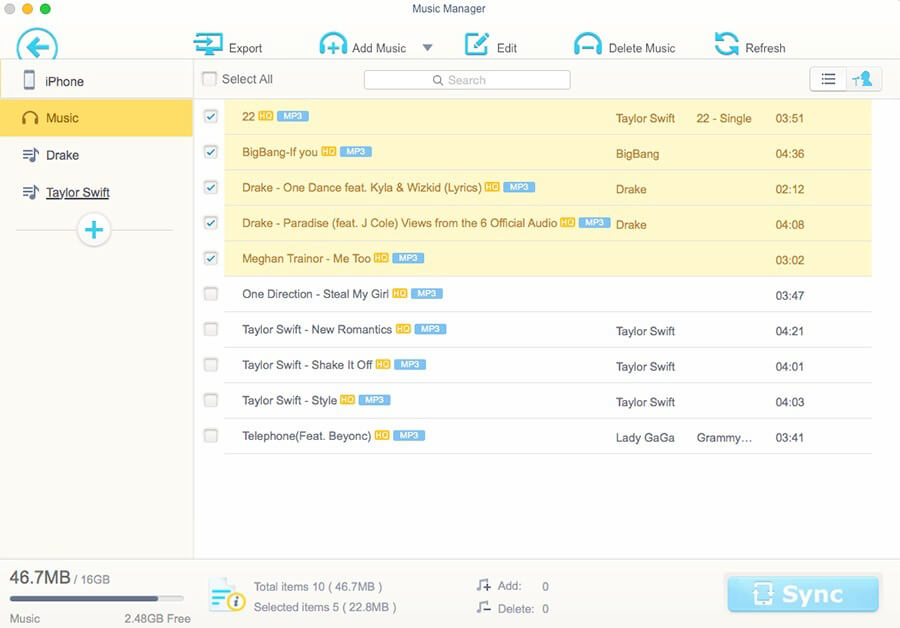
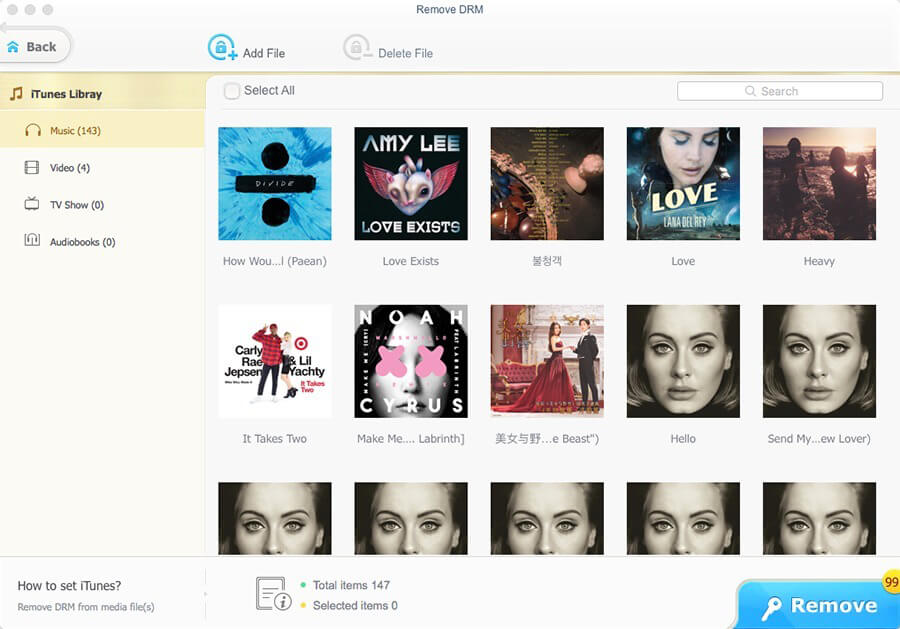
MacX MediaTrans is a fast, powerful iPhone file manager for Mac that gives you full control over your iOS data. Easily transfer, manage, and back up music, photos, videos, podcasts, audiobooks, iTunes U, and more between your iPhone, iPad, iPod, and Mac—without iTunes.
Move music from iPhone to Mac in one click, manage playlists and tracks in batch, and create custom ringtones with ease. Need to switch to a new iPhone or share files with family and friends? MacX MediaTrans makes it simple.
Enjoy lightning-fast transfer speeds, including 100 4K photos in just 8 seconds, with no quality loss. The app also automatically converts AVI, MKV, FLV, and other formats into iOS-friendly videos during transfer, and can rotate sideways videos for better playback.
MacX MediaTrans also lets you remove DRM from iTunes music, videos, and audiobooks, convert them to MP4 or MP3, delete camera roll photos, use your iPhone like a USB drive, and more.
Key features:
- Transfer videos, music, photos, HD movies, and TV shows between iPhone and Mac
- Import, export, and delete ringtones, ebooks, Voice Memos, iTunes U, and podcasts
- Remove DRM from iTunes content and convert to MP4, MP3, and more
- Use iPhone as a USB drive to move files like PDFs, apps, and DMGs
- Create custom iPhone ringtones
- Manage playlists, tracks, albums, and genres in bulk
- Delete all Camera Roll photos and recorded videos
- Transfer files at high speed without data loss
- Auto-convert AVI, FLV, MKV, and more to MP4, AAC, or MP3
- Auto-rotate sideways videos
- Two-way music sync
- Convert EPUB to PDF, HTML, TXT, and more
Version 8.6
- Release notes were unavailable when this listing was updated.
Frequently asked questions
How do I install the app?
Mount the image, drag the app into the "Applications" folder and launch it. If the system blocks the launch, allow it in "System Settings → Privacy & Security".
The app is damaged or won't launch
Reinstalling from a fresh image usually helps. Make sure your macOS version matches the one listed in the compatibility specs.
How do I update?
Download the new version from the site and install it over the current one — your settings will be preserved.
The download link doesn't work
Try a mirror or a download manager. For large files the browser often drops the connection.
How do I completely remove the app?
Use an uninstaller utility — it cleans up the service files that remain after moving the app to the trash.





Choose a download source
MacX MediaTrans 8.6 · 59.47 MB
Previous versions
MacX MediaTrans 8.6
Previous versions are available to registered users.