
Mac FoneTrans 8.1.6
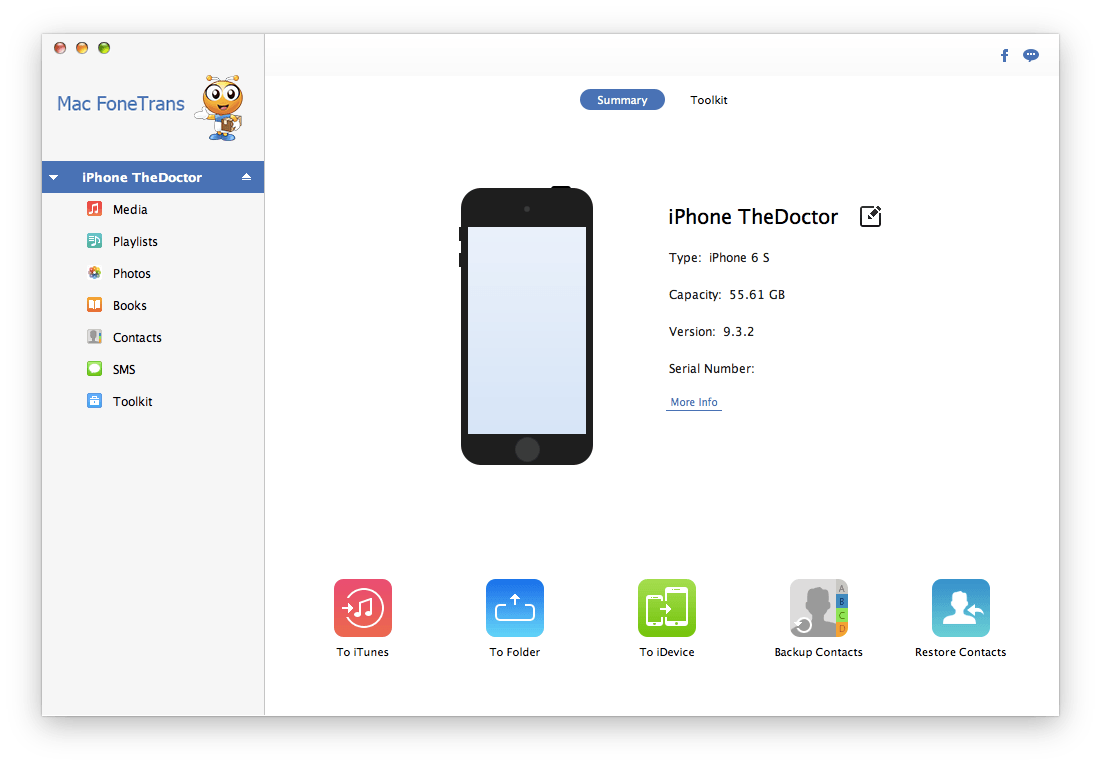
Aiseesoft Mac FoneTrans - iOS Transfer for Mac! This Mac iOS transfer and management software can transfer files between Mac and iOS devices. Managing your digital life has never been easier. Transfer files from Mac to your iPhone/iPad/iPod in one click!
Main Features:
- Transfer music, photos, movies, and contacts from Mac to iPhone/iPad/iPod
- Import music, photos, contacts, playlists, and albums from iOS device to Mac
- Backup iPhone/iPad/iPod files to iTunes
- Transfer multimedia files, playlists, albums and contacts from an iDevice to another
- Manage your music, photos, messages, contacts, etc.
- Compatible with iOS 9.3, iTunes 12
Transfer files from Mac to your iPhone/iPad/iPod in one click
You've downloaded some of your favorite music, movies, or some interesting video clips, and now you want to enjoy them on your iPhone, iPad, or iPod touch, but you can't rely on iTunes to do this for you. Aside from being inconvenient, more importantly, the files tend to get lost. Mac FoneTrans - the safe iOS file transfer for Mac - walks you through this process by transferring videos, music, photos and other multimedia files from your Mac to your iPhone, iPad and iPod with one simple click. Is the file not supported by the device? No problem! This iOS management tool will easily convert all your files to the correct format for you.
Import iPhone/iPad/iPod files to Mac for backup, sharing and managing
If you want to backup the photos you taken on your iPhone, watch the iPad movies on Mac, or manage the music files on your iPod touch, you need a professional iOS data transfer program - Mac FoneTrans. It allows you to transfer music, videos, photos, albums, playlists and other files from iOS devices to Mac. After that, you can backup these files on your Mac, to manage and share them easily.
Transfer iPhone/iPad/iPod files to another iOS device on Mac
Mac FoneTrans makes it easy to transfer files between different iOS devices. You can transfer iPhone contacts, photos, music, and even app data to iPad, iPod or another iPhone. This makes your iOS file transfer and sharing more direct and convenient. And when you change an iPhone, you can use it to sync contacts to the new iPhone.
Backup multimedia files and playlists to iTunes library losslessly
When you sync iOS files on your iDevice with iTunes, the original files will be overwritten and replaced by the latest files. Therefore, some important iOS files will be lost if you sync with iTunes directly. To avoid this kind of iOS data loss, this Mac iOS file transfer enables you to import music, movies, photos, playlists, etc. to iTunes while detecting duplicate files as it transfers new ones to your iTunes library.
Better manage music, photos, messages, contacts, etc. on your device
As a professional iOS file management for Mac, Mac FoneTrans allows you to conveniently manage iPhone, iPad and iPod touch files on your Mac.
Delete songs, photos, videos, messages and contacts in batch
- Build a new album and add photos to it
- Build a new playlist and add songs to it
- Delete albums and playlists
- Edit and merge contacts
- Save messages in excel, text or html format
Version 8.1.6:
- Compatibility for OS X 10.11 (El Capitan).
- Support iOS 9.3 and the latest iOS devices.
Frequently asked questions
How do I install the app?
Mount the image, drag the app into the "Applications" folder and launch it. If the system blocks the launch, allow it in "System Settings → Privacy & Security".
The app is damaged or won't launch
Reinstalling from a fresh image usually helps. Make sure your macOS version matches the one listed in the compatibility specs.
How do I update?
Download the new version from the site and install it over the current one — your settings will be preserved.
The download link doesn't work
Try a mirror or a download manager. For large files the browser often drops the connection.
How do I completely remove the app?
Use an uninstaller utility — it cleans up the service files that remain after moving the app to the trash.





Choose a download source
Mac FoneTrans 8.1.6 · 39.84 MB