
iExplorer 4.6.0
Screenshots
Click to enlarge

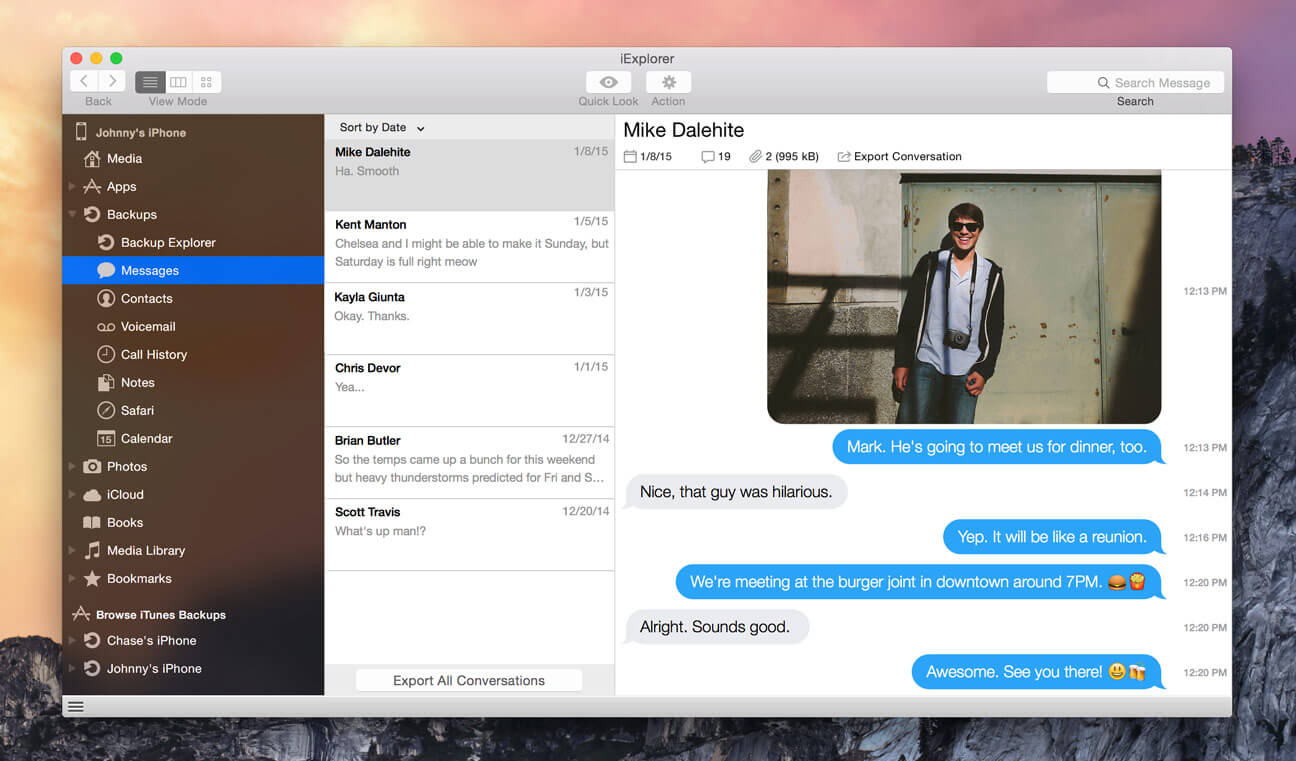
Looking to transfer more than just a few tracks? With one click, iExplorer lets you instantly rebuild entire playlists or use the Auto Transfer feature and copy everything from your device to iTunes. You can also save your SMSs, browse your photos, view and edit your device files, mount your iOS device to your file system and more.
Transfer Music, Playlists, Movies and More from any iPhone, iPad, or iPod to Computer.
- Transfer Music from iPhone, iPad & iPod to iTunes
- Keep Your Metadata, Ratings & More
- Copy Playlists from iPhone to iTunes
- Recover iTunes Library from iPhone, iPad, or iPod
- Auto TransferAutomatically Transfer Your iTunes Library
- Find tracks in iTunesDetect Tracks Already in iTunes
- Detect DuplicatesPrevent Duplicates
- Rebuild PlaylistsRebuild Playlists
Export Messages, Contacts, and Voicemail from iPhone.
- Export Text Messages & SMSs to Computer
- Many Export Options
- Save iPhone Voicemails
- Export iPhone Address Book Contacts
- Copy Voice Memos
Disk Mode & File Browsing for your iPhone & iPad + iTunes Backup Access.
- Disk Mode for iPhone, iPad, or iPod
- Browse iTunes Backups
- iPhone & iPod Photo Access
- File Manager App Integration
Export Notes, Calendar Events, & Call History from iPhone, iPad, & iPod.
- Access iPhone Notes from Computer
- Export iPhone Call History
- Safari History & Bookmarks
- Export iPhone Calendar Events
Version 4.5.0:
Improvement
- iOS 15 compatibility
Comments
No comments yet. Be the first.
Information
Visitors in the group Guests cannot leave comments on this publication.