Movie Maker 3.3.0
Movie Maker puts everything you need to tell your story in a movie, with a streamlined interface and intuitive workflow that let you enjoy your photos/videos like never before. Browse your image/video library, add background music & subtitle, use stunning Ken Burns & transition effects, create Hollywood-style movies, and quickly share your favorite moments online.
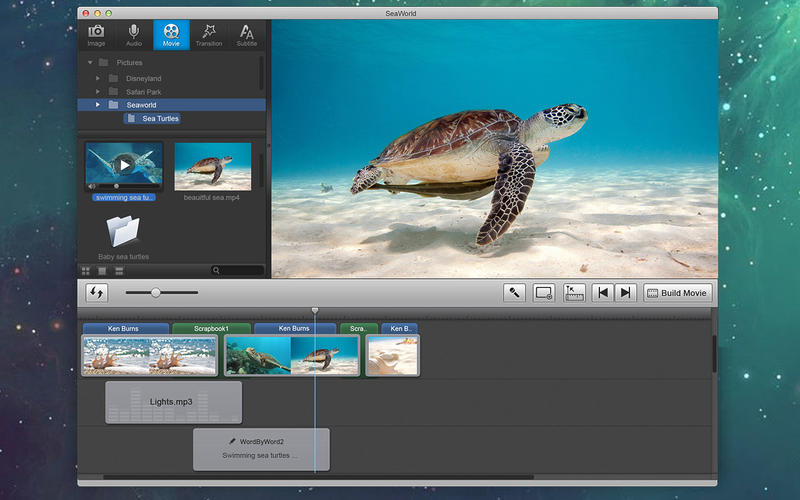
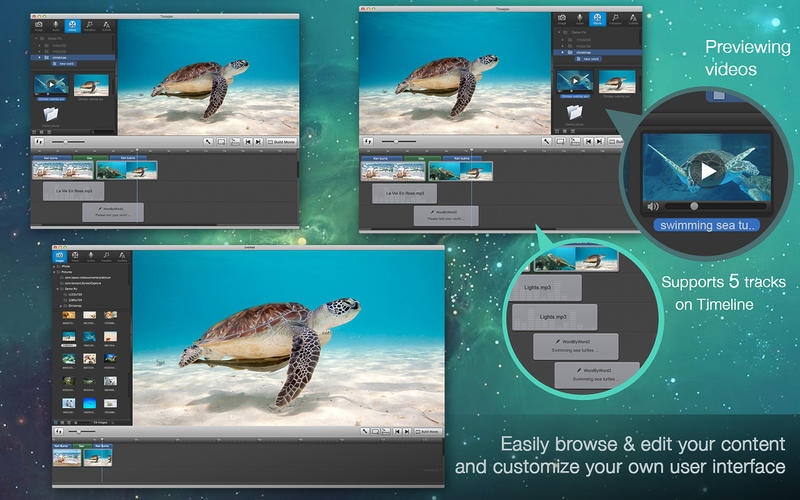
Quickly browse and add photo/video
- Enjoy your media library in three different viewing modes
- Easily drag-n-drop photo and video into timeline
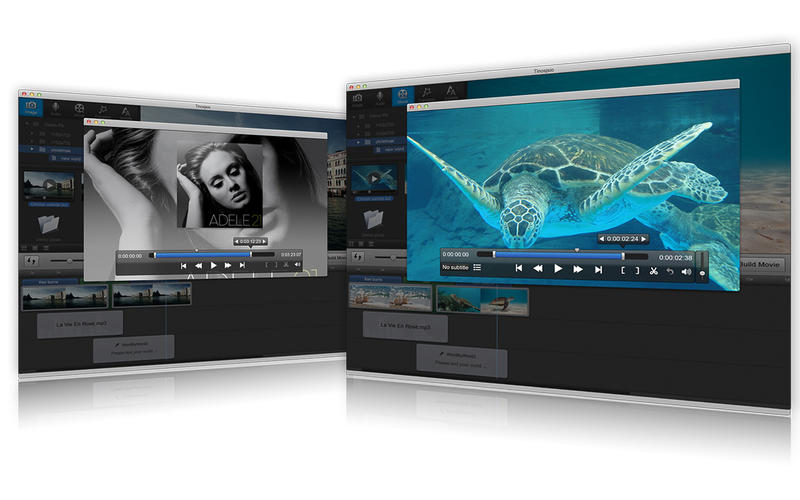
- Use simple playback controls to preview whole video project, even in full screen
- Provide timeline & storyboard modes to arrange photo/video comfortably
Make Hollywood-style HD movies
- Choose from 20 templates with matching motion, transitions, layout and background
- Choose from 40+ transition effects to join photos/videos
- Customize Ken Burns effect to pan/zoom the photos
- Trim your video/audio to remove the portion you don’t like
- Select subtitle or soundtrack for re-building your videos
- Create two soundtracks using songs from your iTunes library, sound effect and your own narration
- Create two subtitle track to add captions, even on a blank slide from a selection of 40+ subtitle styles
Support popular media file format & mobile devices
- Add images files with extension as .JPG, .PNG, .TIF, .BMP, .GIF
- Support video files with extension as .M4V, .MOV, .MP4, .AVI
- Support audio files with extension as .M4A, .MP3, .AIFF, .WAV, .AAC, and more
- Output High Definition QuickTime movie(.MOV) and .AVI
Share with friends, at home, and on the go
- Publish movies and share on YouTube, Facebook, Vimeo, etc.
- Export movies to iPhone/iPad/iPod compatible formats to watch on the go
- Use Apple TV to playback your movies for sharing with family
- Burn movies to DVD directly with built-in iDVD
- Transfer movies to iTunes library directly after publishing
WHAT’S NEW
Version 3.3.0
- Fix bugs to support Mac OS Sierra 10.12.
- Support importing photos and videos from Photos.
- Tip: If you want to support iTunes, you should check the option 'Share iTunes Library XML with other applications' in iTunes Advance Preference panel.
SCREENSHOTS
Frequently asked questions
How do I install the app?
Mount the image, drag the app into the "Applications" folder and launch it. If the system blocks the launch, allow it in "System Settings → Privacy & Security".
The app is damaged or won't launch
Reinstalling from a fresh image usually helps. Make sure your macOS version matches the one listed in the compatibility specs.
How do I update?
Download the new version from the site and install it over the current one — your settings will be preserved.
The download link doesn't work
Try a mirror or a download manager. For large files the browser often drops the connection.
How do I completely remove the app?
Use an uninstaller utility — it cleans up the service files that remain after moving the app to the trash.
VersionMovie Maker 3.3.0
DeveloperMazyLab Co., Ltd.
CompatibilityOS X 10.7 or later, 64-bit processor
LanguageEnglish, French, German, Japanese
IncludesPre-K'ed

Information
Visitors in the group Guests cannot leave comments on this publication.
Choose a download source
Movie Maker 3.3.0 · 59.78 MB