Roadmap Planner 1.9
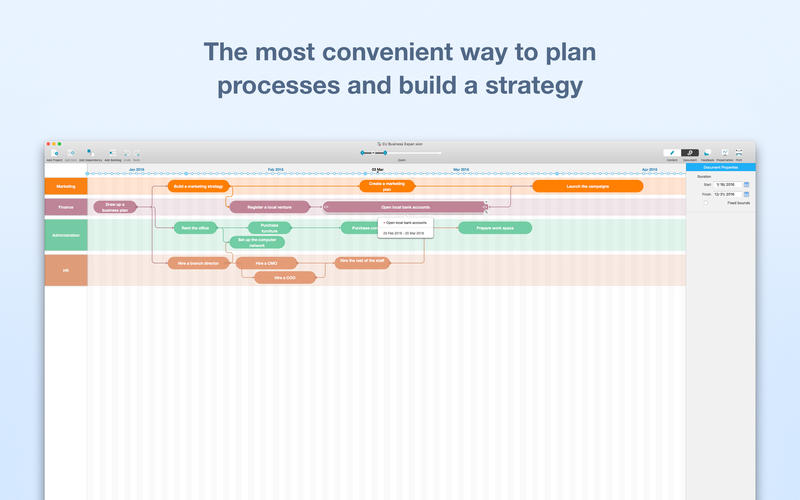
Roadmap Planner is your strategic communication tool to build your marketing, business development and product vision roadmap, and show off it to your team and stakeholders at a glance. It will take you where you want to be in one, five, or 10 years.
In our busy environment, every minute counts. You can continue to work with your roadmap everywhere: whether it be high in the skies or while waiting for a flight change, as Roadmap Planner does not require an Internet connection. The app will help you to put together a strategy for your success. Create a simple picture of the vision and development of your business and present it to your team quickly, easily and in a visually appealing form.
Key Features:
- Visual timelines based on Gantt Chart – use the most recognized method of building projects plans.
- Dependencies – build dependencies between different tasks of different projects.
- Predefined templates – use templates for key business processes and develop your roadmap quicker and easier
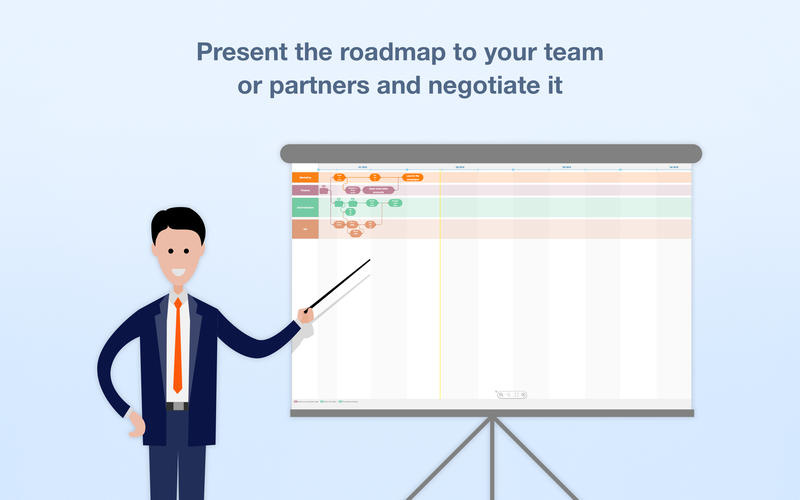
- Presentation mode – present your ideas and plans in a simple, visually-appealing way.
- Backlog – create a prioritized list of works to drag and drop them to the project section whenever you are ready
- No WiFi or Internet connection required – get access to your roadmap on a plane, train, in a taxi or at the conference with poor connection
- Quicklook – quickly preview the document in a folder, finder or email
WHAT’S NEW
Version 1.9
In the new version of the app, we introduce you significant optimizations and improvements for a better overall user experience, including:
- Footnotes inspector - View all your footnotes in one window, choose the one you need and it will be highlighted in the project
- Extended print options – Set the date interval and select projects to print. The “All on one page” option is now also available
- Contact Support directly – Need help? Complete a support ticket right from the app, and get a response as soon as possible
- Information tab – Learn more about the app before you get started with your planning
SCREENSHOTS

Frequently asked questions
How do I install the app?
Mount the image, drag the app into the "Applications" folder and launch it. If the system blocks the launch, allow it in "System Settings → Privacy & Security".
The app is damaged or won't launch
Reinstalling from a fresh image usually helps. Make sure your macOS version matches the one listed in the compatibility specs.
How do I update?
Download the new version from the site and install it over the current one — your settings will be preserved.
The download link doesn't work
Try a mirror or a download manager. For large files the browser often drops the connection.
How do I completely remove the app?
Use an uninstaller utility — it cleans up the service files that remain after moving the app to the trash.
VersionRoadmap Planner 1.9
DeveloperKeepSolid Inc
CompatibilityOS X 10.10 or later, 64-bit processor
LanguageEnglish
IncludesPre-K'ed




Choose a download source
Roadmap Planner 1.9 · 5.75 MB
Comments 3