Planner Pro 1.1.2
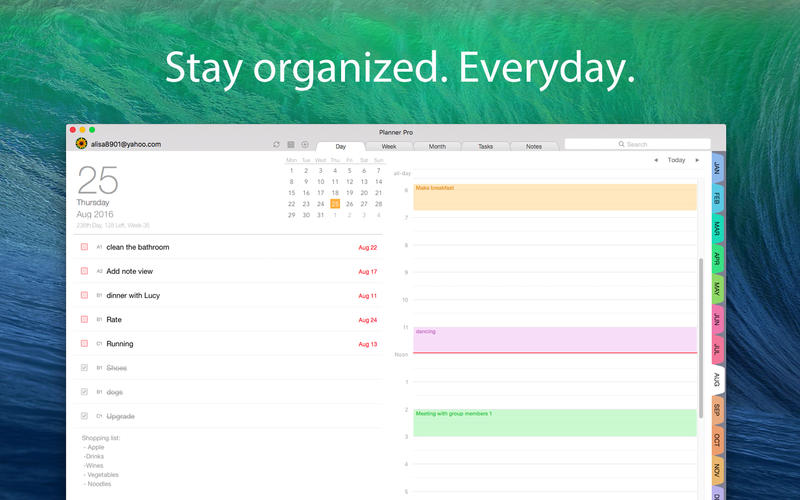
Designed for those people who’re looking for a full-featured app to manage daily life better. Planner Plus, which costs years for designing and coding is now coming out for everybody. We combine events, tasks and notes in one place so that you do not need to spend extra money for other apps.
Planner Plus provides kinds of settings for different requirements from kinds of people. You’ll find the best way to meet your requirements in our app. Also, if you have any other great ideas or suggestions to make this app better please contact us with an email, which will be very appreciate.
Events
- Sync with iOS calendars and events
- Show or hide calendars as you want
- Add, edit or delete events easily
- Supports full recurring period
- Manually time slot
- Supports all-day & cross-day events
Tasks
- Supports tasks and projects with sub-tasks
- Supports recurring tasks and projects
- 5 different status for tasks and projects
- 4 priorities for tasks and projects
- System reminder for each task
Notes
- Unlimited number of notes for each day
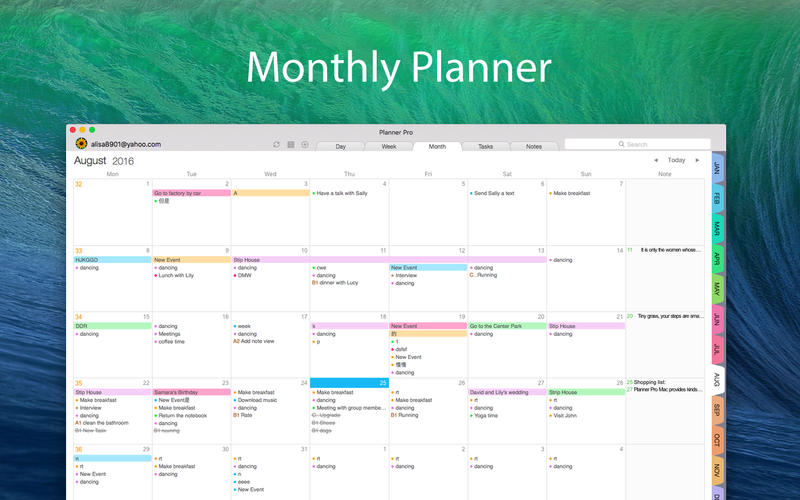
- Manage notes in day, week and month view
- Easily to add, edit and delete notes
Other Key Features
- Day, Week, Month and Tasks modules for better management
- Very well designed user interface
- Set the first day of week manually
WHAT’S NEW
Version 1.1.2
- Fix the issue that can not stay signed in
- Minor bug fixes
Screenshots

Frequently asked questions
How do I install the app?
Mount the image, drag the app into the "Applications" folder and launch it. If the system blocks the launch, allow it in "System Settings → Privacy & Security".
The app is damaged or won't launch
Reinstalling from a fresh image usually helps. Make sure your macOS version matches the one listed in the compatibility specs.
How do I update?
Download the new version from the site and install it over the current one — your settings will be preserved.
The download link doesn't work
Try a mirror or a download manager. For large files the browser often drops the connection.
How do I completely remove the app?
Use an uninstaller utility — it cleans up the service files that remain after moving the app to the trash.
VersionPlanner Pro 1.1.2
DeveloperAppxy Information Technology Co., Ltd.
CompatibilityOS X 10.10 or later, 64-bit processor
LanguageEnglish
IncludesPre-K'ed



Information
Visitors in the group Guests cannot leave comments on this publication.
Choose a download source
Planner Pro 1.1.2 · 3.85 MB