
Default Folder X 6.3.3
Tag and comment files right in the Mac Save dialog
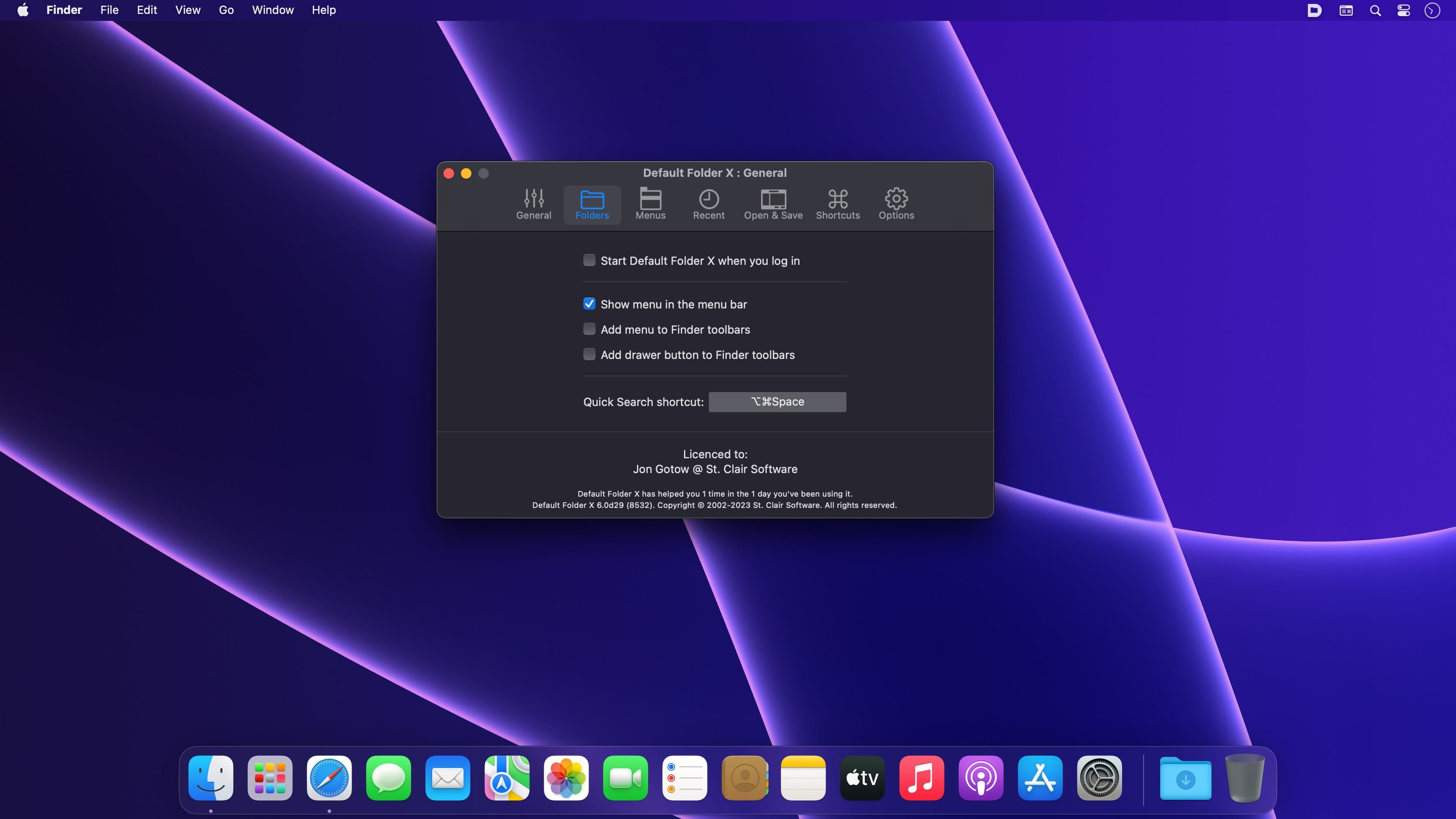
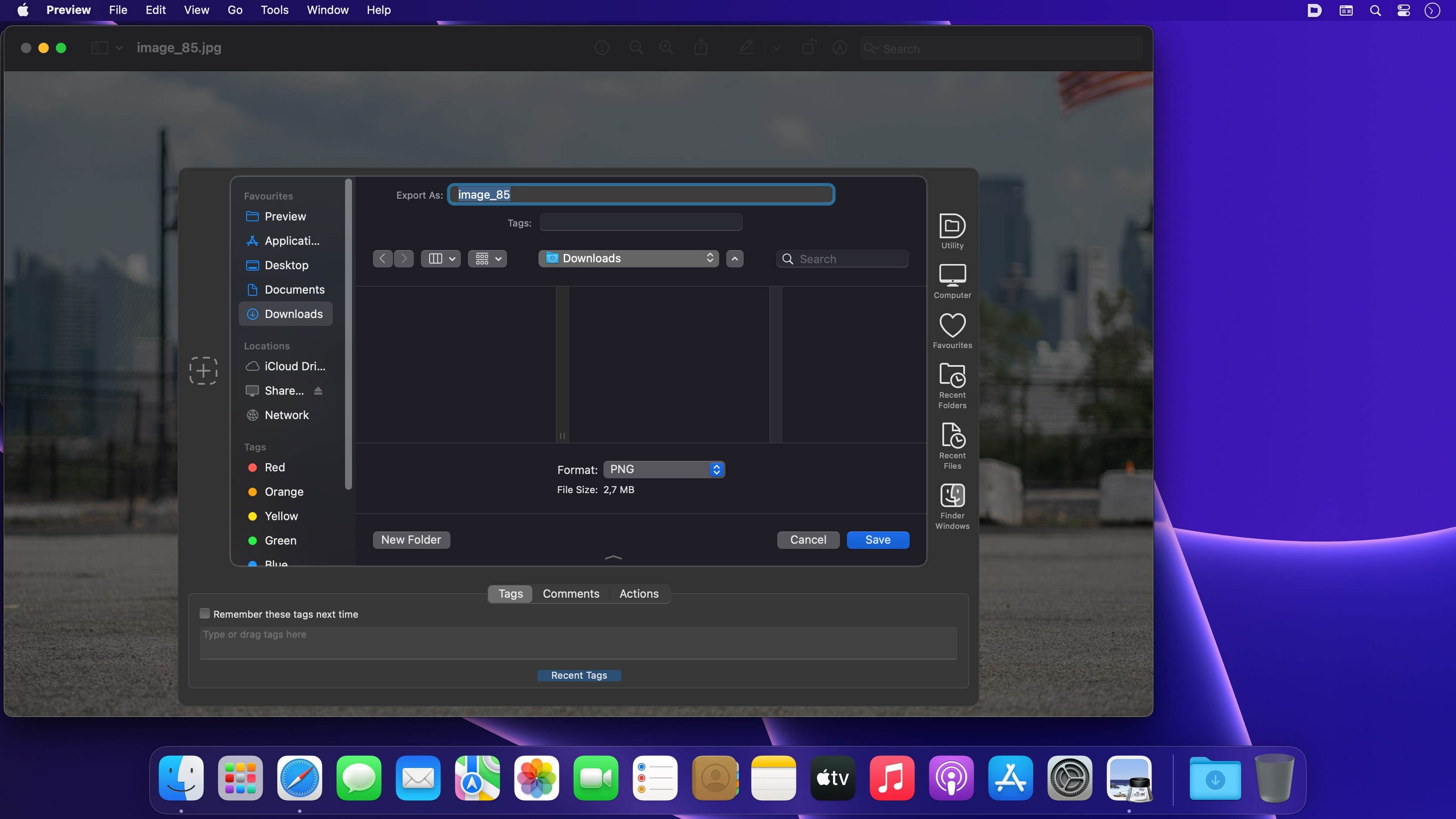
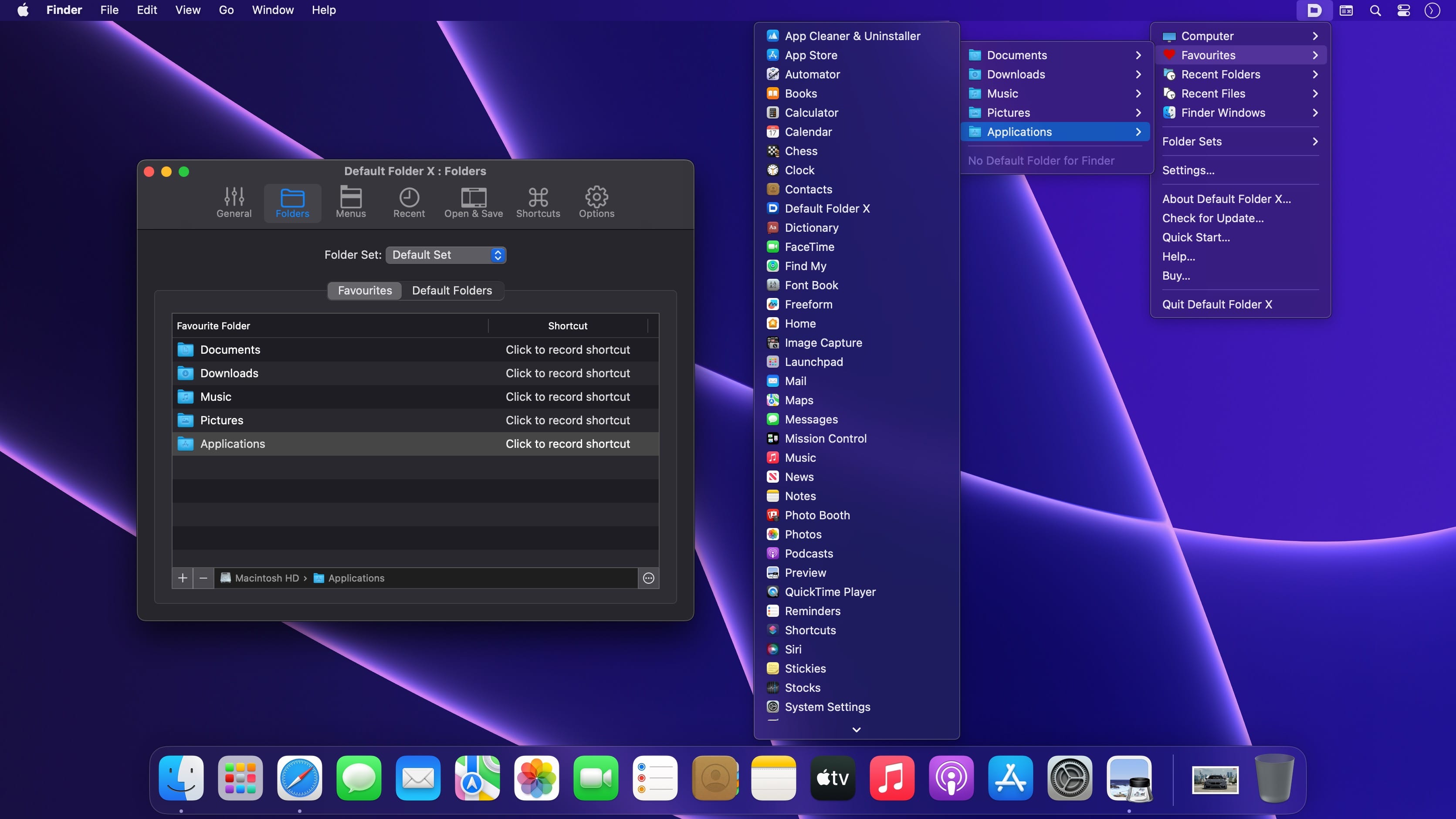
Default Folder X supercharges the Open and Save dialogs on your Mac. Jump to the folders you use most, tag and comment files as you save them, and preview documents before you open them.
Your Folders, One Click Away
- Get to your default, favorite, and recent folders straight from the menu bar
- See every open Finder window and bring any of them forward
- Build your own list of favorite folders
- Set a default folder for each app, so every save lands in the right place
A Smarter Open and Save Toolbar
Whenever you open or save a file, Default Folder X adds a toolbar to the dialog with all your folders and options in easy reach. Hover over a menu to browse it, or use the built-in keyboard shortcuts for the actions you use most.
Find Files Faster with Spotlight
Add Spotlight keywords, tags, comments, and labels right in the Save dialog, so your files are easy to find later.
Preview Before You Open
See documents as thumbnails in the Open dialog and zoom in to full size to make sure you've picked the right one.
Default Folder X: less clicking, more doing.
Version 6.3.3:
- The fix in version 6.3.2 for popup menu failures in Save dialogs broke them on older versions of macOS (Monterey and prior). This release fixes them on all systems.
- Added a workaround for a problem in macOS 27 which results in Default Folder X not working in apps based on the Qt cross-platform library. This affects FreeCAD, WaveLab and possibly other Qt-based apps. To turn it on, hold down the Option key while choosing Settings from Default Folder X's menu, then turn on "Work around macOS 27 process ID bug".
- Enabled support for Java apps built by Stochaster Apps.
Frequently asked questions
How do I install the app?
Mount the image, drag the app into the "Applications" folder and launch it. If the system blocks the launch, allow it in "System Settings → Privacy & Security".
The app is damaged or won't launch
Reinstalling from a fresh image usually helps. Make sure your macOS version matches the one listed in the compatibility specs.
How do I update?
Download the new version from the site and install it over the current one — your settings will be preserved.
The download link doesn't work
Try a mirror or a download manager. For large files the browser often drops the connection.
How do I completely remove the app?
Use an uninstaller utility — it cleans up the service files that remain after moving the app to the trash.




Choose a download source
Default Folder X 6.3.3 · 31.99 MB
Previous versions
Default Folder X 6.3.3
Previous versions are available to registered users.