
Tab Launcher 3.2.2
TabLauncher: macOS app launcher and desktop organizer for fast access

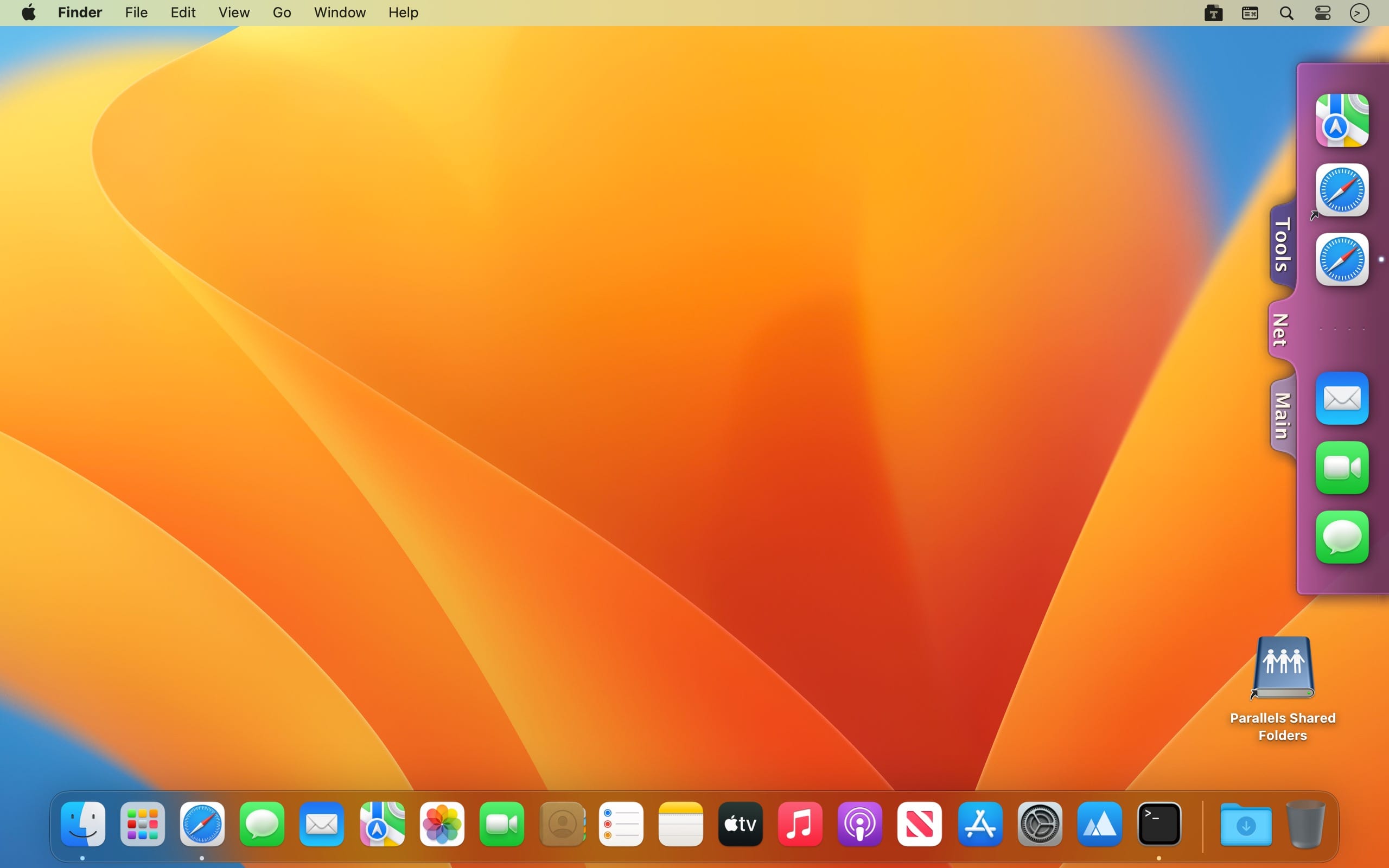
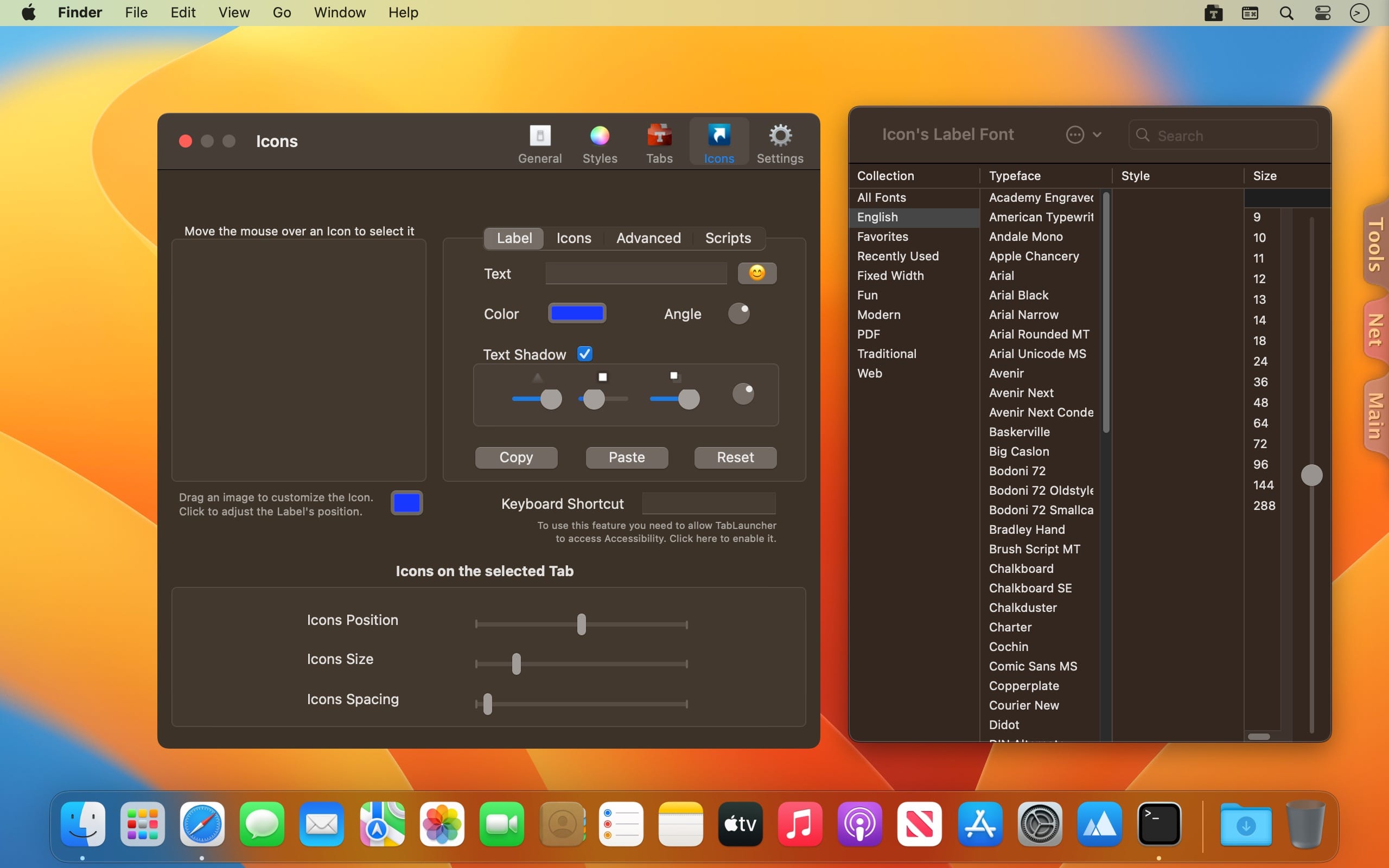
TabLauncher keeps your favorite apps, files, folders, and web pages one flick of the mouse away, organized in colorful tabs that wait quietly on any edge of your screen until you need them.
Version 3 is a complete visual rebirth. Tabs are no longer static: they're living shapes you can sculpt. Start from a preset like Classic, Pill, or Wave, or open the Shape Studio and drag the curves yourself. Paint tabs with multi-color gradients and outlines, and watch everything move with fluid animations. Tabs morph open and closed, and icons glide apart to welcome a drop.
Design It Your Way
- Sculpt every corner, shoulder, and curve, with every point and tangent draggable
- Use gradients with as many color stops as you like, or pick a ready-made recipe based on your tab color
- Add outlines, shadows, and transparency, and choose fonts and label styles to blend in or stand out
- Start from five hand-tuned shape presets, then save your own to reuse
Stay Organized
- Add unlimited tabs to any edge of any screen, with each edge remembering its own layout, including a gap for the camera housing on newer MacBooks
- Use special tabs for running apps, recently modified files, real folders that stay in sync, and a music player for your files and internet radio
- Import your Dock in one click, including apps, folders, web links, and even spacers
- See window previews when you hover over a running app
- Drag in anything: apps, documents, folders, or web pages
Make It Work Like You Do
- Choose how it opens: rest or touch the pointer at the edge, hover over a tab, click, or keep it always open
- Choose how it closes: after a delay you set, or when you click an icon, a tab, or anywhere outside
- Auto-hide completely, leaving subtle gradient markers where your tabs rest
- Assign global keyboard shortcuts to any item, run custom AppleScripts per icon, and launch or quit apps automatically on wake, login, or a timer
- Automate everything with full AppleScript support
Light on resources, heavy on personality. Your existing tabs and settings carry over automatically.
Version 3.2.2
- Web-address icons can now open in the browser of your choice: right-click the icon and pick one under "Set to Open With".
- Bug fixes.
Frequently asked questions
How do I install the app?
Mount the image, drag the app into the "Applications" folder and launch it. If the system blocks the launch, allow it in "System Settings → Privacy & Security".
The app is damaged or won't launch
Reinstalling from a fresh image usually helps. Make sure your macOS version matches the one listed in the compatibility specs.
How do I update?
Download the new version from the site and install it over the current one — your settings will be preserved.
The download link doesn't work
Try a mirror or a download manager. For large files the browser often drops the connection.
How do I completely remove the app?
Use an uninstaller utility — it cleans up the service files that remain after moving the app to the trash.





Choose a download source
Tab Launcher 3.2.2 · 9.28 MB
Previous versions
Tab Launcher 3.2.2
Previous versions are available to registered users.
Comments 1