Middle 1.15
Middle click for Mac trackpad and Magic Mouse
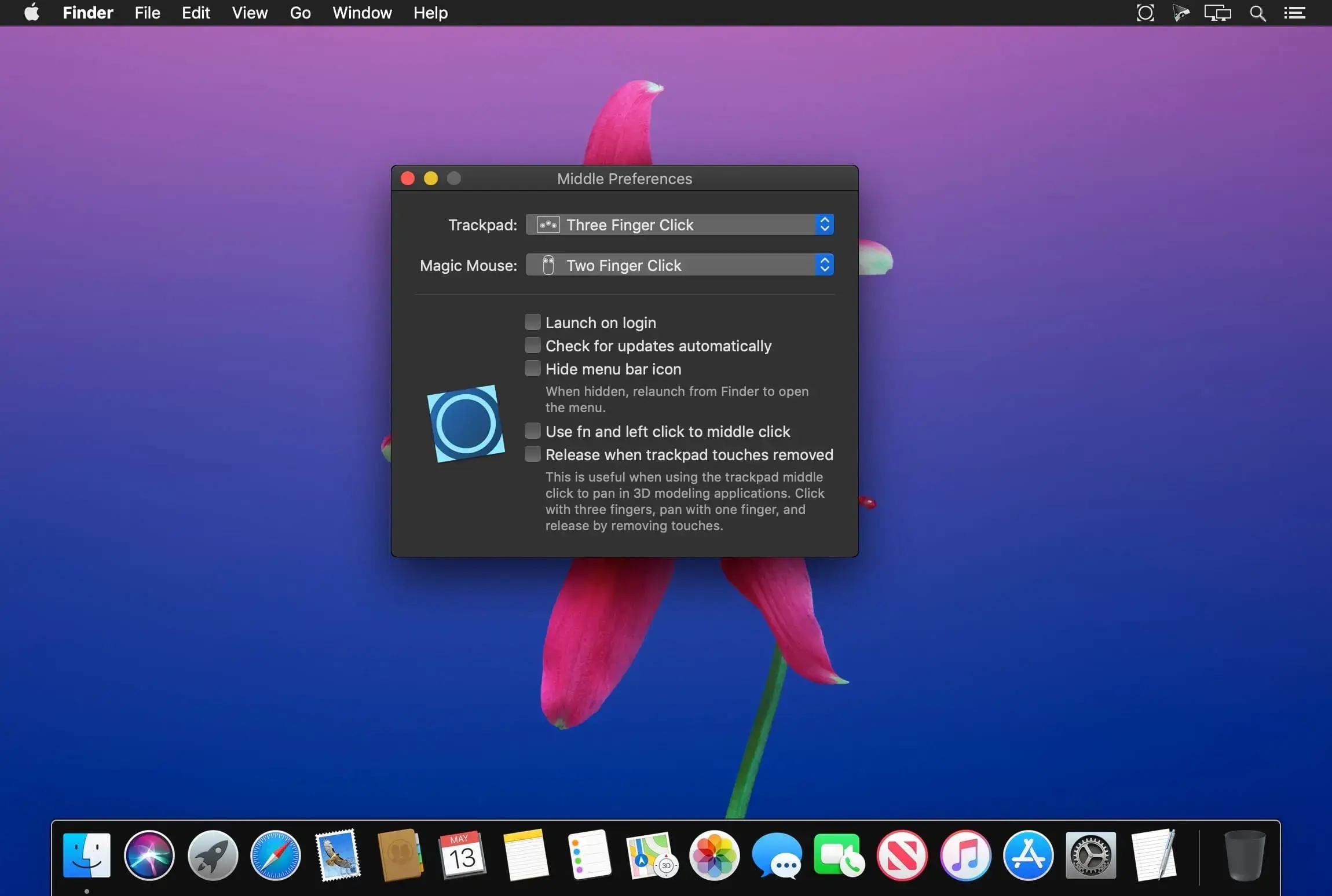
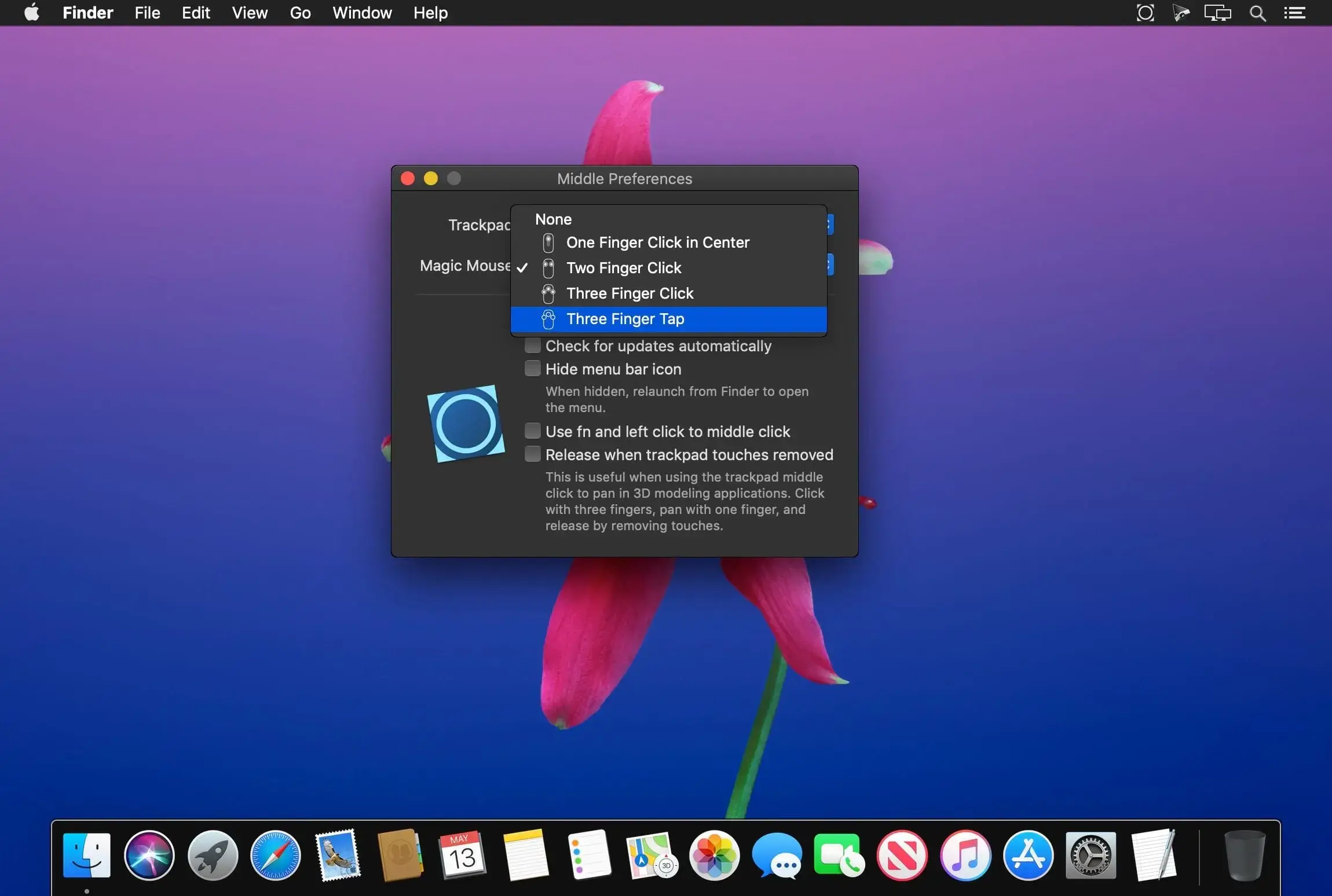
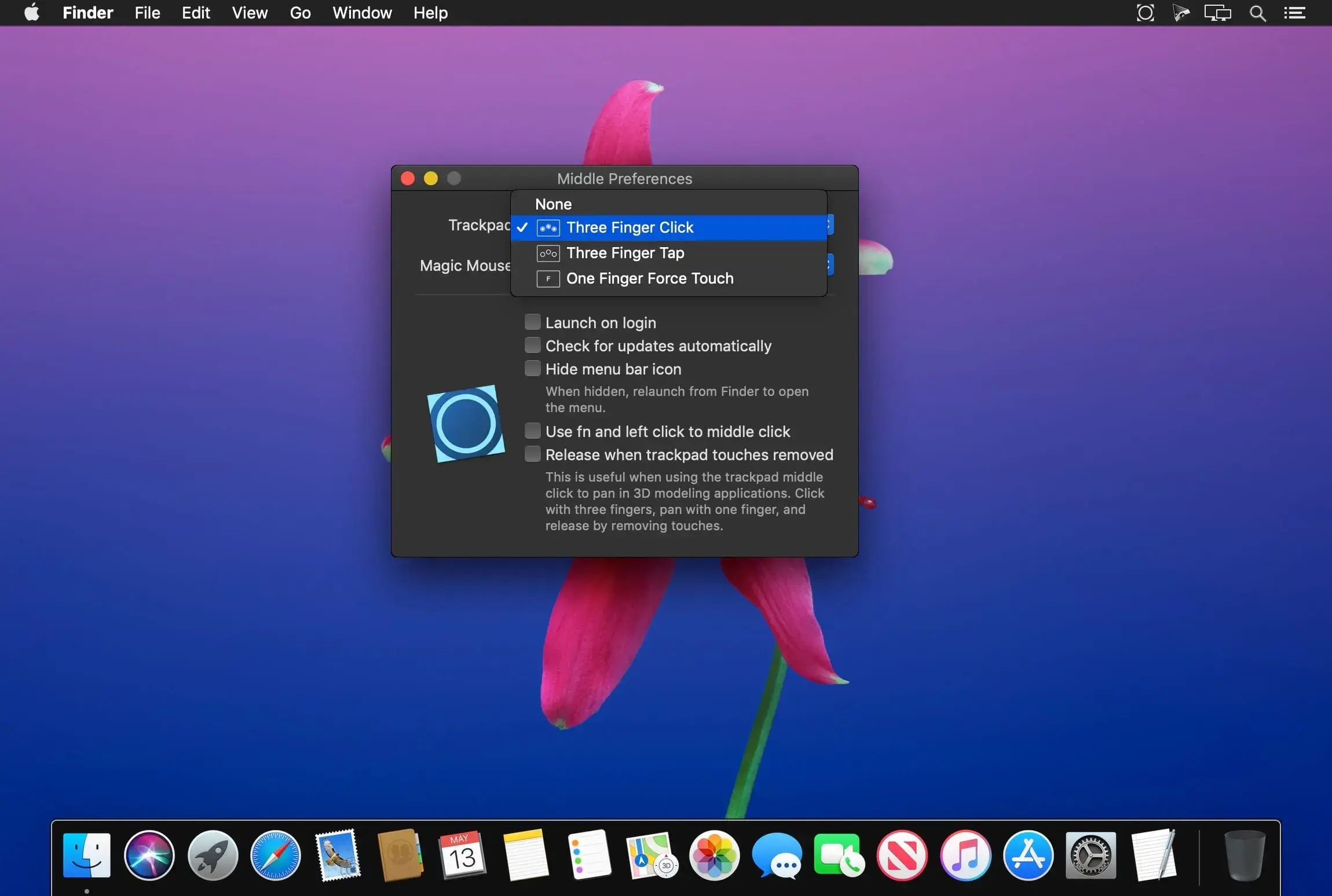
Middle adds the middle click to your Mac, so you can use it with your trackpad or Magic Mouse. Pick the gesture that feels most natural to you and use it whenever you need a middle click.
Choose your gesture
Select one of the following options:
- Three-finger click: click with three fingers on a trackpad or Magic Mouse.
- Three-finger tap: tap with three fingers on a trackpad or Magic Mouse.
- Force Touch: press with one finger on a Force Touch compatible trackpad.
- Center click: click with one finger in the center of the Magic Mouse.
Version 1.15.0:
- Stability improvements
Frequently asked questions
How do I install the app?
Mount the image, drag the app into the "Applications" folder and launch it. If the system blocks the launch, allow it in "System Settings → Privacy & Security".
The app is damaged or won't launch
Reinstalling from a fresh image usually helps. Make sure your macOS version matches the one listed in the compatibility specs.
How do I update?
Download the new version from the site and install it over the current one — your settings will be preserved.
The download link doesn't work
Try a mirror or a download manager. For large files the browser often drops the connection.
How do I completely remove the app?
Use an uninstaller utility — it cleans up the service files that remain after moving the app to the trash.

Choose a download source
Middle 1.15 · 6.84 MB
Previous versions
Middle 1.15
Previous versions are available to registered users.