
PhotoMill X 3.5.1
Batch Image Converter and Photo Editor for Mac
PhotoMill X converts, renames, watermarks and adjusts large sets of images on your Mac. It also works as a batch metadata editor, renamer and photo browser, so you can prepare your photos in one place.
Convert images in bulk
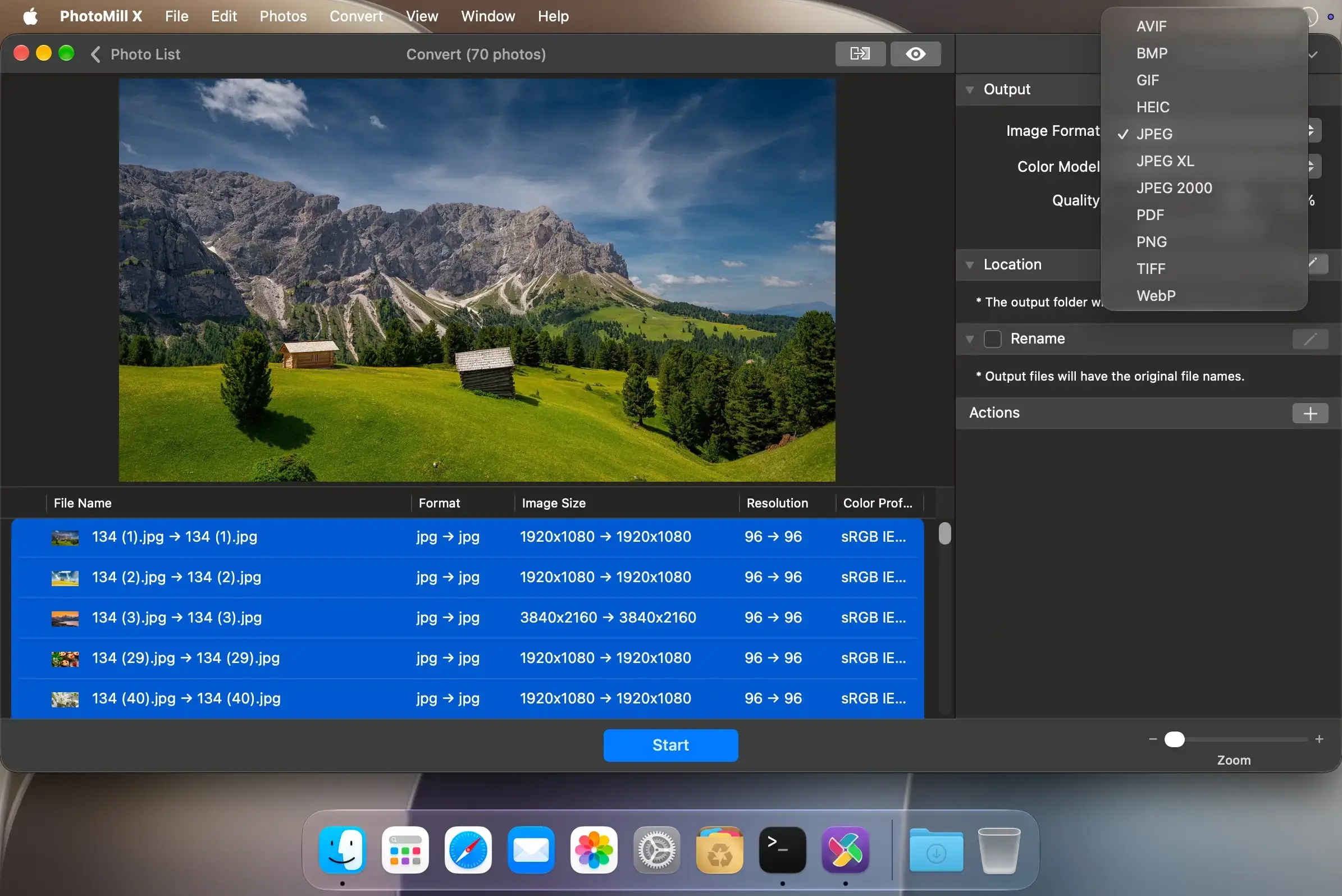
Convert many images at once to the most popular formats and choose the color settings you need.
- Output formats: BMP, GIF, JPEG, JPEG 2000, PDF, PNG and TIFF
- Color models: RGB, Gray and CMYK
- Color depth: 8, 16 or 32 bits, with or without an alpha channel
Give your files meaningful names
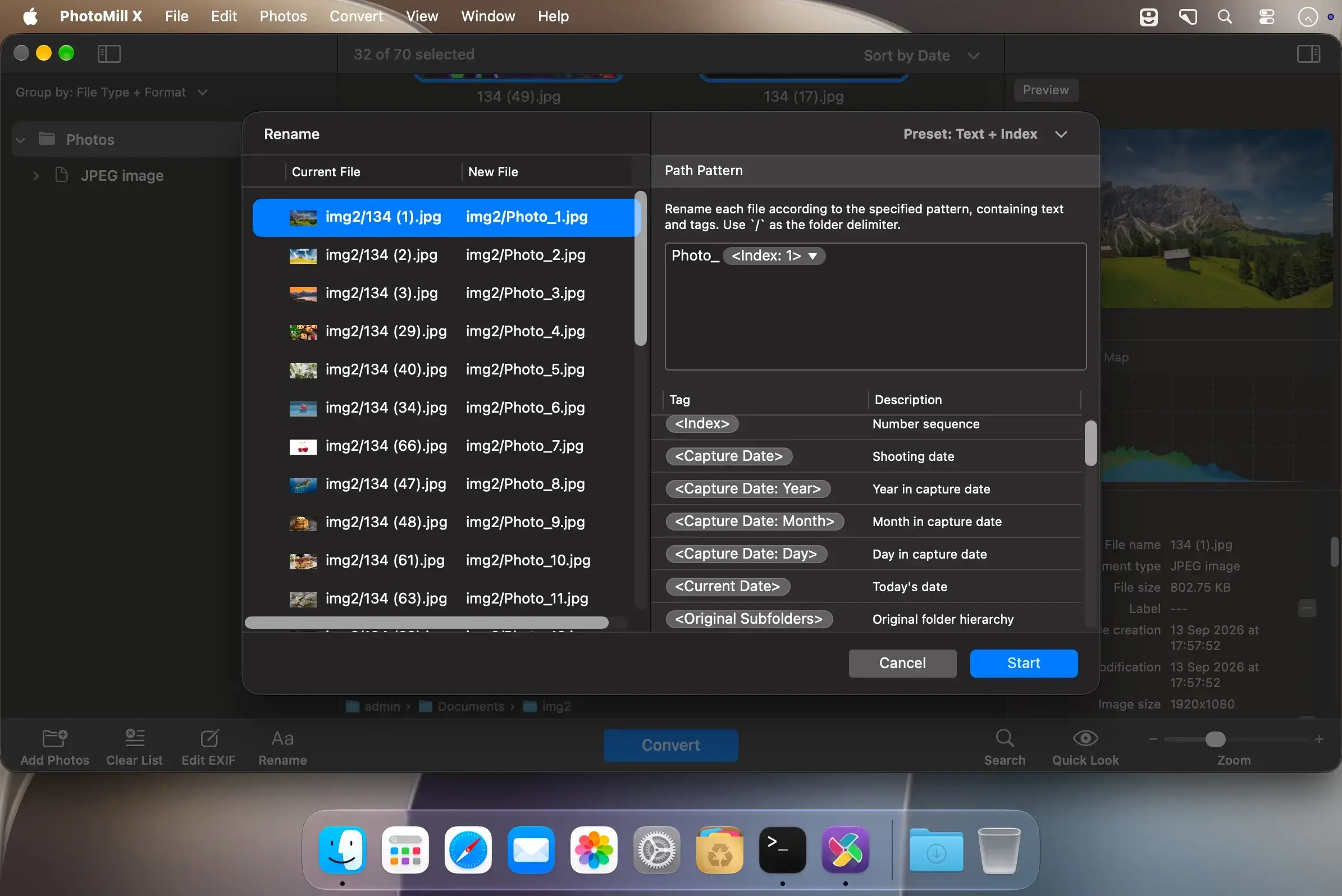
Build file names with text and tags, or rename photos without converting them.
- Name tags: index, capture date, original name, image width and more
- Find and replace: change parts of existing file names
- Rename only: rename photos without any conversion
Fit image size and geometry
Prepare photos for their final size and orientation with a set of geometry actions.
- Scale and crop: change image size or cut the image to the frame you need
- Border and trim: add a border, or trim the image and trim by color
- Rotate and flip: turn images manually or use auto rotate based on EXIF orientation
- Resolution: change the image resolution
Protect your photos with watermarks
Add text, image or rectangle watermarks to your photos.
- Text watermark: use your own text or photo metadata such as capture date, keywords and camera maker
- Text options: fixed or relative font size, multiline text, stroke, shadow, rotation and tiling
- Image watermark: set a fixed size or a size relative to the main image, with tiling available
- Rectangle: add a square or rounded background for text, with half-transparent fill and stroke colors
Adjust colors
Apply filters and color tools to improve photos or give them a different look.
- Basic filters: auto contrast, auto white balance, gamma, contrast, exposure and sharpness
- Creative filters: grayscale, sepia, colorize and temperature
- Channel controls: HSL, HSV and RGB channels, plus curves
- Transparency: alpha mask, color to alpha and alpha to color
- Color matching: assign a profile, convert to a profile or proof with a profile
Edit metadata
Correct EXIF and IPTC tags in your photos.
- GPS coordinates: place coordinates on your photos
- Privacy: remove private information from your files
- Capture dates: correct or set the date a photo was taken
- Copyright, keywords and rating: add your own details to your photos
Browse and search your photos
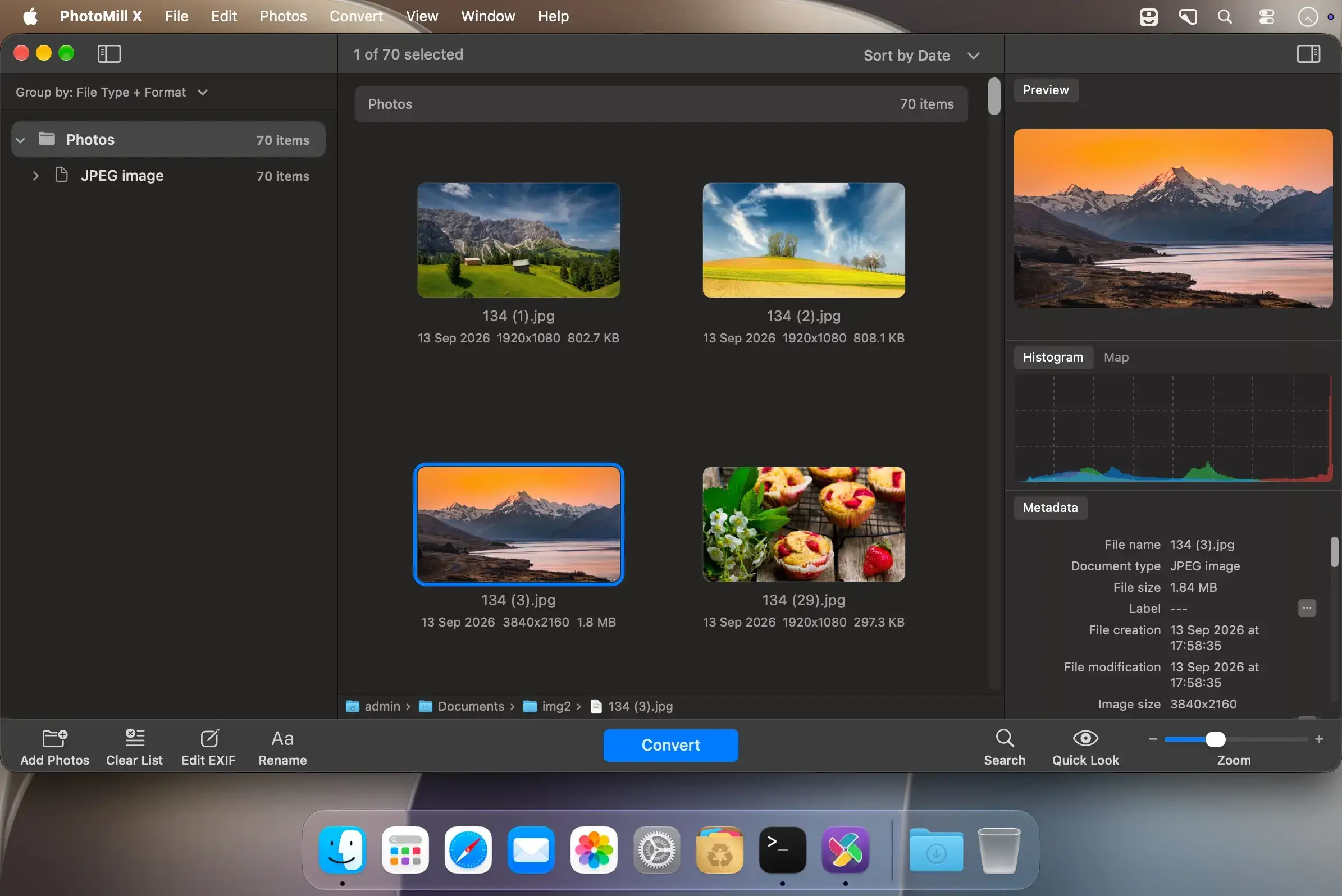
Use the Browser to view photos comfortably and search them by several criteria. It has three panels.
- Image Info: see detailed information about the selected photo
- Groups: split photos into groups and subgroups by a chosen criterion, for example capture date
- Search: find photos by different criteria
Version 3.5.0
- Support for exporting images to AVIF format.
- Edit Metadаta: choose how to save metadata changes for RAW images — to XMP sidecars or directly to the image.
- Edit Metadаta: new “Remove AI Tags” action removes AI-generated metadata from images.
- Bug fixes and performance improvements based on user feedback.
Frequently asked questions
How do I install the app?
Mount the image, drag the app into the "Applications" folder and launch it. If the system blocks the launch, allow it in "System Settings → Privacy & Security".
The app is damaged or won't launch
Reinstalling from a fresh image usually helps. Make sure your macOS version matches the one listed in the compatibility specs.
How do I update?
Download the new version from the site and install it over the current one — your settings will be preserved.
The download link doesn't work
Try a mirror or a download manager. For large files the browser often drops the connection.
How do I completely remove the app?
Use an uninstaller utility — it cleans up the service files that remain after moving the app to the trash.


Choose a download source
PhotoMill X 3.5.1 · 91.33 MB
Previous versions
PhotoMill X 3.5.1
Previous versions are available to registered users.