Contexts 3.9
Radically simpler & faster window switcher
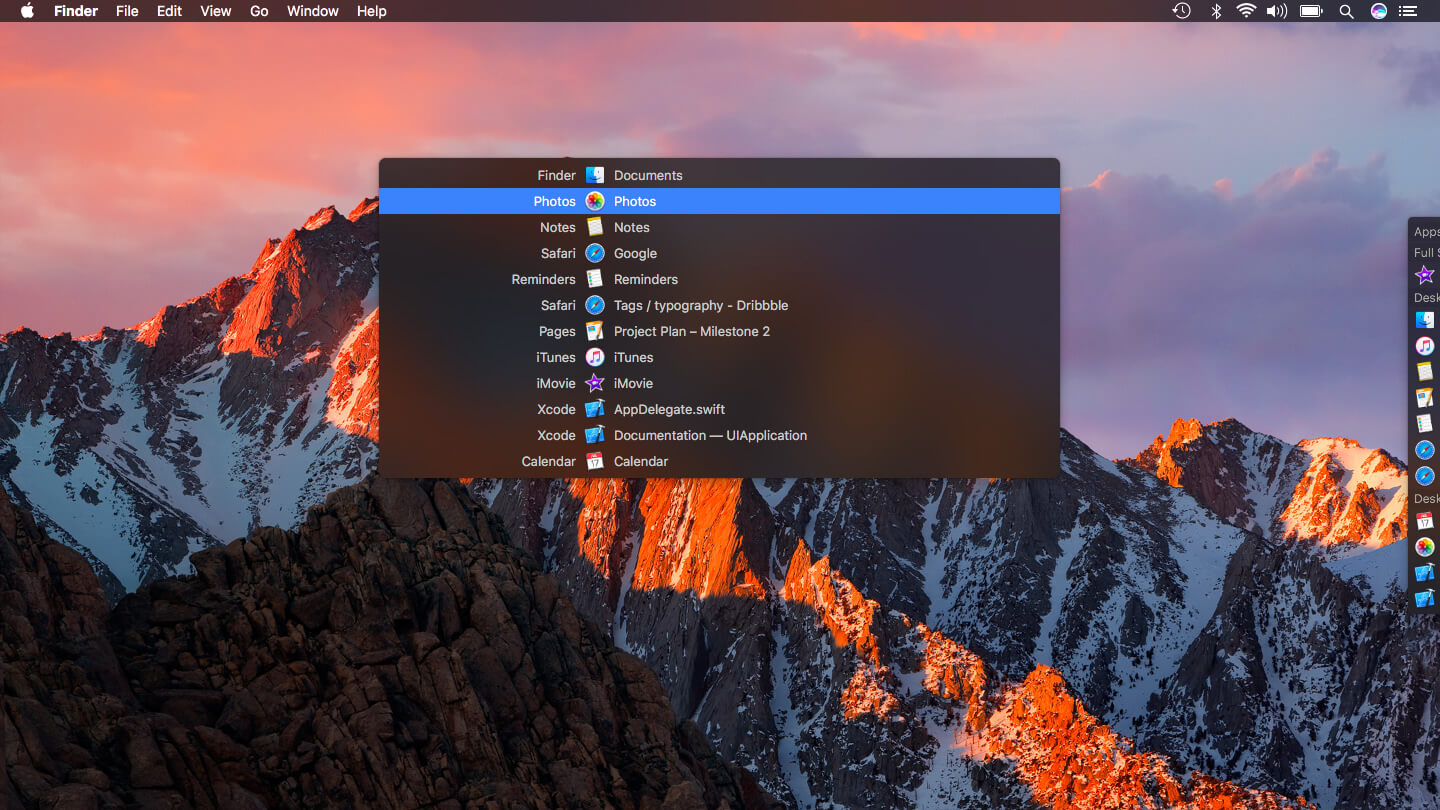
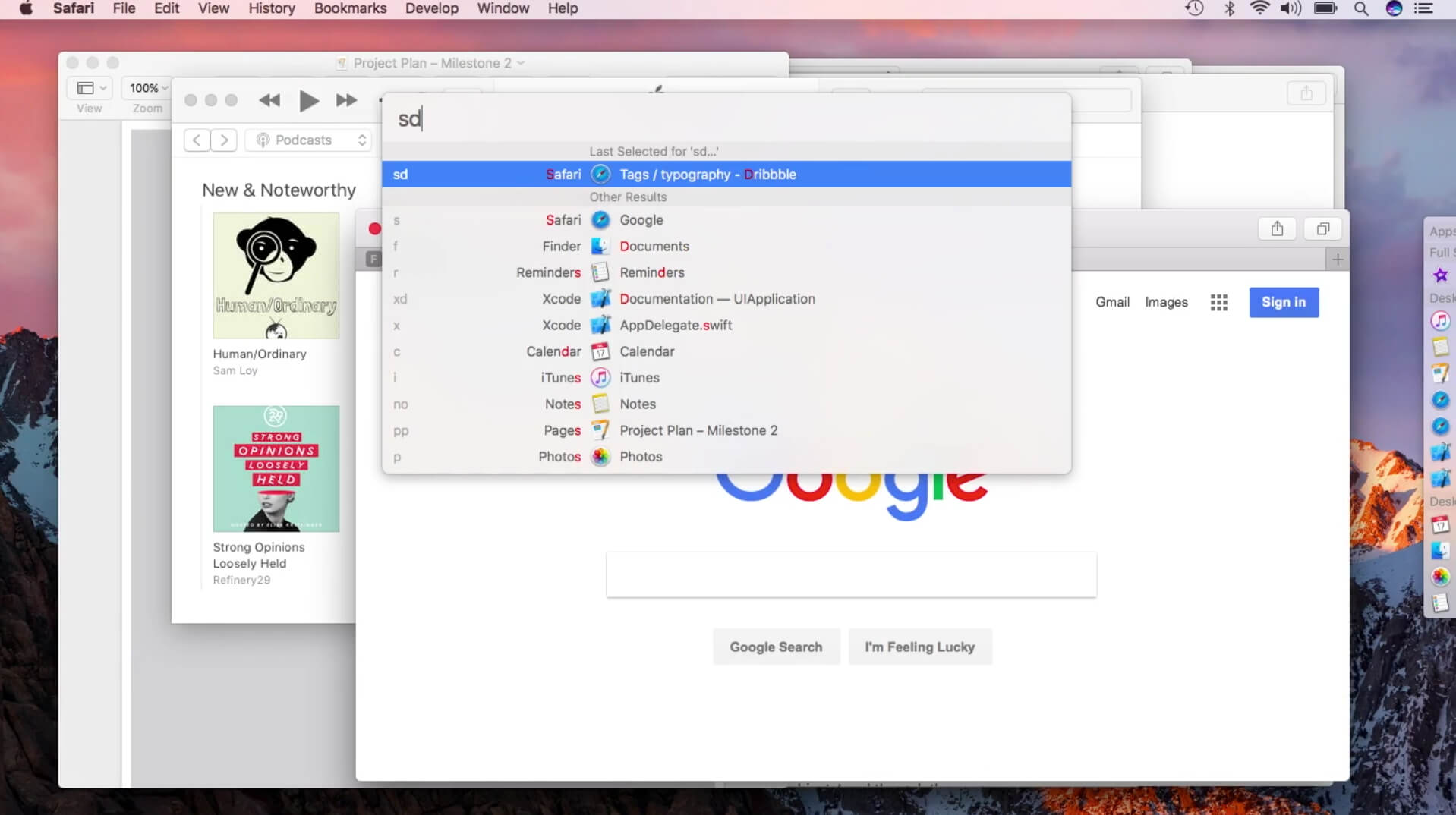
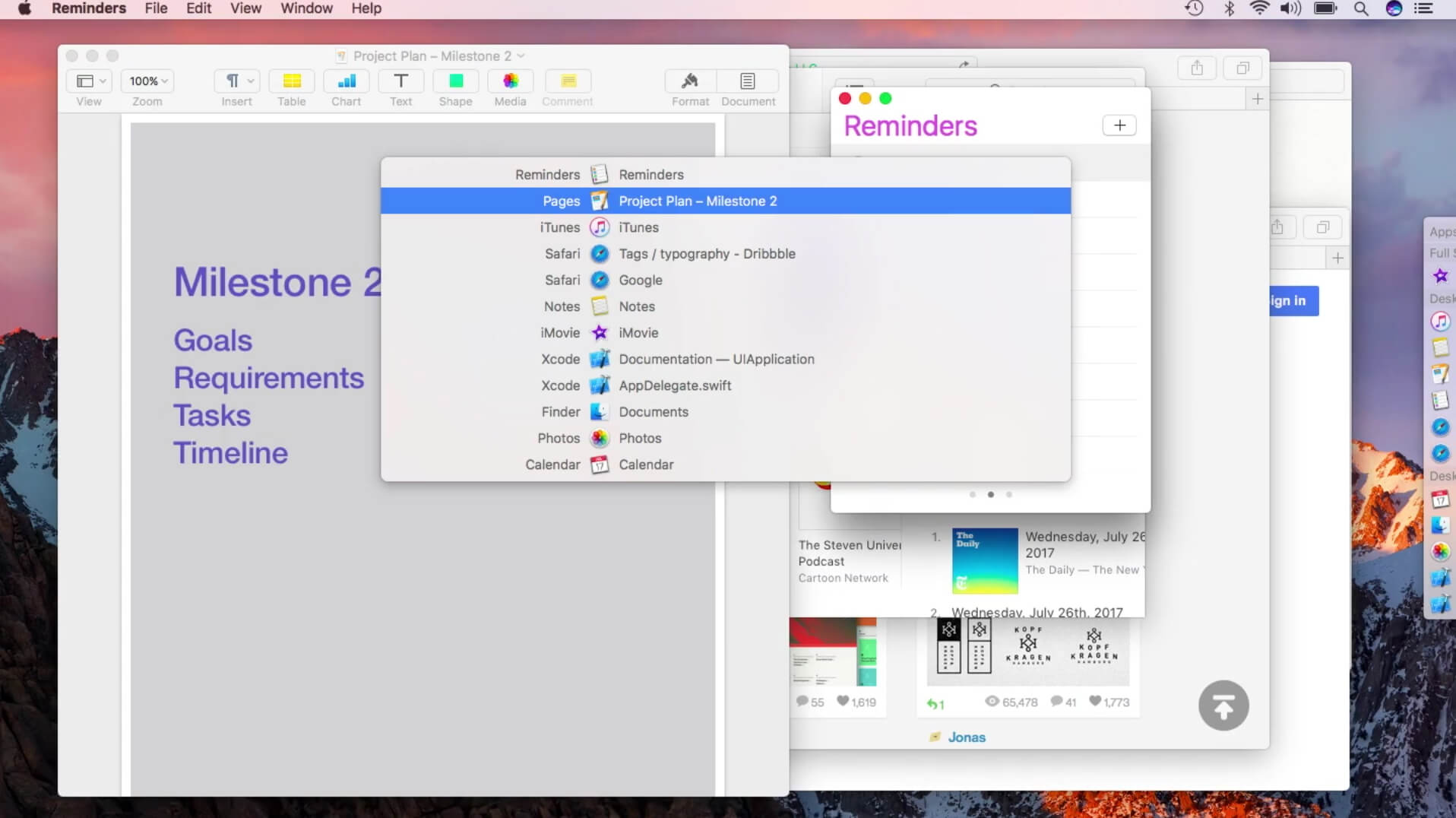
Switch between application windows effortlessly — with Fast Search, a better Command-Tab, a Sidebar or even a quick gesture. Includes fantastic features for multiple spaces & multiple displays.
It gives you 4 ways to switch windows:
- Switch with one click to any window: An auto-hiding sidebar shows your windows organized in groups. To switch to a window just click its title in the list. It is as simple as that.
- Switch with one keystroke to 9 windows and with two keystrokes to any window: This is super fast. Each window gets a window number based on its position in the list. To switch to a window just press Option+window-number. It you are a keyboard person you will love it.
- Cycle through recently used windows: Command+Tab switcher fails if your applications have multiple windows. With Option+Tab Contexts lets you cycle through individual windows and switch to any of them directly.
- Switch with search to any window: Invoke panel with keyboard shortcut and type a few characters from the application name or window title to filter the list using fuzzy matching. Press enter to bring selected window forward.
Version 3.9.0
- Adds native Apple Silicon support.
Frequently asked questions
How do I install the app?
Mount the image, drag the app into the "Applications" folder and launch it. If the system blocks the launch, allow it in "System Settings → Privacy & Security".
The app is damaged or won't launch
Reinstalling from a fresh image usually helps. Make sure your macOS version matches the one listed in the compatibility specs.
How do I update?
Download the new version from the site and install it over the current one — your settings will be preserved.
The download link doesn't work
Try a mirror or a download manager. For large files the browser often drops the connection.
How do I completely remove the app?
Use an uninstaller utility — it cleans up the service files that remain after moving the app to the trash.

Choose a download source
Contexts 3.9 · 7.31 MB
Previous versions
Contexts 3.9
Previous versions are available to registered users.