
MenuMate 1.3
Whether you have large monitor or multiple monitors, having to lookup and reach over to get to an app’s menu is pain. You lose your place and the repeated motion is hard on your wrist.
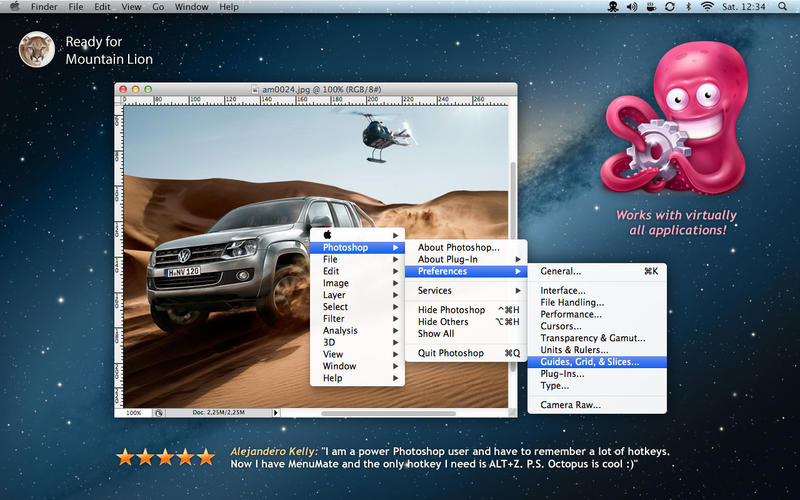
MenuMate puts your app’s menus were you need them - at your cursor. Just click your mouse or hit a hot key - no weird shortcuts to remember, no taking your eyes off your work! Not only does MenuMate speed things up, but it takes the pain out of working by preventing repetitive strain on your wrist.
FAST - side-by-side tests have shown that MenuMate is 50% to 70% faster than the nearest competitor.
- Mouse button or Hot Key activated – you choose
- Fast menu popup
- Displays shortcuts if you want to use them
- Supports virtually any application
Screenshots

Frequently asked questions
How do I install the app?
Mount the image, drag the app into the "Applications" folder and launch it. If the system blocks the launch, allow it in "System Settings → Privacy & Security".
The app is damaged or won't launch
Reinstalling from a fresh image usually helps. Make sure your macOS version matches the one listed in the compatibility specs.
How do I update?
Download the new version from the site and install it over the current one — your settings will be preserved.
The download link doesn't work
Try a mirror or a download manager. For large files the browser often drops the connection.
How do I completely remove the app?
Use an uninstaller utility — it cleans up the service files that remain after moving the app to the trash.
VersionMenuMate 1.3
DeveloperYevgeniy Muravyev © ZipZapMac
CompatibilityOS X 10.8 or later, 64-bit processor
LanguageEnglish
IncludesPre-K'ed





Information
Visitors in the group Guests cannot leave comments on this publication.
Choose a download source
MenuMate 1.3 · 3.56 MB