SSDReporter 1.5.7 (1453)
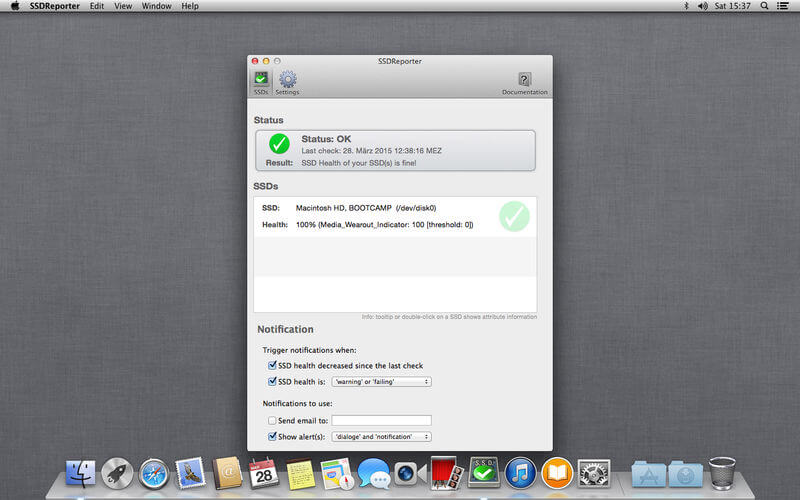
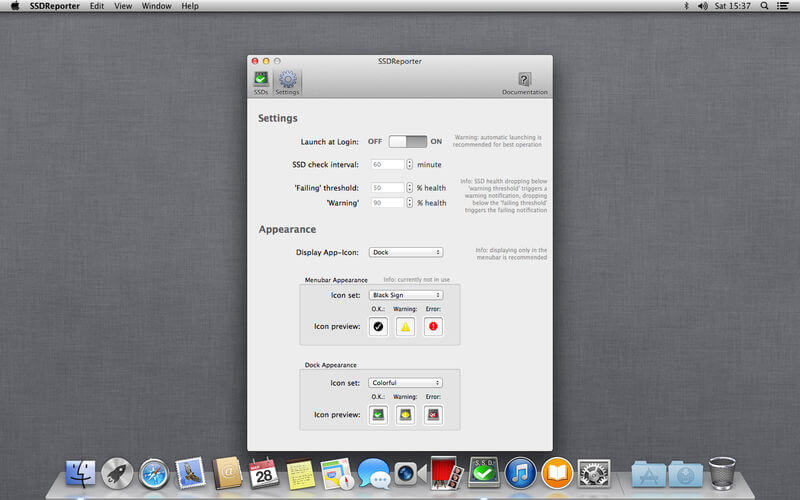
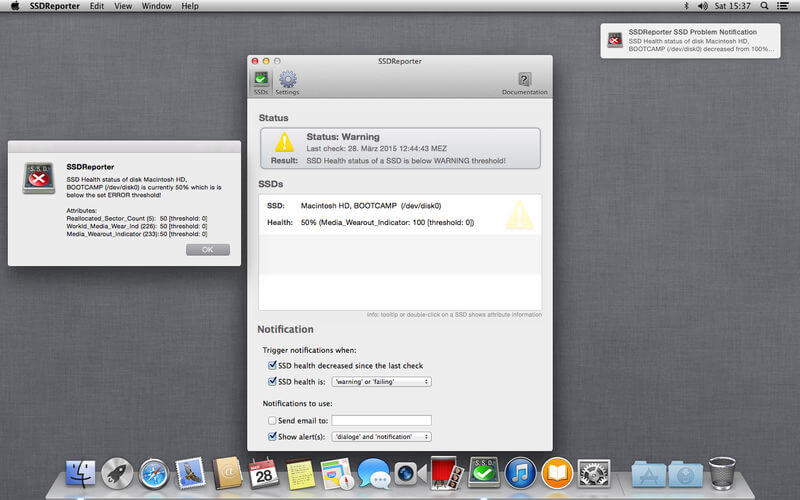
SSDReporter is an application that checks the health of your internal solid state drives ("SSD" aka "Flash Storage"). Since SSDs have a limited life-time determined by the number of write operations, it is important to keep an eye on your SSD status. SSDReporter can warn you by e-mail or on-screen each time the health of your SSD decreases and/or when the health falls below the 'warning' or 'error' thresholds. The current status of your SSDs is also always easily recognizable because SSDReporter changes its icon (optionally in the menubar) from green to yellow (warning threshold) and finally red (error threshold) as the SSD health decreases. Note that only 'internal' SSDs are supported, disks connected via USB/FireWire/Thunderbolt/etc do not work with SSDReporter.
Version 1.5.7:
- Improved compatibility with WD SSDs
- Improved compatibility with TOSHIBA SSDs
Frequently asked questions
How do I install the app?
Mount the image, drag the app into the "Applications" folder and launch it. If the system blocks the launch, allow it in "System Settings → Privacy & Security".
The app is damaged or won't launch
Reinstalling from a fresh image usually helps. Make sure your macOS version matches the one listed in the compatibility specs.
How do I update?
Download the new version from the site and install it over the current one — your settings will be preserved.
The download link doesn't work
Try a mirror or a download manager. For large files the browser often drops the connection.
How do I completely remove the app?
Use an uninstaller utility — it cleans up the service files that remain after moving the app to the trash.
VersionSSDReporter 1.5.7 (1453)
DeveloperAlbert Mayer
CompatibilitymacOS 10.13 or later
LanguageEnglish
IncludesK'ed by TNT



Information
Visitors in the group Guests cannot leave comments on this publication.
Choose a download source
SSDReporter 1.5.7 (1453) · 8.13 MB
Previous versions
SSDReporter 1.5.7 (1453)
Previous versions are available to registered users.