
Butler 4.4.9
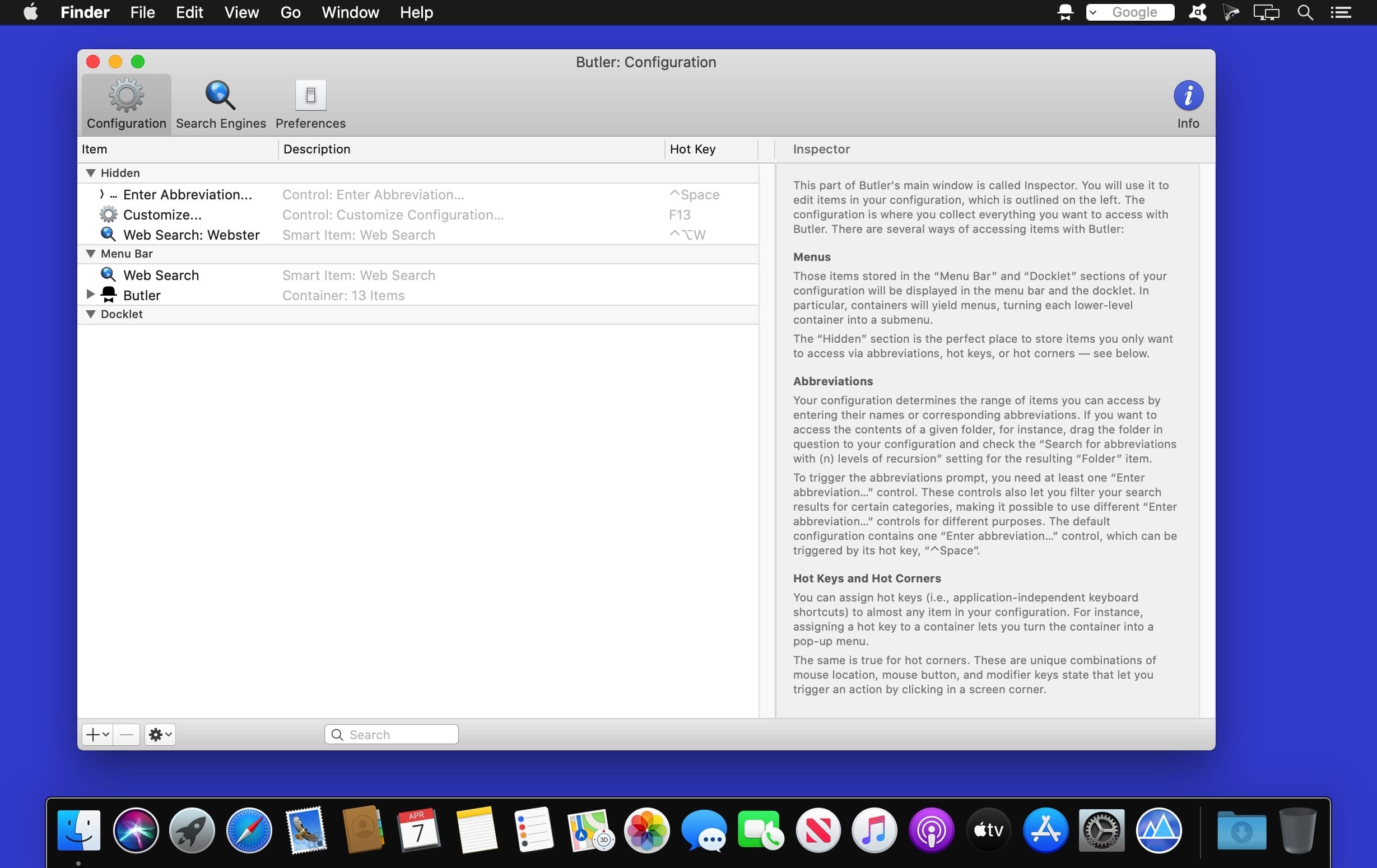
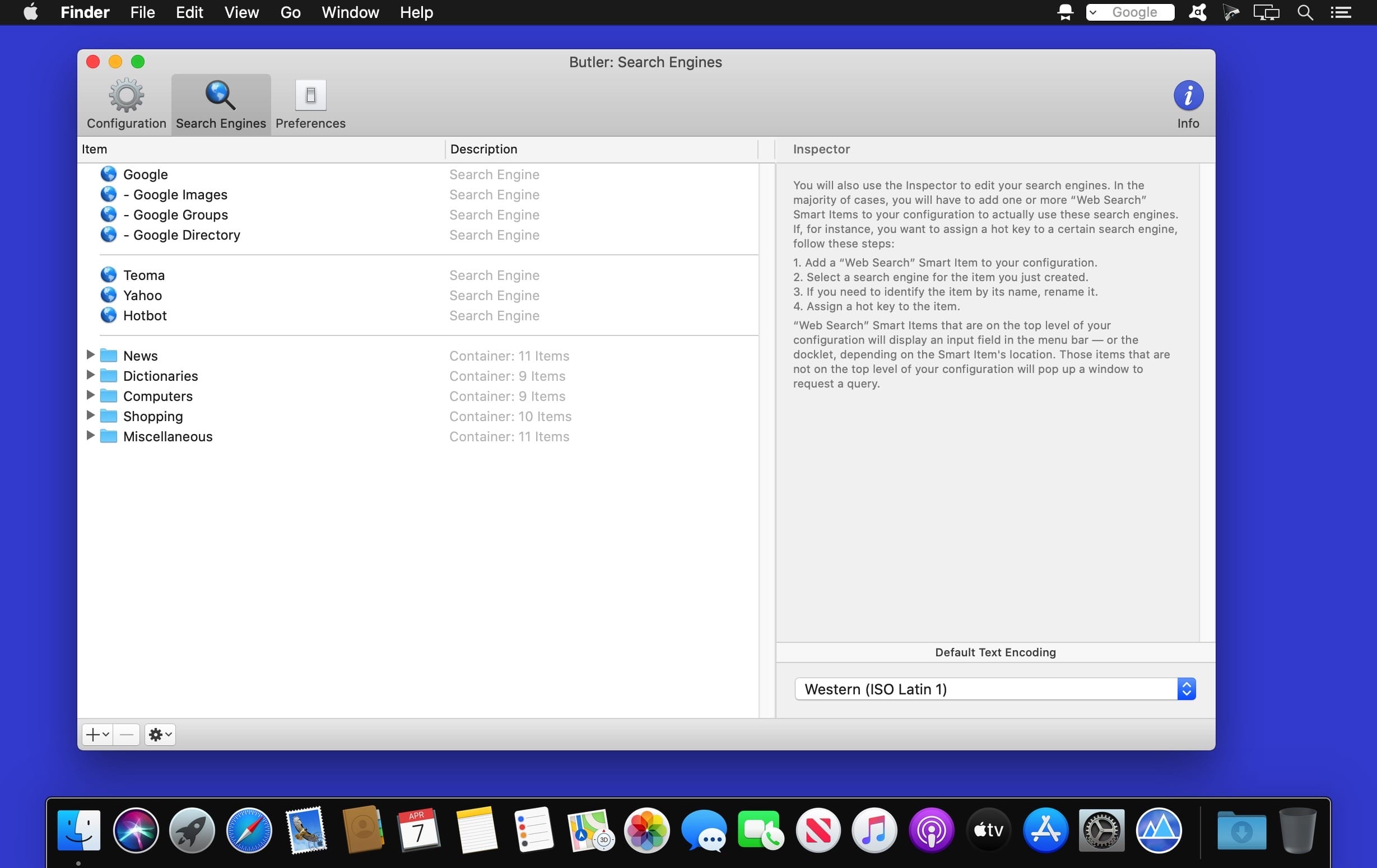

Butler makes it easier for you to perform a wide variety of potentially recurring tasks. Just arrange these tasks in Butler's fully customizable configuration and assign one or more triggers to a task.
Available Triggers
- freely configurable system-wide menus in your menu bar/Butler's docklet
- freely configurable pop-up menus -- triggered via hot key or hot corner (see below)
- abbreviations -- e.g., enter "qt" to launch QuickTime Player
- hot keys -- e.g., hit [F1] make iTunes switch to the next track
- hot corners -- e.g., [shift]-[right mouse button click] in the lower left corner of your screen to pop up a menu that lists all system preference panes
- events -- e.g., launch iChat when Butler starts up and the [option] key is not held
Possible Tasks
- launch applications
- open files
- access preference panes
- manage bookmarks
- search the web
- run AppleScripts
- extend the pasteboard
- enter text snippets
- simulate keystrokes
- control iTunes
- more...
Version 4.4.9
- Worked around a macOS 26 issue where clicking at the very top edge of the display didn't get forwarded to Butler items in the menu bar under certain circumstances.
- Worked around a macOS 14 issue where menu fonts aren't automatically inherited by submenus.
- Fixed an issue where volume menus showed directories that were meant to be invisible. (Hat tip to David M.)
- Fixed an issue where repeatable Music Smart Items were repeated too often. (Hat tip to Eric T.)
- Fixed an issue where menu bar search fields weren't being drawn properly during text input.
- Fixed an issue where custom icons didn't work as expected on newer macOS versions.
Frequently asked questions
How do I install the app?
Mount the image, drag the app into the "Applications" folder and launch it. If the system blocks the launch, allow it in "System Settings → Privacy & Security".
The app is damaged or won't launch
Reinstalling from a fresh image usually helps. Make sure your macOS version matches the one listed in the compatibility specs.
How do I update?
Download the new version from the site and install it over the current one — your settings will be preserved.
The download link doesn't work
Try a mirror or a download manager. For large files the browser often drops the connection.
How do I completely remove the app?
Use an uninstaller utility — it cleans up the service files that remain after moving the app to the trash.


Choose a download source
Butler 4.4.9 · 6.99 MB
Previous versions
Butler 4.4.9
Previous versions are available to registered users.