
Super PhotoCut 2.8.8
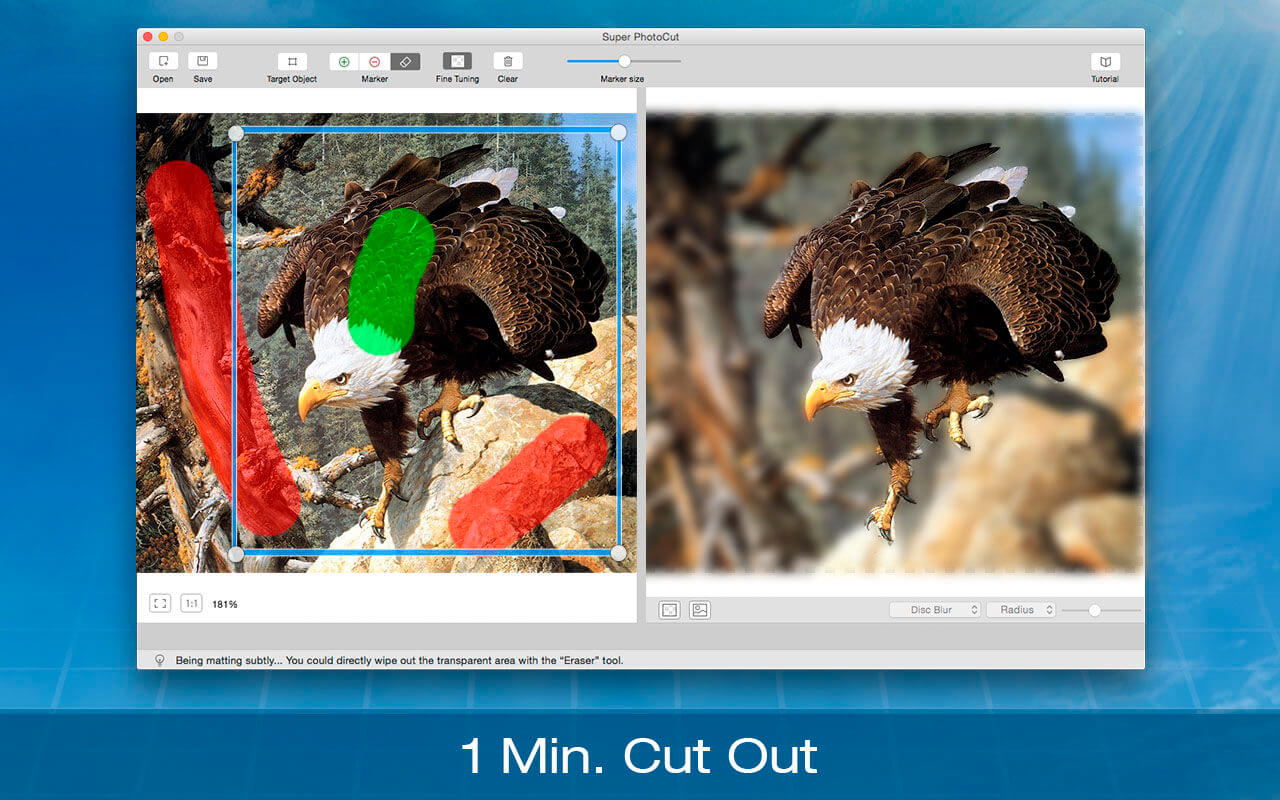
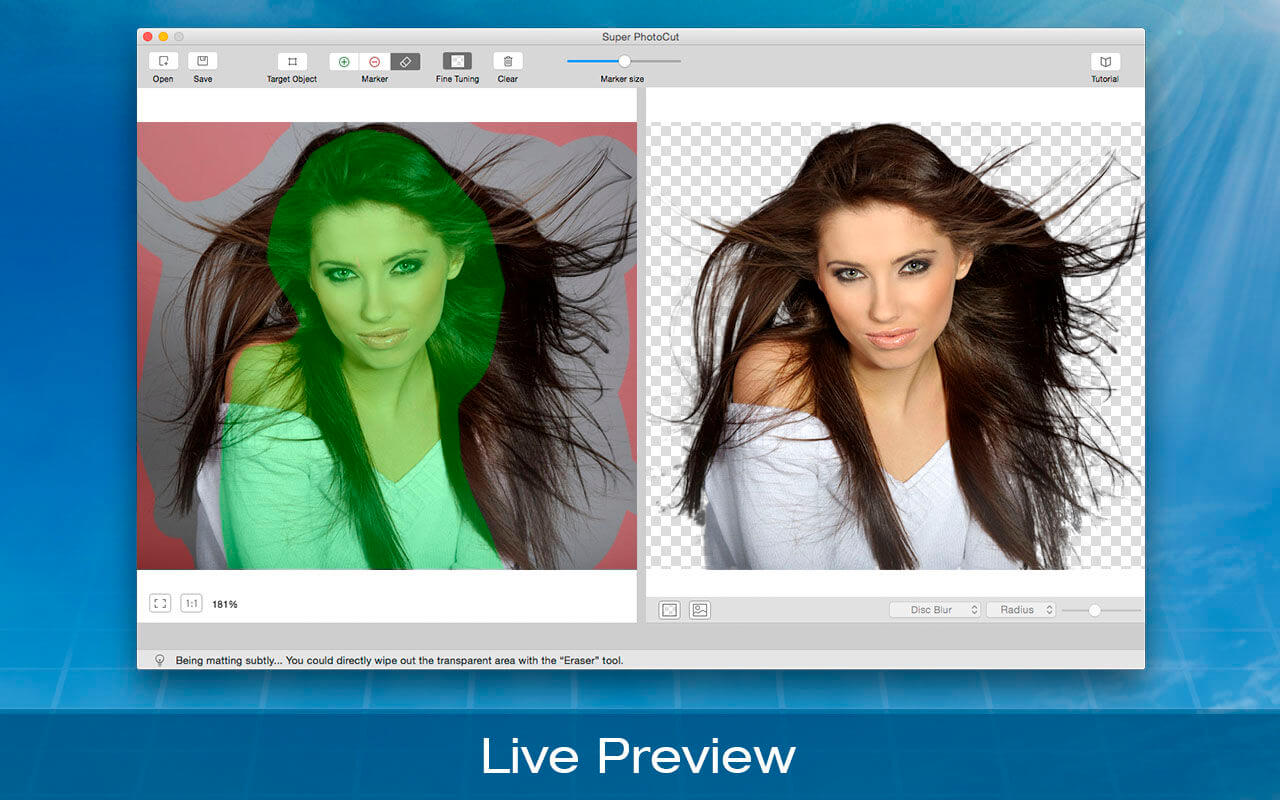
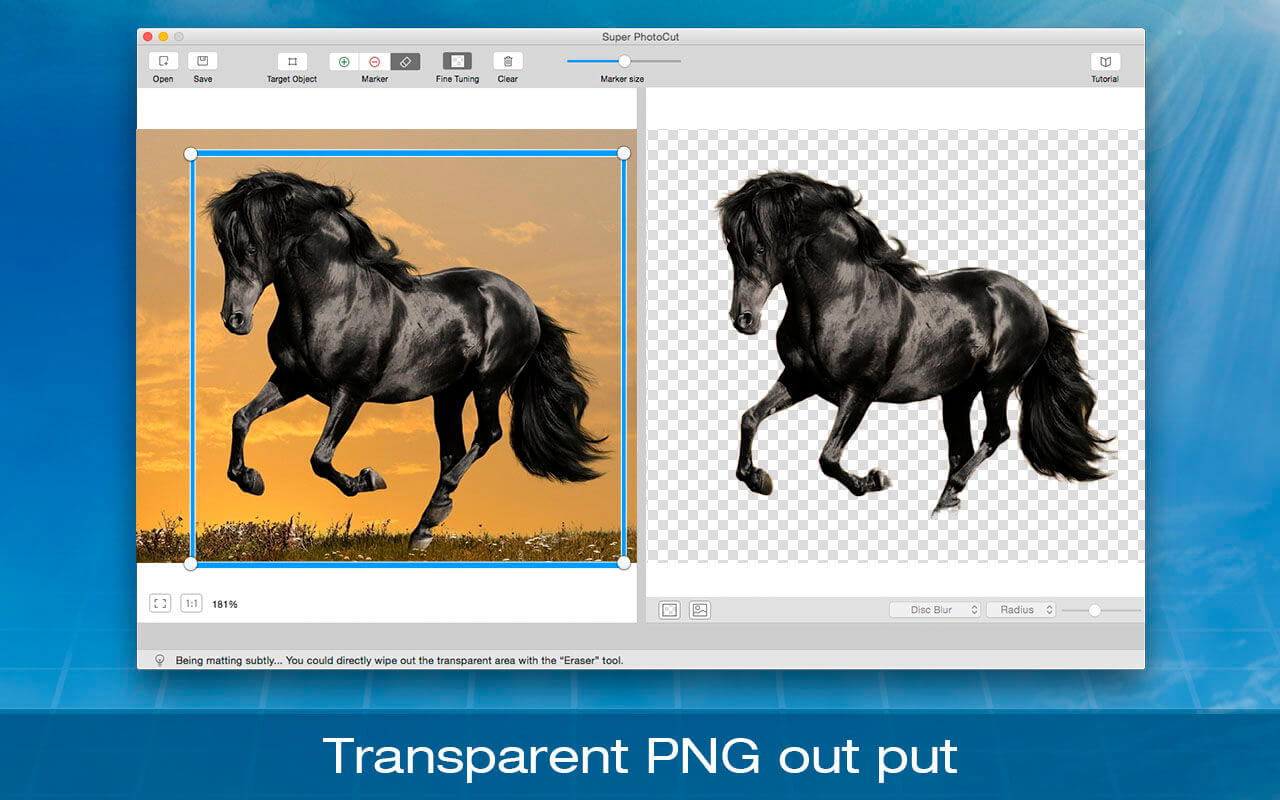
Super PhotoCut interactive cutout tool isolates and separates a detailed foreground object from photos. With our proprietary best-in-class algorithm masking tool, you can instantly remove complex image backgrounds and make them transparent with just a few clicks. Get the dramatic stand-out images done in seconds-to-minutes instead of minutes-to-hours.
Unlike those image processing software in the market, Super PhotoCut doesn't require any special technical skills. You just need mark the object with a rectangle to obtain the desired result. Super PhotoCut will automatically cut objects out for you.
Super PhotoCut speeds up your design process, enhance your design time and improves the quality of your photos! It will save you hours that you usually spent on cutting out an object using Photoshop. It is time to say goodbye to the PhotoShop lasso and magic wand tool.
Key Features:
- Instantly and Accurately remove complex background from images.
- Smart Algorithm: Cuts object out with critical precision. It enables extremely fast operation with great results on any image, minimizing the amount of work you need to put in.
- Supports almost all image formats: JPG,BMP,PNG,GIF,Raw…
- Separate foreground from background easily. Live preview the final effect.
- Transparency Processing Supported. Export to Transparent PNG images.
- 20 kinds of background transition effects are for your choices:
- Disc Blur, Gaussian Blur, Box Blur, Motion Blur, Zoom Blur, Color Controls, Exposure Adjust, Gamma Adjust, Hue Adjust, Vibrance, Color Invert, Color Posterize, Chrome, Fade, Instant, Mono, Process, Transfer, Sepia Tone, Vignette, Vignette Effect.
- Zoom to any level necessary allows you to inspect details while quickly navigating your image.
- Create isolated images with colored or transparent backgrounds. Or import your favorite picture as the background image.
- Undo / Redo: never fear that a mistake will ruin your work.
- Configurable Auto-Brush-Size: The mark size adapts dynamically to your zoom level so that you can easily zoom in to make detailed edits.
Version 2.8.8
- Optimized for the newest operating system.
- Bugs were fixed.
Frequently asked questions
How do I install the app?
Mount the image, drag the app into the "Applications" folder and launch it. If the system blocks the launch, allow it in "System Settings → Privacy & Security".
The app is damaged or won't launch
Reinstalling from a fresh image usually helps. Make sure your macOS version matches the one listed in the compatibility specs.
How do I update?
Download the new version from the site and install it over the current one — your settings will be preserved.
The download link doesn't work
Try a mirror or a download manager. For large files the browser often drops the connection.
How do I completely remove the app?
Use an uninstaller utility — it cleans up the service files that remain after moving the app to the trash.





Choose a download source
Super PhotoCut 2.8.8 · 20.23 MB
Previous versions
Super PhotoCut 2.8.8
Previous versions are available to registered users.