PhotoScissors 2.1 - Easily remove backgrounds from photos
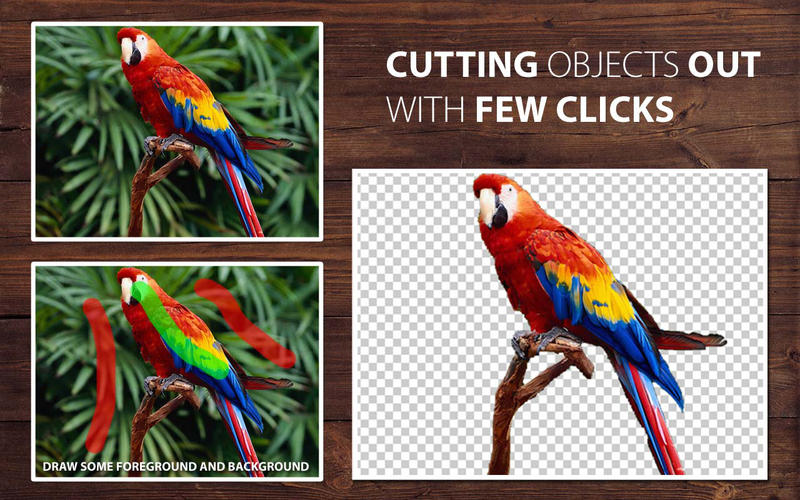
PhotoScissors provides an extremely easy way to cut a background an image. Instead of trying to accurately enclose a region with the Lasso or Magic Wand tools in cumbersome professional graphical editors, you quickly mark areas you want to cut out and areas you would like to preserve, and the program automatically does the rest. Thanks to optimized analysis of the clipping edges, you don’t have to hunt for pixels trying to select an unwanted background. PhotoScissors is easy background removal with minimum efforts!
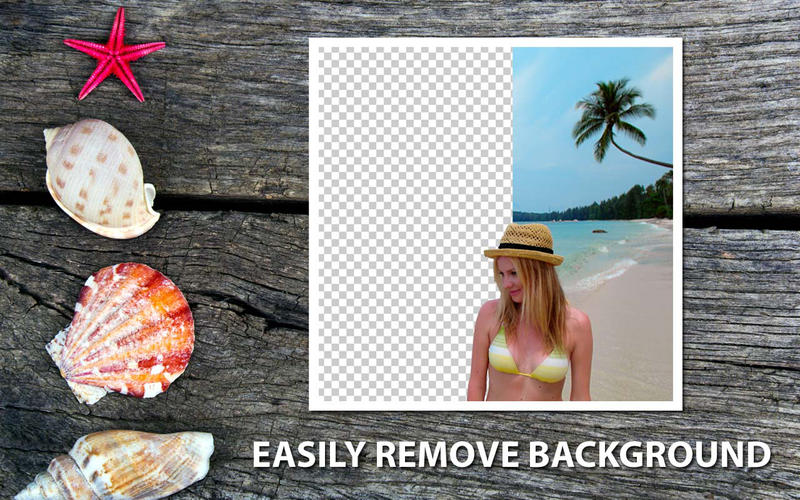
Cutting out a background from photos is a popular picture editing procedure. Indeed, there dozens of possible applications: uploading product pictures to eBay, preparing photos for job seeking websites or dating sites, replacing a boring background with a more picturesque one or a solid color, creating photo jokes, collages, retouching tourism photos for fun or for better impression and many more.
Top Reasons to use PhotoScissors
- Instantly remove complex background from photos
- Easily separate foreground from background
- Swap background
- No limits by image size
- Cutting out objects
- Creating isolated images with colored or transparent backgrounds
- Remove background for eBay or Etsy listings
- Set background to any color include transparent
- Easy to get use & get started
- Preparing pictures of commodities for online shops
- Supports all popular graphic formats (PNG, JPG...)
- No technical or designer skills are required
WHAT’S NEW
Version 2.1:
- Added option to set image as background
- Improved edges handling, say 'Goodbye' to jagged borders
- Added option to change shadow color
Screenshots

Frequently asked questions
How do I install the app?
Mount the image, drag the app into the "Applications" folder and launch it. If the system blocks the launch, allow it in "System Settings → Privacy & Security".
The app is damaged or won't launch
Reinstalling from a fresh image usually helps. Make sure your macOS version matches the one listed in the compatibility specs.
How do I update?
Download the new version from the site and install it over the current one — your settings will be preserved.
The download link doesn't work
Try a mirror or a download manager. For large files the browser often drops the connection.
How do I completely remove the app?
Use an uninstaller utility — it cleans up the service files that remain after moving the app to the trash.
VersionPhotoScissors
DeveloperMaxim Gapchenko
CompatibilityOS X 10.7 or later, 64-bit processor
LanguageEnglish
IncludesKG





Information
Visitors in the group Guests cannot leave comments on this publication.
Choose a download source
PhotoScissors 2.1 - Easily remove backgrounds from photos · 12.47 MB