
PaintCode 3.5.9
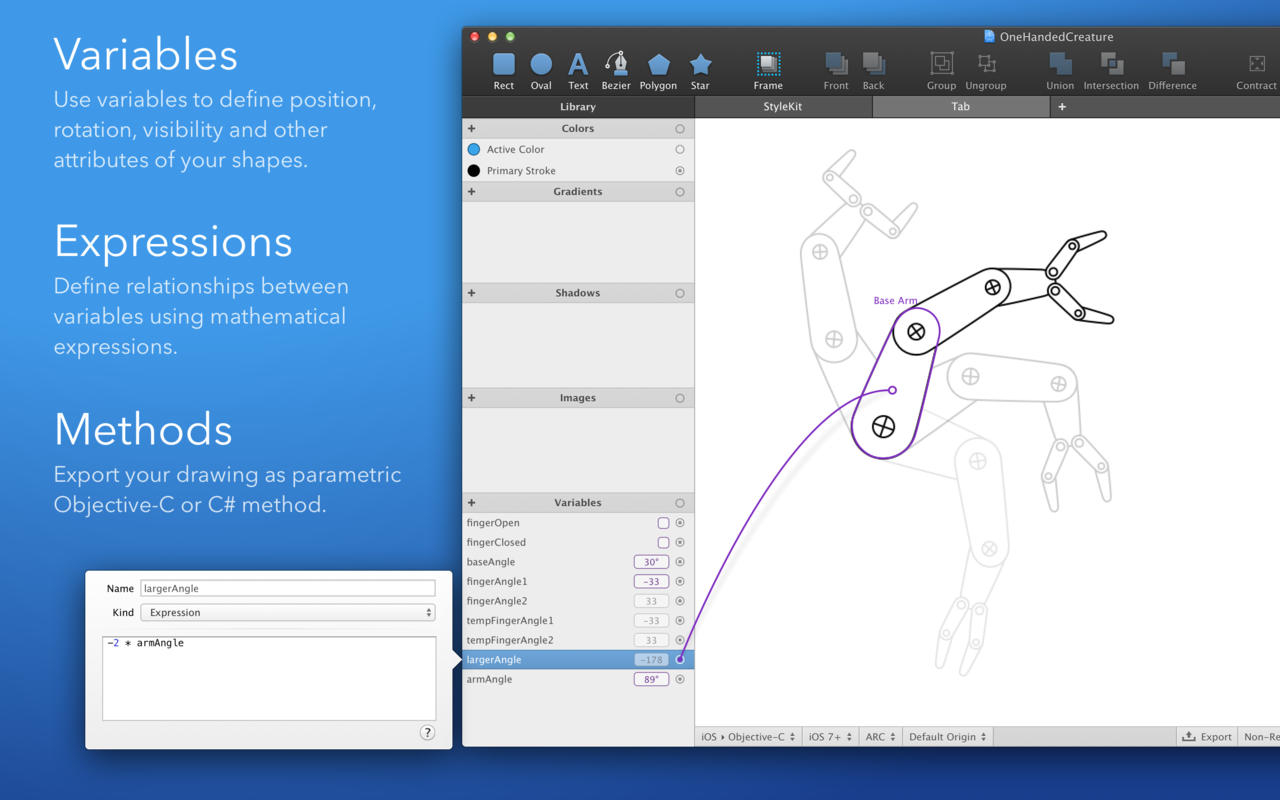
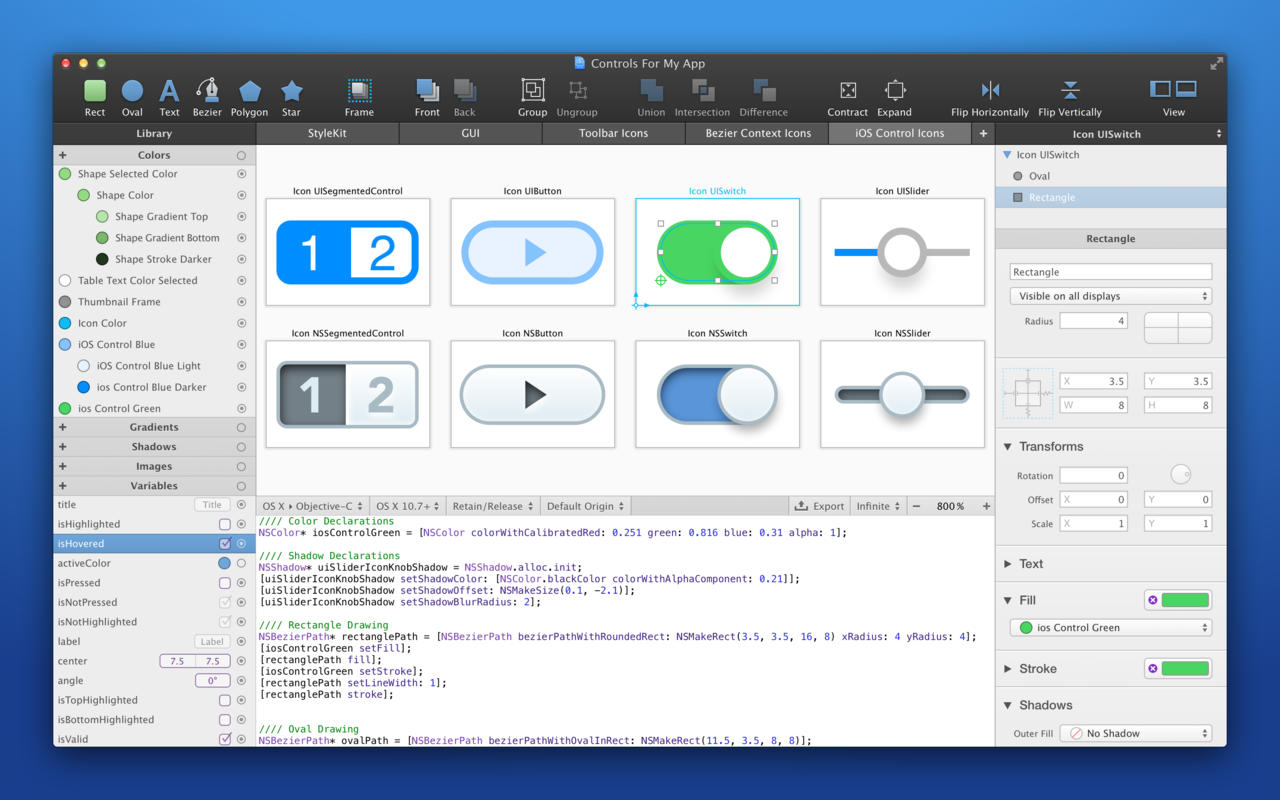
PaintCode is a vector drawing app that instantly generates Objective-C or C# drawing code. With PaintCode you can create an app that is truly resolution-independent, using code (instead of large number of image assets) to draw a user interface.
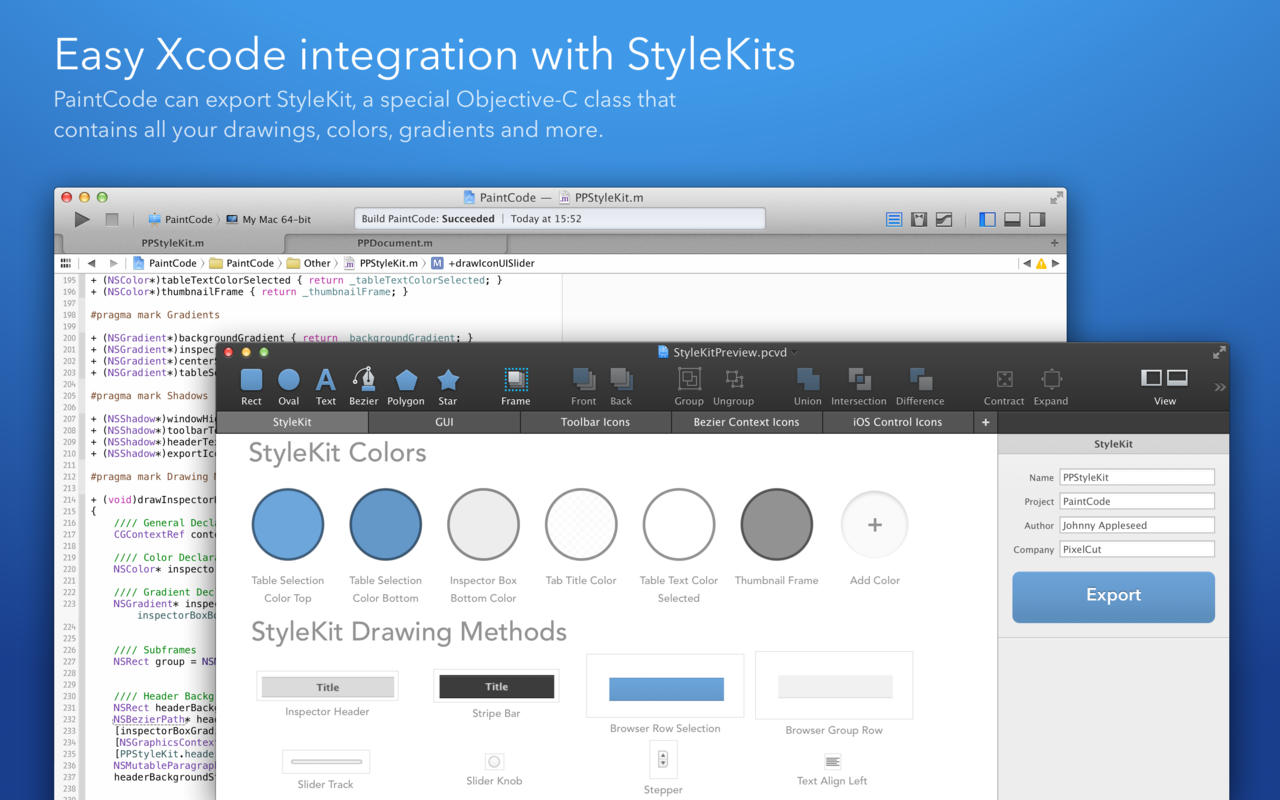
- Stylekit: Change the design of your app in seconds. With StyleKits, integration of the generated code into your app is extremely easy. StyleKit is a special Objective-C or C# class that contains all your drawings, colors, gradients, shadows and other assets. StyleKit can be exported from PaintCode with just a single click, making the design-tweaking process crazy fast.
- Variables and Expressions: Want to draw a button with multiple states? Circular progress bar? Animated robotic arm? Never-before-seen user interface control? Creating these complex dynamic drawings is usually extremely time-consuming. Not now. PaintCode’s Variables and Expressions let you create dynamic, parametric drawings with immediate visual feedback.
- Multi-Canvas, Tabbed Workspace (new): Use multiple drawing canvases in multiple tabs. Each canvas turns into a drawing method in the generated StyleKit code.
- Better Tools (new): Enjoy rotation and scaling with user-defined origin, powerful bezier editing tools, smart and custom guides, precise boolean operations, mass export and import, hierarchical color library, vertical text alignment, better text editing, improved zoom tool, outline mode and many more features.
- Dynamic Colors: Reuse the same color multiple times across your document. Derive a new color from an existing color, forming a permanent relationship. Changing the base color will also change all the derived colors. This unique feature means you can base the entire color scheme of your app on a single color, which you can easily readjust when you like.
- Dynamic Shapes: Define how your complex drawings behave when resized. Draw a resizable button and retrieve drawing code to draw the button to any size.
- PSD and SVG Import: Import SVG documents into PaintCode, transforming them into Objective-C or C# drawing code. Layer graphics, paths, texts and groups from Adobe Photoshop documents can also be imported.
Version 3.5.9:
- Release notes were unavailable when this listing was updated.
Frequently asked questions
How do I install the app?
Mount the image, drag the app into the "Applications" folder and launch it. If the system blocks the launch, allow it in "System Settings → Privacy & Security".
The app is damaged or won't launch
Reinstalling from a fresh image usually helps. Make sure your macOS version matches the one listed in the compatibility specs.
How do I update?
Download the new version from the site and install it over the current one — your settings will be preserved.
The download link doesn't work
Try a mirror or a download manager. For large files the browser often drops the connection.
How do I completely remove the app?
Use an uninstaller utility — it cleans up the service files that remain after moving the app to the trash.



Choose a download source
PaintCode 3.5.9 · 8.76 MB
Previous versions
PaintCode 3.5.9
Previous versions are available to registered users.