
Total Video Converter Pro 5.2.1
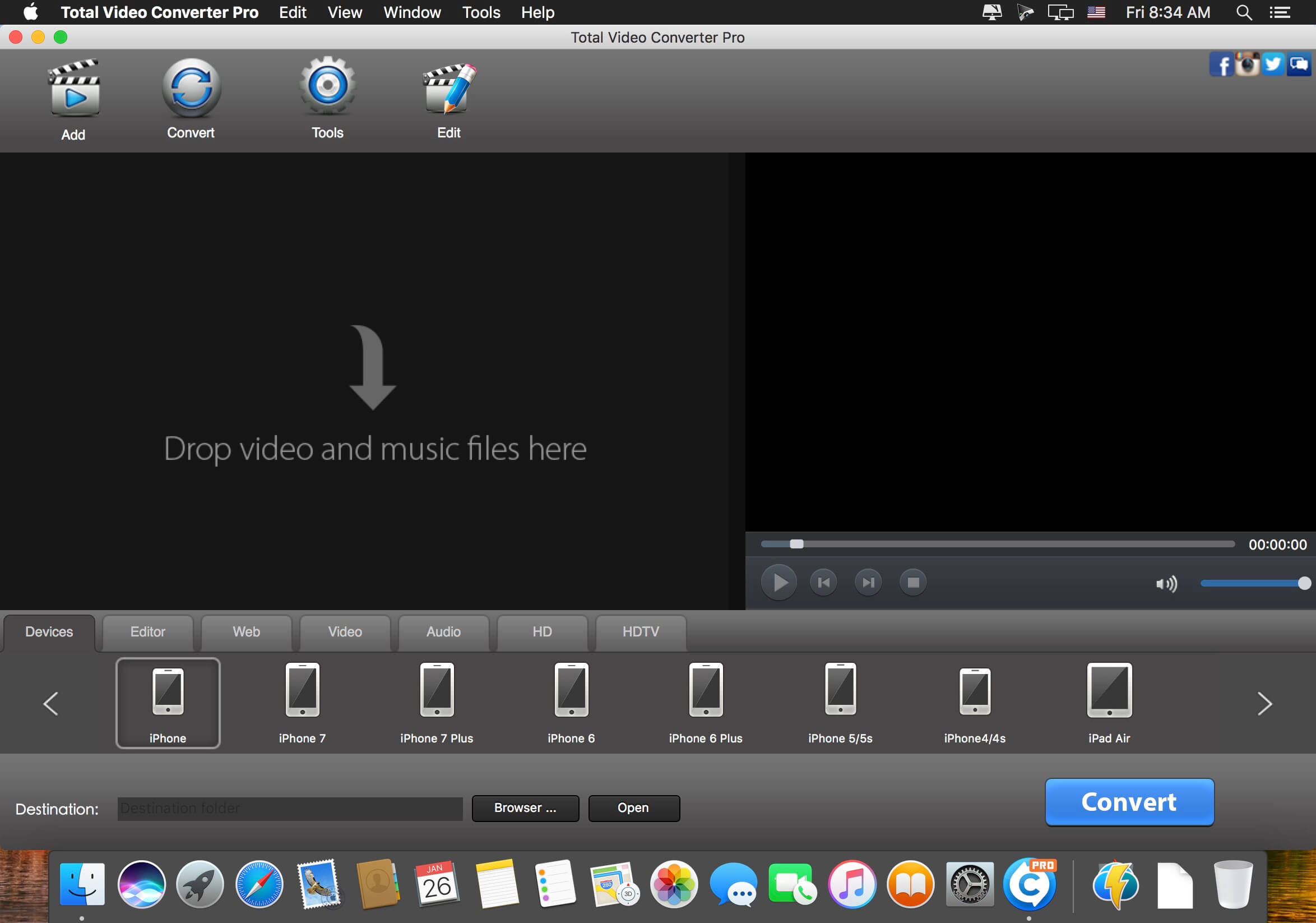
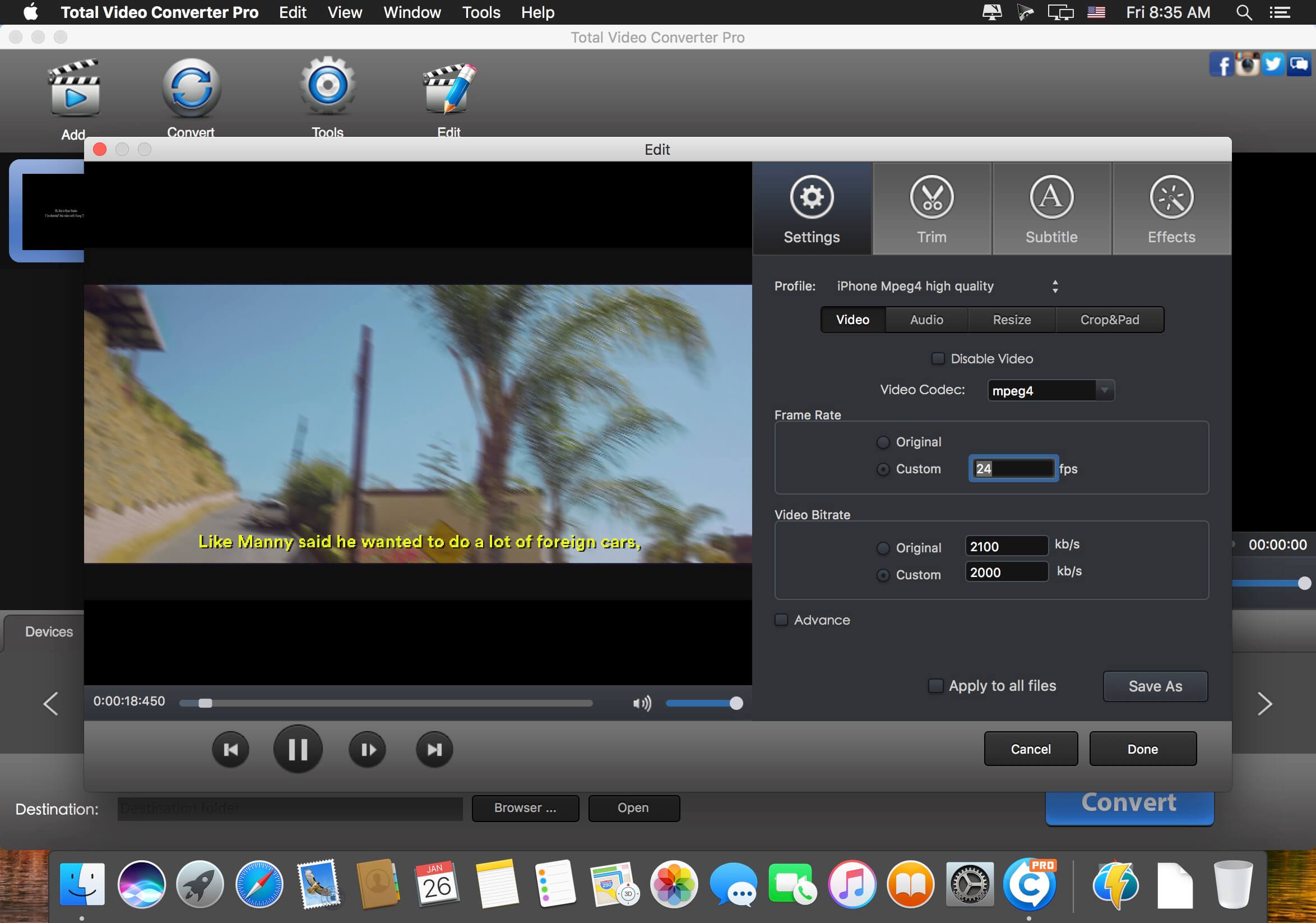
Total Video Converter Pro is a full-featured video toolbox to record screen, and burn, convert, edit, enhance & play videos. It converts videos to and from almost 200+ video and audio formats with 30X times faster conversion speed for Apple TV, iPad, iPhone, iPod, Xbox 360, PlayStation 3, PSP, mobile phone: Blackberry, Nokia, Samsung, and many others!
Key features:
- CONVERT batch of videos and audios to iPhone, iPad, iTunes, PS Vita, iMovie, Final Cut Pro
- BURN both SD and HD video to NTSC/PAL DVD with high speed.
- EDIT all video formats with the intuitive, interactive timeline.
- CUT the video into desired clips with frame accuracy.
- AUTO import DV(AVCHD/TOD/MOD) videos and easily convert to iMovie, FCP and other mobile devices.
- ADD background music to video.
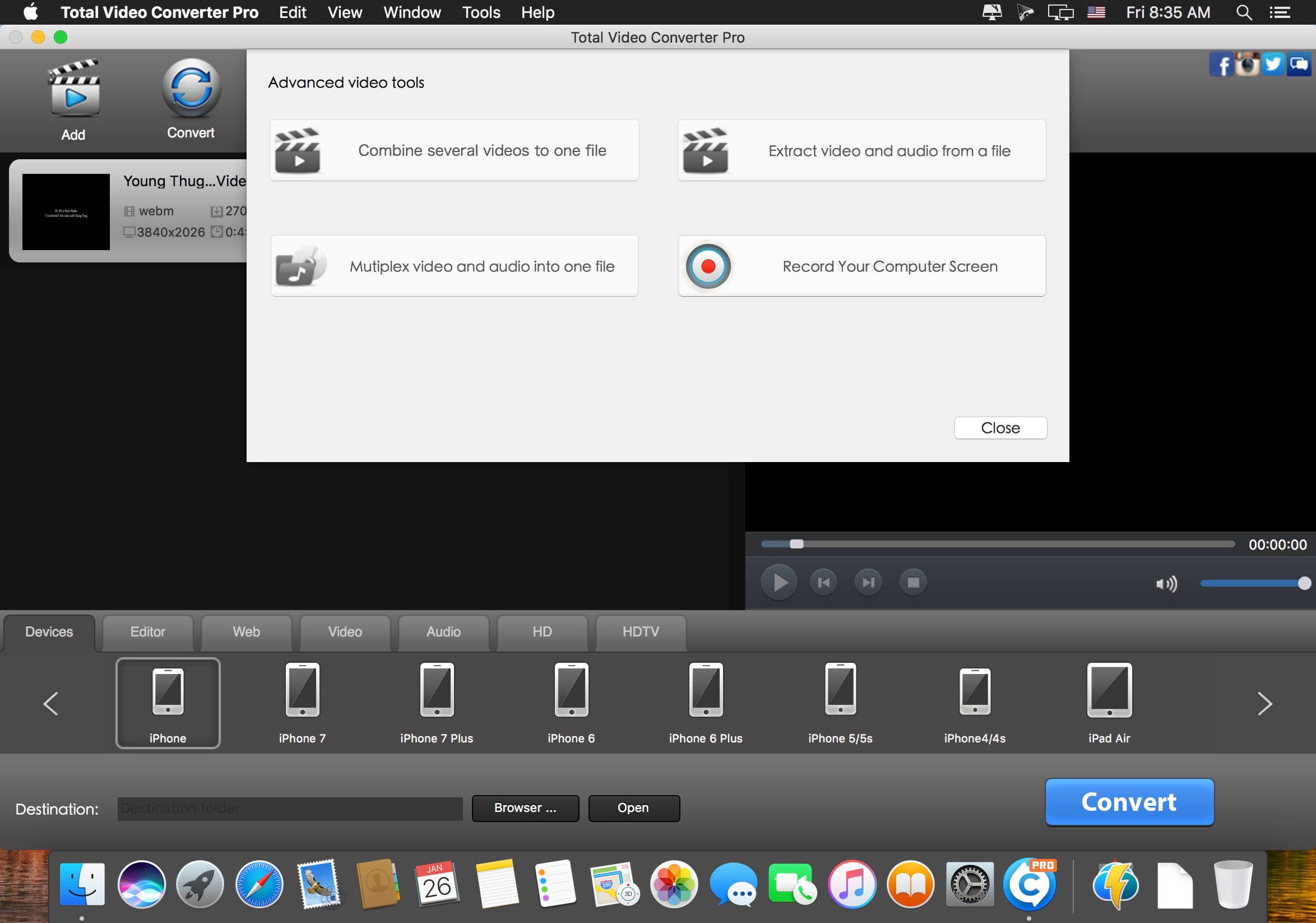
- COMBINE various video clips to a single video that will wow the audience.
- TRIM video/audio to desired clips with setting customized "start" and "end" time point.
- EXTRACT lossless video and audio from a video file.
- GIF animated images can be exported from video.
- EFFECTS like Flip, Gray, Rotate, Negate will make your video vivid.
Supported formats:
- Perfect supported output Devices: iPad, iPhone, iPod, HDV, DV, PS Vita, Xbox 360, PS3, PSP, Blackberry, Nokia, Samsung, Android, Zune, Creative Zen, etc.
- Highly compatible HDV, DV video formats: *.mod, *.tod, *.m2ts, *.evo, *.vro, *.mts, etc
- Input video formats: WMV, MKV, AVI, DivX, XviD, MPEG, MP4, QT, RM, RMVB, M2TS, M2T, MTS, FLV, MPEG, MPEG2 TS, ASF, 3GP, 3G2, GIF, H.264/MPEG-4 AVC, H.264/PSP AVC Video, etc.
- Input audio formats: MOV, FLV, WAV, MP3, MP2, AAC, M4A, WMA, FLAC, AMR, AWB, OGG, MMF, AU.
- Output video formats: OGG, WebM, WMV, MKV, AVI, DivX, XviD, MPEG, MP4, MOV, QT, RM, RMVB, FLV, MPEG, MPEG2 TS, ASF, 3GP, 3G2, GIF, SWF, H.264/MPEG-4 AVC, H.264/PSP AVC Video, H.264 TS, WMV-HD, MKV-HD, DivX-HD, Divx-HD, MOV-HD, FLV-HD, MP4-HD
- Output audio formats: WAV, MP3, MP2, AAC, M4A, WMA, FLAC, AMR, AWB, OGG, MMF, AU.
Version 5.0.0
- Fix the bug that sometimes screen recording fail.
- Optimize video merging feature.
- Increase conversion speed.
- Fix the bug that there is no sound during playback.
- Support TiVo files conversion
- Support AV1 video conversion.
Frequently asked questions
How do I install the app?
Mount the image, drag the app into the "Applications" folder and launch it. If the system blocks the launch, allow it in "System Settings → Privacy & Security".
The app is damaged or won't launch
Reinstalling from a fresh image usually helps. Make sure your macOS version matches the one listed in the compatibility specs.
How do I update?
Download the new version from the site and install it over the current one — your settings will be preserved.
The download link doesn't work
Try a mirror or a download manager. For large files the browser often drops the connection.
How do I completely remove the app?
Use an uninstaller utility — it cleans up the service files that remain after moving the app to the trash.



Choose a download source
Total Video Converter Pro 5.2.1 · 67.76 MB
Previous versions
Total Video Converter Pro 5.2.1
Previous versions are available to registered users.