
MetaVideo 1.1.6
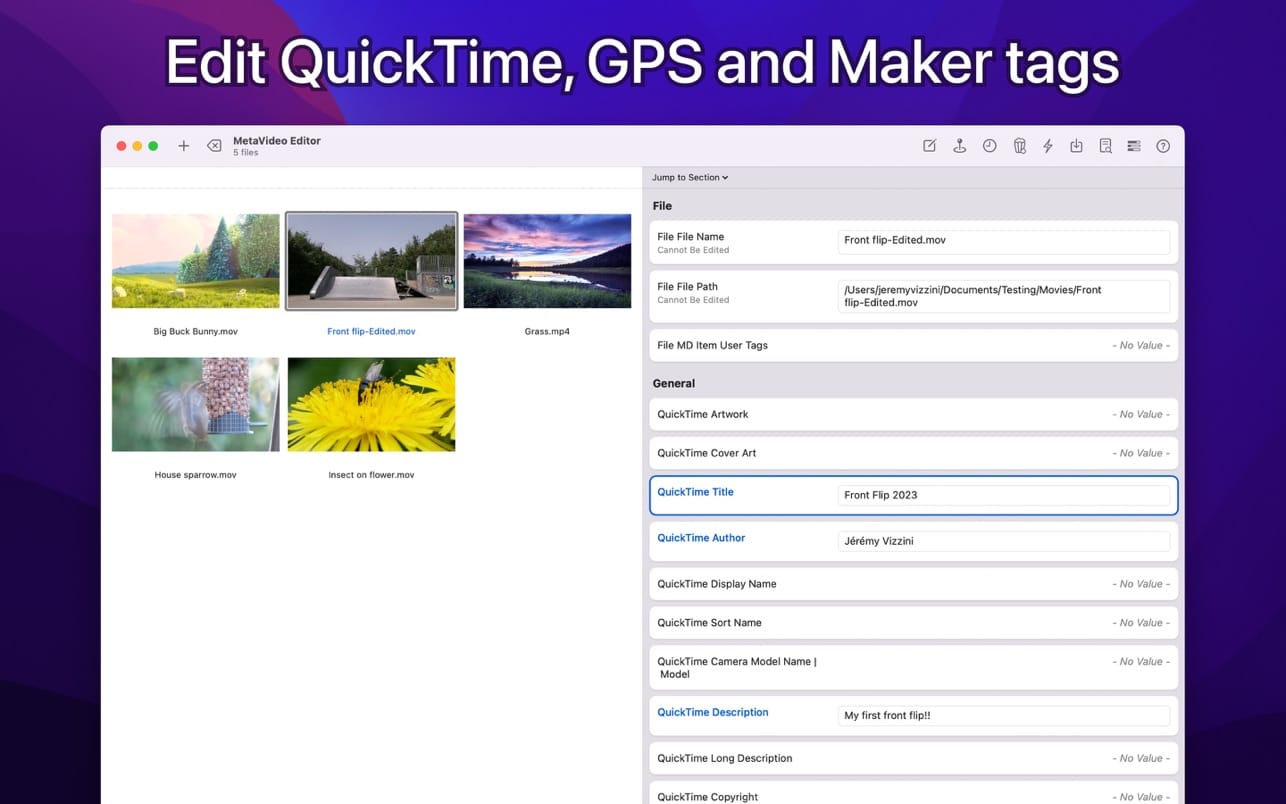
We're aware of a bug in the current app version affecting file reading. Rest assured, a fix is on the way. Looking to take control of your video metadata and streamline your workflow? Look no further than MetaVideo, the ultimate app for managing your video metadata on Mac!
With MetaVideo, you can automate the editing of QuickTime and GPS tags, making it the perfect tool. Whether you need to change metadata, add artwork, or fix GPS coordinates, MetaVideo has got you covered. Plus, you can create presets and apply the same changes to multiple videos, saving you tons of time and effort.
BEYOND QUICKTIME AND VIDEO TAGS
That's not all - MetaVideo goes beyond just QuickTime tags. It supports a wide range of other metadata tags, including EXIF, XMP, and IPTC, for video and audio files that support them. The app does not support only MP4 and MOV. Manage all popular video and audio formats in one place.
MADE FOR MOVIES AND TV SHOWS
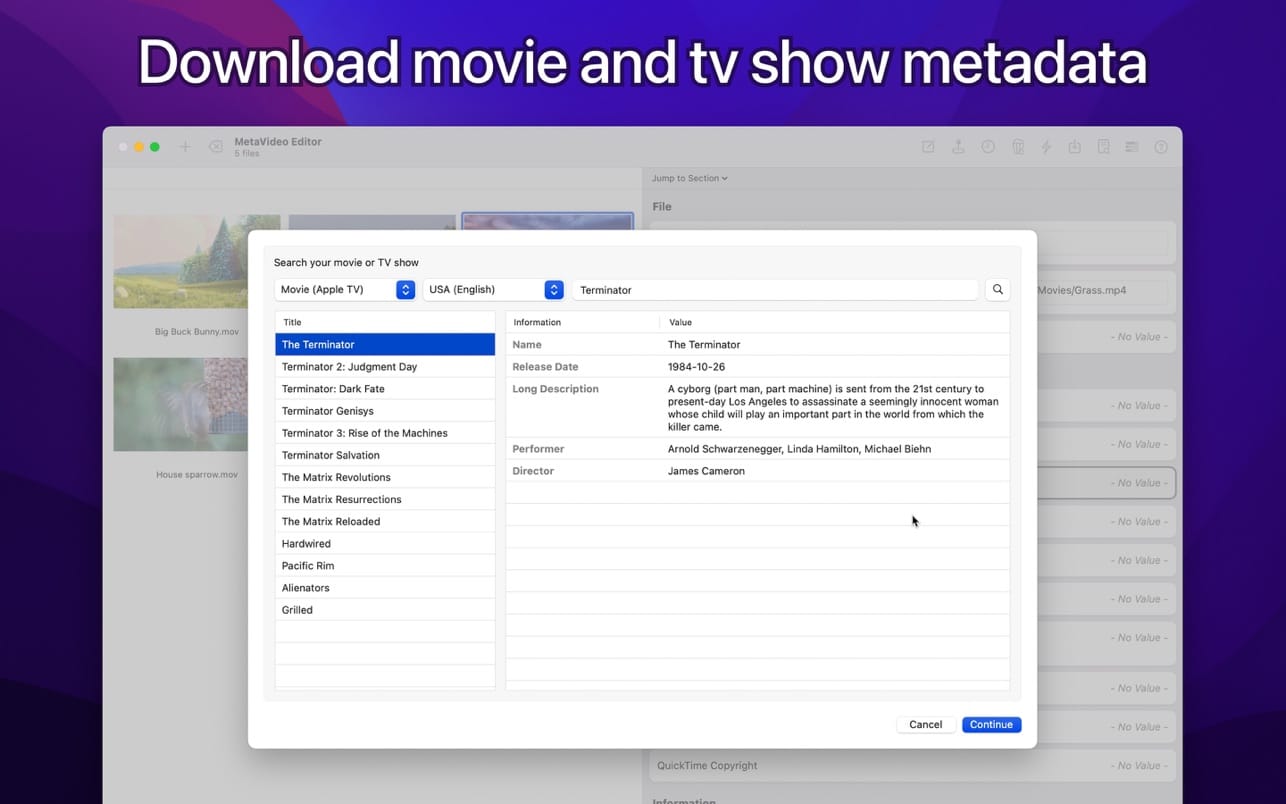
Need to download meta information for your movies and TV shows? MetaVideo's got your back. The app can automatically retrieve relevant metadata for your media files, such as titles, descriptions, release dates, genres, ratings, and even cover art, from online services like Apple TV, iTunes, TheMovieDB, and more.
GPS TAGGING SUPPORT
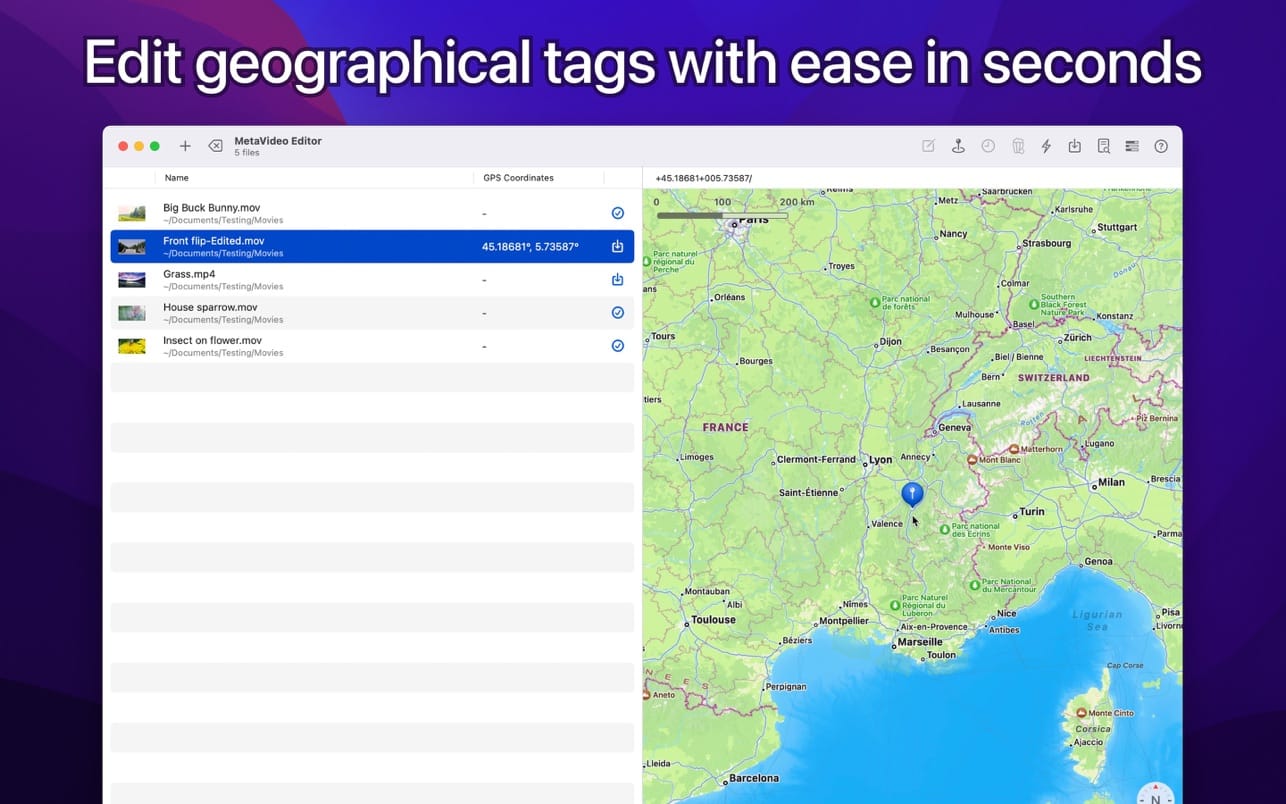
With MetaVideo's unique ability to edit QuickTime location ISO6709, you can easily add GPS coordinates to your videos and audio files. The app provides multiple options to add GPS coordinates, so you can choose the one that's easiest for you.
Version 1.1.6
- Bug Fixed: Fixes issues related to the support of large files.
Frequently asked questions
How do I install the app?
Mount the image, drag the app into the "Applications" folder and launch it. If the system blocks the launch, allow it in "System Settings → Privacy & Security".
The app is damaged or won't launch
Reinstalling from a fresh image usually helps. Make sure your macOS version matches the one listed in the compatibility specs.
How do I update?
Download the new version from the site and install it over the current one — your settings will be preserved.
The download link doesn't work
Try a mirror or a download manager. For large files the browser often drops the connection.
How do I completely remove the app?
Use an uninstaller utility — it cleans up the service files that remain after moving the app to the trash.




Choose a download source
MetaVideo 1.1.6 · 50.22 MB
Previous versions
MetaVideo 1.1.6
Previous versions are available to registered users.