Camo Studio 2.9.0
Camo — Video Camera Software for Meetings, Streams, and Recording
Camo — Turn any camera into pro video
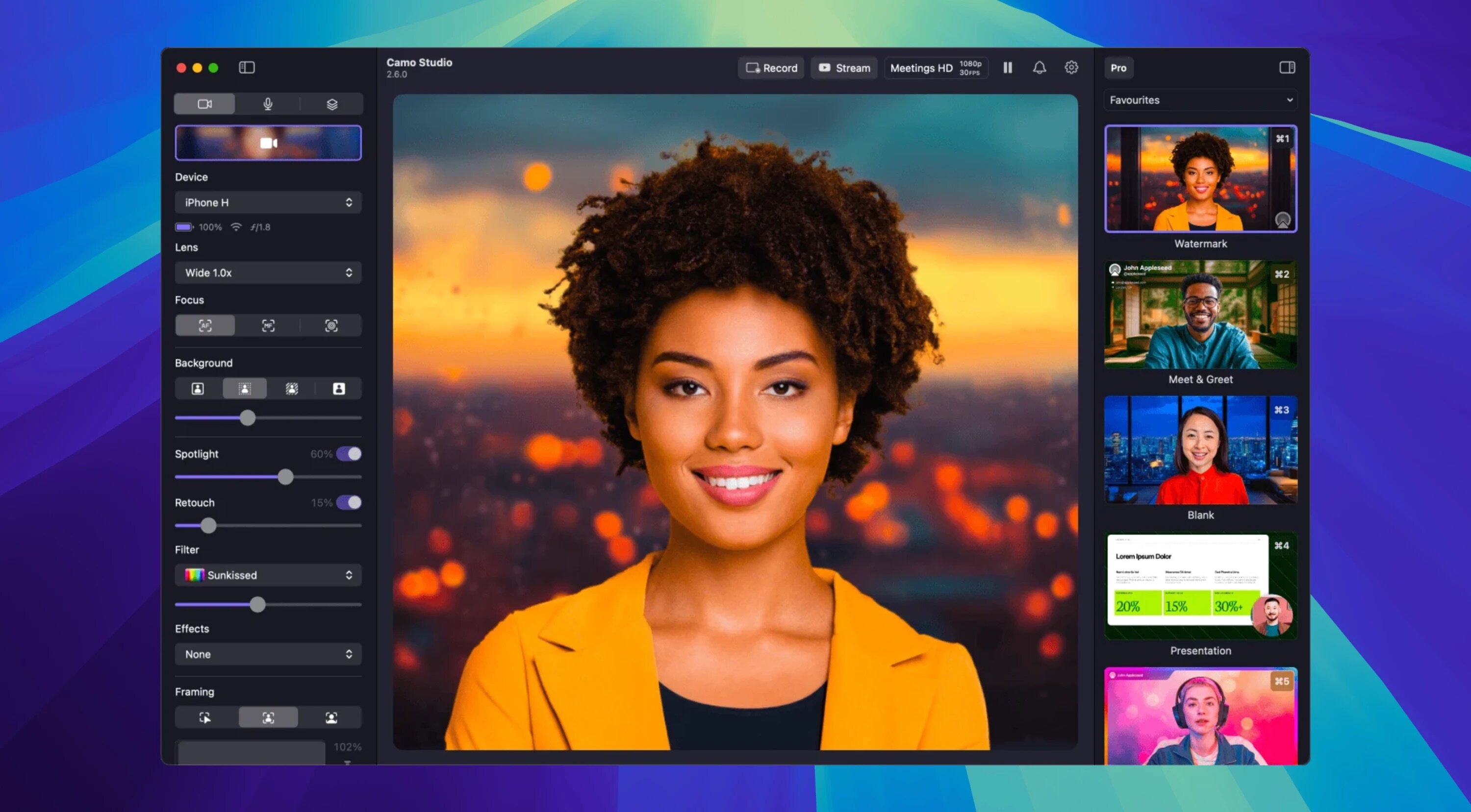
Camo lets the camera you already own deliver stunning video for meetings, streams, and recordings — fast. Use simple templates and automatic enhancements for great results immediately, or dive into the full toolset for precise creative control.
Why Camo
- Professional quality, accessible to everyone — from casual creators to pros.
- Works with phones, built-in webcams, DSLRs, action cams and Continuity Camera.
- Flexible for many use cases: tutorials, sales calls, live streams, recorded videos — even surgical workflow capture.
Quick start, deep control
- One-click profiles: pick the optimal resolution, framing and aspect ratio and you’re ready to go.
- Instant scenes: choose a default scene or create a custom setup in seconds.
- Fine-tune everything: exposure, color, LUTs, framing and more when you want granular control.
Powerful scene tools
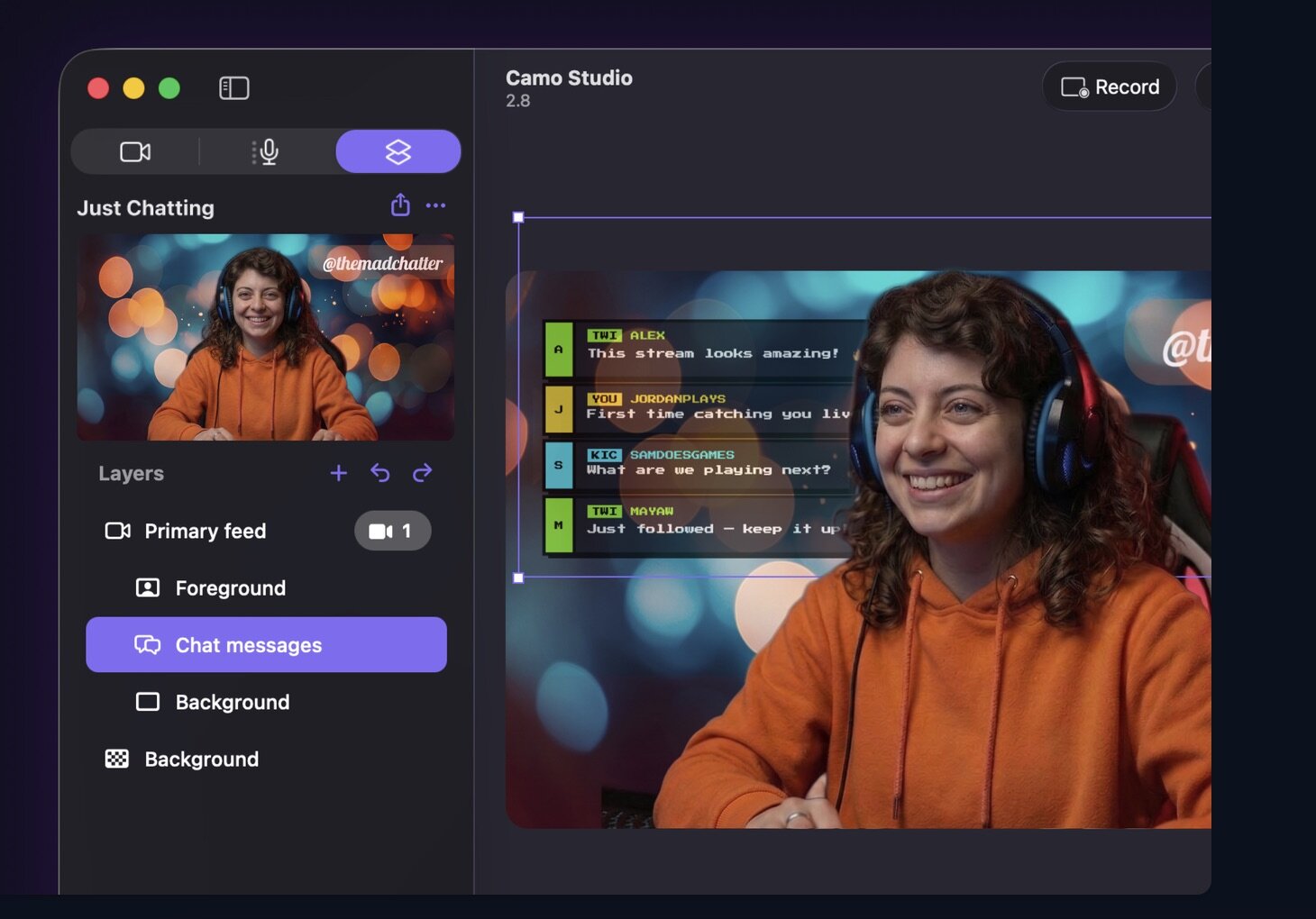
- Add lower-thirds, overlays, text and logos to inform and engage viewers.
- Replace or soften backgrounds and correct lighting with AI-assisted adjustments.
- Frames that follow you: smart tracking and framing keep your subject centered.
Flexible capture options
- Wired or wireless connections for iOS and Android devices.
- Multi-angle setups — top-down, overhead, side shots — use any mount or rig.
- Manage and reuse assets from the Gallery; discover ready-made content in Explore.
Built-in editor
- Compose and edit scenes in-app: combine text, images and overlays, then save them for future use.
Start creating great video — with the camera you already have.
Version 2.9.0:
Introduced dual-format streaming and recording, letting you stream and record landscape and portrait at the same time, each with its own independently arranged canvas
Feature
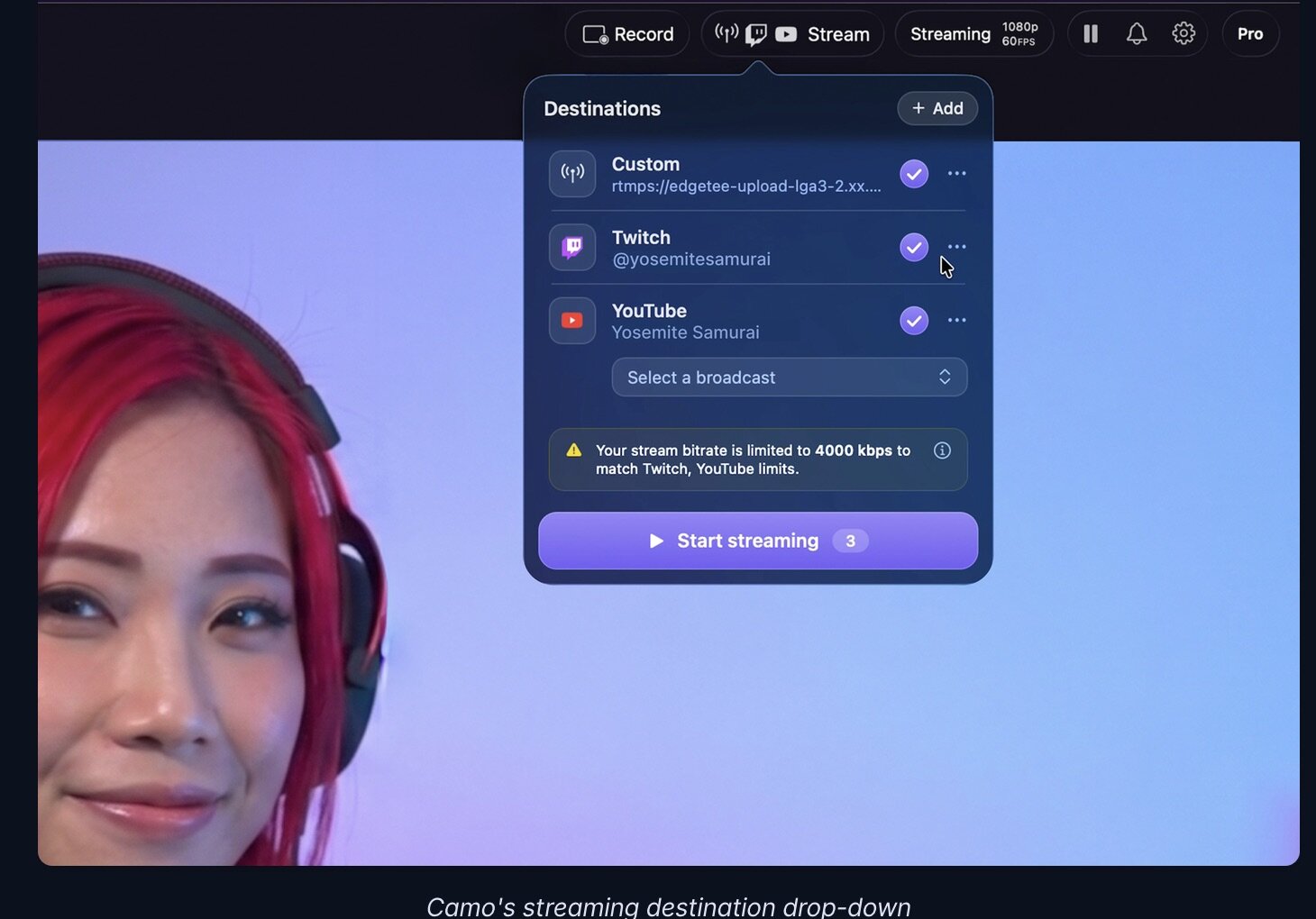
- Added Facebook streaming, with a title, description and audience you choose before you go live
- Added Instagram streaming
- Introduced layer masks, so you can mask a layer with a shape or another layer
- Introduced stacks, which group layers together and position and resize their contents automatically
- Introduced isolated recordings, which record each of your sources to its own file alongside the main recording
- Added audio noise reduction to clean up background noise from your microphones
- Added the ability to control Camo Studio from AI agents such as Claude
- Added gradient fills for layers
- Added the ability to import your scenes from OBS
Improvement
- Improved the sound of your streams with higher-quality audio
- Improved the preview's smoothness when using several cameras at once
- Improvement Updated text layers to scale from their corner handles, with the edges resizing the layer's frame
Fixed
- streaming to some custom RTMP servers, including Restream, never starting
- screen capture staying at 1080p after switching to a 4K profile
- Studio taking up to 10 minutes to launch when a USB camera stopped responding
- audio gradually drifting out of sync with video during long recordings with some USB microphones
- the Camo Studio window opening on its own when selecting Camo in another app such as Zoom
- the web layer preview getting stuck loading after an invalid URL warning
- an incorrect message when dragging images into backgrounds
- undoing and then redoing the addition of an image or video layer leaving the layer empty
- several layout quirks in the sidebars and toolbar on macOS 27
- a crash when quitting Studio with the Web Layers add-on installed
- a rare crash when your audio devices changed
- a rare crash when changing a camera's format
- a crash when rearranging layers in the sidebar
- a rare crash when drawing the preview
Frequently asked questions
How do I install the app?
Mount the image, drag the app into the "Applications" folder and launch it. If the system blocks the launch, allow it in "System Settings → Privacy & Security".
The app is damaged or won't launch
Reinstalling from a fresh image usually helps. Make sure your macOS version matches the one listed in the compatibility specs.
How do I update?
Download the new version from the site and install it over the current one — your settings will be preserved.
The download link doesn't work
Try a mirror or a download manager. For large files the browser often drops the connection.
How do I completely remove the app?
Use an uninstaller utility — it cleans up the service files that remain after moving the app to the trash.

Choose a download source
Camo Studio 2.9.0 · 167.02 MB
Previous versions
Camo Studio 2.9.0
Previous versions are available to registered users.